AI Voice Changer: How It Works, Best Uses, and Popular Tools
Changing the way a voice sounds used to require audio-editing skills, specialized software, and considerable time. Today, AI voice changers can transform spoken audio into different voices, alter vocal characteristics, and help creators produce audio for videos, games, podcasts, and other projects.
- AI Voice Changer: How It Works, Best Uses, and Popular Tools
- How Does an AI Voice Changer Work?
- 1. Capturing or Uploading Audio
- 2. Analyzing Speech and Vocal Patterns
- 3. Applying Voice Transformation
- 4. Generating the Converted Audio
- 5. Exporting or Using the Voice
- AI Voice Changer vs. Traditional Voice Changer
- Popular AI Voice Changer Tools
- 1. Voicemod
- 2. Voice.ai
- 3. ElevenLabs Voice Changer
- 4. Altered Studio
- 5. FineVoice
- 6. iMyFone MagicMic
- 7. Kits AI
- 8. LALAL.AI
- Comparison of AI Voice Changer Tools
- How to Use an AI Voice Changer
- Practical Uses of AI Voice Changers
- 1. Gaming and Online Communication
- 2. Live Streaming
- 3. YouTube and Video Creation
- 4. Podcasts and Audio Editing
- 5. Social Media Content
- 6. Creative Projects and Animation
- 7. Privacy and Personal Voice Modification
- Benefits of AI Voice Changers
- Limitations of AI Voice Changers
- Audio Quality Issues
- Latency During Live Use
- Compatibility Problems
- Limited Free Features
- Consent and Misuse
- How to Choose the Right AI Voice Changer
- Conclusion
- Frequently Asked Questions About AI Voice Changers
- 1. What is an AI voice changer?
- 2. Can AI voice changers work in real time?
- 3. What is the best AI voice changer?
- 4. Are AI voice changers free?
- 5. Can I use an AI voice changer for Discord?
- 6. Can AI voice changers change voices in recorded audio?
- 7. Is an AI voice changer the same as AI voice cloning?
- 8. Is it safe to use AI voice changers?
An AI voice changer uses artificial intelligence to modify a person’s voice. Depending on the tool, users can change their voice in real time during a call or recording, or upload an audio file and transform it afterward. Some tools offer simple effects, while others use AI models to produce more natural-sounding voice conversions.
These tools are becoming useful for content creators, gamers, streamers, video editors, and businesses looking for flexible audio production workflows.
In this guide, we explain what an AI voice changer is, how it works, its practical applications, popular tools, and what to consider before choosing one.
What Is an AI Voice Changer?
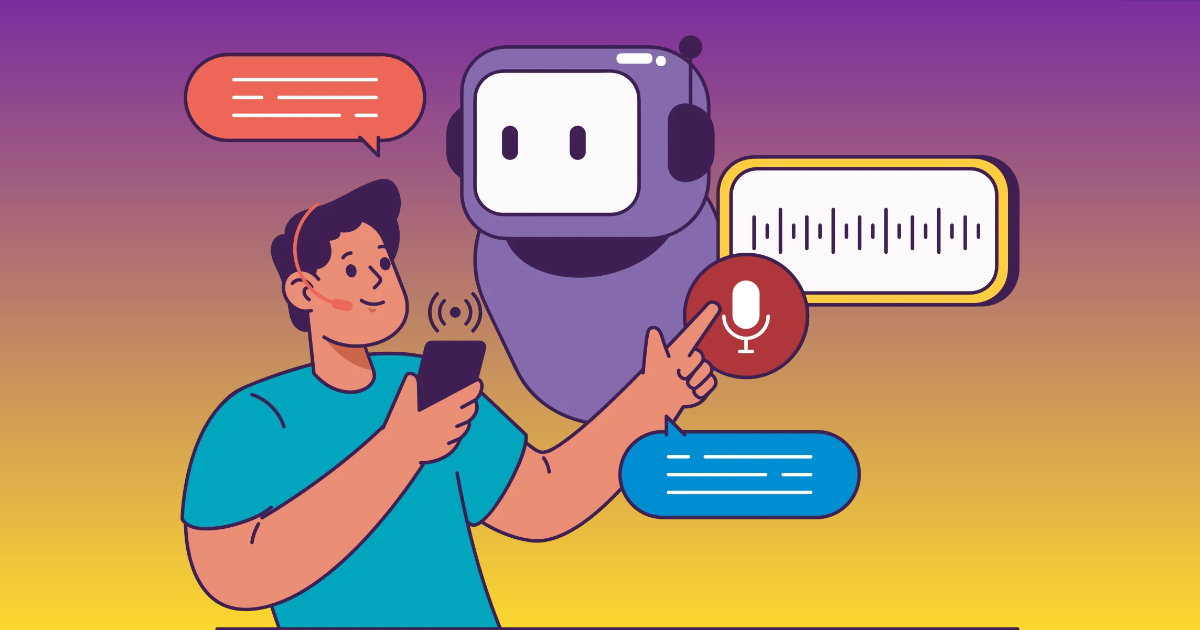
An AI voice changer is software that uses artificial intelligence to modify a person’s voice. It can transform the sound of a voice by changing its tone, pitch, vocal texture, accent, or other characteristics while attempting to preserve the original speech.
For example, someone speaking into a microphone can use an AI voice changer to sound like a different character during a live gaming session. A video creator can also upload a recorded voice and convert it into a different vocal style for a video.
Traditional voice changers often rely on audio effects such as pitch shifting, distortion, modulation, and filtering. AI voice changers may use machine learning models to transform the speech more extensively, sometimes producing a voice that sounds less like a simple audio effect.
The result depends on the model, recording quality, selected voice, and processing method.
How Does an AI Voice Changer Work?
AI voice changers use speech-processing and machine-learning techniques to transform audio. Although different platforms use different models, the process generally follows a few steps.
1. Capturing or Uploading Audio
The process begins when a user speaks into a microphone or uploads an existing audio recording. The system receives the voice input and prepares it for processing.
For real-time voice changing, the software continuously captures microphone audio. For recorded audio, the user uploads a file that the tool processes.
2. Analyzing Speech and Vocal Patterns
The AI model analyzes the incoming audio to identify speech characteristics. These can include pronunciation, pitch, timing, vocal tone, and other acoustic patterns.
This analysis helps the system understand the structure of the voice before transforming it.
3. Applying Voice Transformation
The system uses its AI model to convert the source voice into the selected target voice or vocal style.
Depending on the platform, users may choose a different gender presentation, character-like voice, accent, vocal texture, or a specific authorized voice model. Some tools also provide controls for adjusting the transformation.
4. Generating the Converted Audio
The system produces the transformed speech. In real-time applications, it attempts to generate the output quickly enough for live conversations, streaming, or gaming.
In recorded workflows, the system can take longer to process the audio, which may allow more detailed conversion.
5. Exporting or Using the Voice
Users can play the transformed voice, download the audio, or route it through a virtual microphone to another application.
The final workflow depends on whether the voice changer supports audio exports, real-time microphone integration, or both.
AI Voice Changer vs. Traditional Voice Changer
AI voice changers and traditional voice changers both modify audio, but they often use different techniques and offer different capabilities.
| Feature | Traditional Voice Changer | AI Voice Changer |
|---|---|---|
| Technology | Audio filters and effects | AI speech transformation and audio processing |
| Voice modification | Often basic pitch and sound effects | Can transform broader vocal characteristics |
| Real-time support | Common | Available in many tools |
| Voice realism | Often sounds processed | May produce more natural voice conversions |
| Customization | Basic effects and settings | May offer AI models, voice styles, and advanced controls |
| Use cases | Gaming effects, fun filters, simple audio changes | Content creation, gaming, audio editing, voice transformation |
| Processing | Usually lightweight | May require more computing or cloud processing |
These are general differences, not universal rules. Some traditional tools offer advanced audio processing, and AI voice changers can also produce unnatural or distorted results.
Popular AI Voice Changer Tools
There are several AI voice changer tools available for real-time communication, content production, audio editing, and entertainment. The following platforms offer different workflows, so the best choice depends on how you intend to use them.
1. Voicemod
Voicemod is a voice-changing application commonly used by gamers, streamers, and online content creators. It offers voice effects and voice-changing features that can be used with supported communication and streaming applications.
Its virtual microphone workflow allows users to route modified audio into compatible apps. It is useful for people who want to change their voice during live conversations, gameplay, or streams.
Best for: Gaming, streaming, live communication, and character voices.
2. Voice.ai
Voice.ai offers AI-powered voice-changing capabilities for transforming voices in real-time and other audio workflows. Its platform includes voice-related features designed for users interested in voice conversion and different vocal styles.
Depending on the supported application and configuration, users can explore voice transformation for conversations, content creation, and entertainment.
Best for: Real-time voice transformation and exploring AI voice models.
3. ElevenLabs Voice Changer
ElevenLabs offers voice-related AI tools, including speech-to-speech voice transformation. Users can upload or record speech and transform it into another voice while aiming to preserve the original delivery and speech characteristics.
It may be useful for video narration, creative audio production, character dialogue, and voice-based content. Users should follow the platform’s verification, consent, and usage requirements.
Best for: Recorded voice transformation and creative audio workflows.
4. Altered Studio
Altered Studio is an AI voice and audio-production platform designed for creative and professional workflows. It provides voice-changing and voice-related production features that can help users work with recorded speech.
The platform may be suitable for people producing dialogue, voiceovers, audio content, and creative projects where voice transformation is part of the production process.
Best for: Audio production, voice acting, and creative content.
5. FineVoice
FineVoice offers AI voice and audio tools for voice generation, transformation, and creative content workflows. Depending on the features available, users can explore voice-changing options for recorded content and other audio applications.
It can be worth considering for creators who want to experiment with AI audio tools without building their own voice-processing workflow.
Best for: Voice transformation and multimedia content creation.
6. iMyFone MagicMic
iMyFone MagicMic is a voice-changing application designed for users who want to modify their voices with different effects and AI-powered options.
It is often explored for gaming, voice chats, entertainment, and recorded audio. Its available voice effects and supported platforms may vary by version.
Best for: Gaming, entertainment, and voice effects.
7. Kits AI
Kits AI focuses on AI-powered audio and voice tools, including voice conversion features associated with music and vocal production.
Musicians and audio creators can explore its tools for transforming vocals and experimenting with different vocal sounds. Its capabilities make it more relevant to music-related workflows than a general live voice changer.
Best for: Vocal transformation, music production, and creative audio projects.
8. LALAL.AI
LALAL.AI offers audio-processing tools, including vocal-related processing and voice conversion features. It is worth exploring for users working with audio files, vocals, and creative projects.
Its broader audio workflow may be useful for people who need more than a basic live microphone voice changer.
Best for: Recorded audio processing and vocal-related workflows.
Comparison of AI Voice Changer Tools
| Tool | Main use case | Workflow |
|---|---|---|
| Voicemod | Gaming and streaming | Real-time |
| Voice.ai | AI voice transformation | Real-time and supported recorded workflows |
| ElevenLabs | Speech-to-speech conversion | Recorded audio |
| Altered Studio | Professional voice production | Recorded and supported live workflows |
| FineVoice | Creative audio production | Depends on feature |
| iMyFone MagicMic | Gaming and entertainment | Real-time and supported audio workflows |
| Kits AI | Vocal and music transformation | Recorded audio |
| LALAL.AI | Audio and vocal processing | Recorded audio |
Feature availability, supported devices, and free access can change. Check the official product pages before purchasing or installing software.
How to Use an AI Voice Changer
Using an AI voice changer is generally straightforward, although the steps differ between real-time applications and recorded-audio tools.
Method 1: Change Your Voice in Real Time
This workflow is useful for gaming, live streaming, and voice conversations.
- Download and install a voice changer that supports real-time audio transformation.
- Open the application and select your microphone.
- Choose the voice or effect you want to use.
- Enable the voice transformation feature.
- Select the application’s virtual microphone in Discord, OBS, a game, or another supported program.
- Test the audio before starting your live session.
If the transformed voice is not working, check your microphone settings, virtual audio device, permissions, and the input selected by the communication application.
Method 2: Change a Recorded Voice
This approach is useful for video creators, podcasters, and people editing voice recordings.
- Open an AI voice changer that supports uploaded audio.
- Upload your voice recording or record directly within the platform.
- Select an available voice or transformation model.
- Process the audio.
- Listen to the generated result and check for pronunciation or audio-quality issues.
- Download the converted audio if the platform supports exporting.
This method can be easier to review and refine because you can listen to the complete recording before using it in your project.
Practical Uses of AI Voice Changers
AI voice changers are not limited to gaming or entertainment. Their applications are expanding across creative projects, online communication, and audio production.
1. Gaming and Online Communication
Gamers can use AI voice changers to create character voices, change their vocal style, or add entertainment to multiplayer sessions.
A real-time voice changer can work with supported games and communication applications, allowing users to transform their microphone audio while playing.
However, voice effects should not be used to impersonate another person or deceive other players.
2. Live Streaming
Streamers may use voice changers to create different character voices, add variety to content, or develop a creative style for their channels.
For example, a streamer could use different voices for fictional characters during a role-playing stream or a live storytelling session.
Real-time processing is particularly important for this use case because the audio must be transformed while the streamer is speaking.
3. YouTube and Video Creation
Video creators can use voice changers to transform recorded narration, create fictional dialogue, or experiment with different vocal styles.
This can help when producing animations, gaming videos, storytelling content, or creative video projects.
Creators should review the converted audio carefully to make sure it sounds natural and matches the video.
4. Podcasts and Audio Editing
Podcasters may explore voice transformation to create character dialogue, improve creative storytelling, or experiment with audio production.
Voice changers can also be part of a larger editing workflow that includes noise removal, recording cleanup, audio mixing, and sound effects.
However, voice transformation is not a substitute for correcting poor recording quality or editing inaccurate content.
5. Social Media Content
Creators producing short-form videos, reels, and entertainment content can use AI voice changers to add creative effects.
For example, someone producing a comedy video might use a different vocal style for a fictional character. The transformed voice can make the content more engaging when used appropriately.
6. Creative Projects and Animation
Animation creators, independent filmmakers, and game developers may experiment with AI voice transformation to create different vocal styles for characters.
It can help with creative prototyping, especially when a project needs temporary dialogue or character voice variations.
For professional production, creators should ensure they have the necessary voice rights and licenses before distributing the content.
7. Privacy and Personal Voice Modification
Some people may use voice changers to alter how they sound during online communication. This can be motivated by privacy, personal preference, or creative expression.
However, a voice changer should not be treated as a reliable security tool. It does not guarantee anonymity, and other identifying information may still be exposed through an online account, conversation, or recording.
Benefits of AI Voice Changers
AI voice changers provide several benefits for users who work with spoken audio.
- Creative flexibility: Users can experiment with different voices and vocal styles.
- Real-time transformation: Some applications change microphone audio during calls, gaming, or streaming.
- Simplified audio production: AI can reduce the effort required to create certain voice effects.
- Multiple voice options: Users can explore different vocal styles without recording each one manually.
- Content experimentation: Creators can try different voice styles for videos, animations, and storytelling.
- Audio workflow support: Some platforms combine voice changing with recording, editing, and other audio tools.
The actual benefits depend on the tool, hardware, audio quality, and intended use.
Limitations of AI Voice Changers
Despite their capabilities, AI voice changers have some limitations.
Audio Quality Issues
AI-generated audio may contain distortions, unnatural transitions, or inconsistent pronunciation. The output quality can depend on the source recording and the model being used.
Latency During Live Use
Real-time voice changers must process audio quickly. Some applications may introduce noticeable delay, especially on devices with limited processing power or unstable internet connections.
Compatibility Problems
Not every voice changer works with every game, operating system, communication platform, or microphone. Users may need to configure virtual audio devices and application permissions.
Limited Free Features
Free versions may restrict voice options, processing time, downloads, or advanced controls. Some tools require paid subscriptions for additional functionality.
Consent and Misuse
AI voice transformation can be misused to imitate people, create misleading recordings, or produce unauthorized content. Users should avoid impersonation and respect voice rights, privacy, and platform policies.
How to Choose the Right AI Voice Changer
The best AI voice changer depends on how you plan to use it. Before selecting a platform, consider the following factors.
- Real-time support: Choose a tool that supports live microphone transformation if you need it for gaming, streaming, or calls.
- Recorded audio support: Look for upload and export features if you want to transform voice recordings.
- Voice quality: Test the available voices and listen for natural pronunciation and audio clarity.
- Device compatibility: Confirm that the software works with your operating system, microphone, and target applications.
- Customization: Check whether the tool allows you to adjust pitch, voice characteristics, effects, or transformation settings.
- Pricing: Compare free features, subscriptions, processing limits, and export restrictions.
- Privacy and licensing: Review how audio is handled and whether the voice models and generated audio are permitted for your intended use.
A tool that works well for live gaming may not be the best choice for recorded voiceovers or music production. Choosing based on your workflow can save time and unnecessary subscriptions.
Conclusion
AI voice changers are making voice transformation more accessible for gamers, streamers, video creators, podcasters, and audio professionals. They can change vocal characteristics, create different voice styles, and support both live communication and recorded audio workflows.
From real-time voice effects to AI-powered speech conversion, these tools offer different capabilities depending on the user’s needs. Some are designed for gaming and streaming, while others focus on creative production, music, or audio editing.
However, voice transformation is not always perfect. Audio quality, latency, compatibility, and licensing remain important considerations.
By choosing the right tool and using it responsibly, AI voice changers can become a practical addition to modern audio and content-creation workflows.
Frequently Asked Questions About AI Voice Changers
1. What is an AI voice changer?
An AI voice changer is software that uses artificial intelligence to modify spoken audio. It can change vocal characteristics such as tone, pitch, texture, and style while attempting to preserve the original speech.
2. Can AI voice changers work in real time?
Yes. Some AI voice changers support real-time microphone transformation for gaming, live streaming, and online communication. Others focus on converting recorded audio after it has been uploaded.
3. What is the best AI voice changer?
The best AI voice changer depends on your needs. Voicemod is worth exploring for gaming and live streaming, ElevenLabs for recorded voice transformation, and Kits AI for music-related vocal conversion. Compare features, compatibility, and pricing before choosing.
4. Are AI voice changers free?
Some AI voice changers offer free versions, limited voice libraries, trial access, or free usage allowances. Advanced features, premium voices, and additional processing may require a paid plan.
5. Can I use an AI voice changer for Discord?
Yes. Some real-time voice changers can be connected to Discord through virtual microphone devices. Users generally need to select the voice changer’s virtual input device in Discord’s voice settings.
6. Can AI voice changers change voices in recorded audio?
Yes. Some tools allow users to upload recorded speech, select a voice transformation, process the audio, and download the converted recording. The workflow depends on the platform.
7. Is an AI voice changer the same as AI voice cloning?
No. An AI voice changer transforms an existing voice into another voice or vocal style. AI voice cloning attempts to reproduce the characteristics of a specific person’s voice. Some platforms combine voice-changing and voice-cloning features.
8. Is it safe to use AI voice changers?
AI voice changers can be used safely for legitimate creative and communication purposes. Users should choose trustworthy providers, protect recordings, respect consent, and avoid using synthetic voices for fraud or impersonation.

Sandeep Kumar is the Founder & CEO of Aitude, a leading AI tools, research, and tutorial platform dedicated to empowering learners, researchers, and innovators. Under his leadership, Aitude has become a go-to resource for those seeking the latest in artificial intelligence, machine learning, computer vision, and development strategies.