Building a professional website using AI, even without coding or advanced web designing skills. Modern AI website builders generate website layouts, write initial content, suggest images, and build multiple pages using the single text prompt. Build a website without coding with the best AI website builder Black Friday deals.
However, generating the website and building a professional online presence are two different things. It also needs a strong brand that will stay relevant over time, useful content, mobile-friendly design, search engine optimization, security features, and reliable hosting.
The following guide covers the possibilities of AI and its usage to create a website.
How to Create a Professional Website with AI?
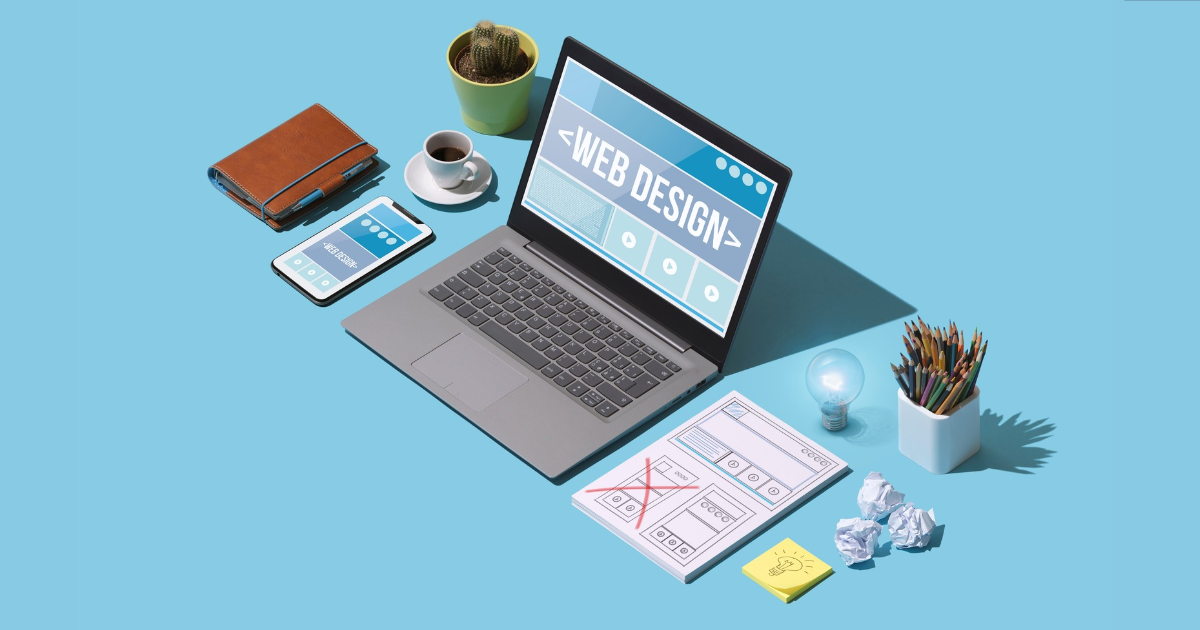
Define Goal of your Website
What do you want your website to do before you launch an AI website builder?
Ask yourself:
- Are you creating a personal portfolio, blog, or online shop?
- Who is the target audience of your website?
- What information do you need to find?
- Do you want your visitors to contact you, buy products, or schedule appointments?
- What is your unique value proposition of the business?
For example, a web design agency website should have the services they provide, previous work, skills, and contacts.
This gives the AI tool a clear goal, and as such, it is able to produce a website that is relevant and meaningful and not generic.
Choose an AI Website Builder
Select an AI website builder as per your need. MilesWeb has an AI builder and ready-made AI prompts to build a site for any niche. It includes domain links, web hosting infrastructure, ecommerce and content management. All you can get them with MilesWeb, the best website to buy a domain in India. Before you select a tool, check:
- Is it usable for multi-page websites?
- Are you going to change the layout, colour, fonts, and pictures?
- Does it support the connection of a custom domain?
- Got SEO settings?
- Do you support forms, payment gateways, or 3rd party integrations?
- Can you export or migrate your website if you change platforms?
- What are the subscription and renewal costs?
Don’t select the builder because of its quick response, but also look for customization and user-friendliness.
Write a Detailed AI Prompt
A detailed prompt gives enough instructions to an AI website builder for building a responsive website. A vague prompt like “Create a professional business website” produces a generic result. A detailed prompt gives the AI tool a brief insight about the business, audience, required pages, design preferences, and action your visitors take.
For example:
Prompt:
“Design and develop an updated, responsive, and small business and startup-friendly website for a digital marketing company serving small businesses and startups. The home page, About Us, services, case studies, the blog, and contact should be included on the website. Minimal use of typography and simple navigation; use of a clear, basic blue/white colour scheme. Emphasize their paid advertising, content marketing, social media marketing, and their SEO services. Add request forms and call-to-action buttons. Be professional, simple to use, and conversion-oriented.”
Customize the Design and Content
AI-generated websites and their content may be flagged for black hat SEO practices. Later, it tanks your search engine rankings and downgrades performance. Basic customization like content editing, logo upload, and final graphic editing is mandatory.
These are some scopes of improvement in your first draft:
- Brand it: Use consistent brand colours and readable fonts. Add a real logo.
- Replace generic content. Provide exact company information, service details, pricing, and business contact information.
- Replace stock photos. Use real photos of the real product, team photos, project screenshots, or relevant branded graphics instead of stock photos.
- Refine CTAs: Have specific calls to action such as “Get a Quote,” “Book a Consultation,” or “Explore Services.”
- Consistency: The page should be consistent in look and feel, tone of voice, button design, and spacing, etc.
The latest change in the website layout makes the optimized version look unique.
Connecting Your Domain and Hosting
Once you’ve built your website, you want to make it accessible to people. So you need a domain name and hosting for your site.
A domain name is a memorable address for the visitors, and web hosting is the place where website files are stored and made available to the users.
For a photography company website, for instance, you can pick a domain name, such as examplephotography.com.
Summary
Build a business website AI, coded-free! Using AI website builders, one simply gives directions to produce the structure of the page, content, images, and layouts.
The AI-generated website should not be considered a static product, however. Also, test the design and SEO with a web host while evaluating the content.
The practical website can be used for simple business sites, portfolios, and landing pages. Augment the application’s use and business-specific requirements with the help of AI support and professional development.
FAQs
- Can AI build a professional website without coding?
Yes, AI website builders can create professional websites without coding. They can generate layouts, write website content, suggest images, and customize design elements based on your requirements.
- Are AI-built websites good for businesses?
Yes, AI-built websites can work well for small businesses, startups, freelancers, and service providers. However, businesses should review the design, content, functionality, and branding to ensure the website meets their goals.
- What are the limitations of AI website builders?
AI website builders may have limitations in design flexibility, advanced customisation, unique functionality, SEO control, and scalability. Some websites may also require manual adjustments to deliver a consistent user experience.
- Do AI-built websites need web hosting?
Yes, AI-built websites need hosting to make them accessible online. Some AI website builders include hosting in their plans, while others allow users to connect a custom hosting provider or deploy their websites separately.

Sandeep Kumar is the Founder & CEO of Aitude, a leading AI tools, research, and tutorial platform dedicated to empowering learners, researchers, and innovators. Under his leadership, Aitude has become a go-to resource for those seeking the latest in artificial intelligence, machine learning, computer vision, and development strategies.