Not long ago, “turning a photo into a video” meant a slow zoom and pan across a still image. Today, an image-to-video model can make the person in a photo blink, turn their head, smile, and let the wind catch their hair, all from a single frame.
The results range from uncanny to genuinely moving. In my experience, the difference usually comes down to two things you control: the photo you feed in and what you expect the model to do with it. This guide explains what is happening under the hood, then gives you a practical workflow.
What image-to-video AI actually does
Most current image-to-video systems are video diffusion models. They were trained on enormous amounts of video, so they have learned how things tend to move: how faces shift when someone speaks, how fabric falls, how light changes as a head turns.
When you upload a photo, the model treats it as the first frame (or as a strong reference) and generates the frames that come after it. Every frame has to solve three problems at once:
- Identity: the person or object must still look like itself on frame 120.
- Plausible physics: hair, clothing and water should move the way they would in real life.
- Temporal coherence: nothing should flicker, melt or pop in and out between frames.
Newer models also generate audio, such as ambient sound, music or speech, in the same pass. That is why short clips with sound now come out of a single photo without any editing.
Why some photos animate beautifully and others fall apart
The model can only invent motion for what it can see. Before you generate anything, run your photo through this checklist:
| Photo trait | Why it matters |
|---|---|
| Face clearly visible, eyes open | Identity is anchored on facial detail; a half-hidden face drifts fast |
| Decent resolution (ideally 1024px+ on the short side) | Low-res input gets “hallucinated” detail that changes frame to frame |
| One main subject | Two or more people often blend or swap features when they move |
| Hands visible and simple, or out of frame | Hands are still the most common failure point |
| Some space around the subject | The model needs room to show a head turn or arm movement |
| Even lighting | Harsh shadows tend to crawl across the face as it moves |
Old, scanned family photos are a special case. Scratches and grain look like texture to the model, so a quick restoration or upscale before animating usually improves the clip more than any setting.
Prompted vs. prompt-free tools
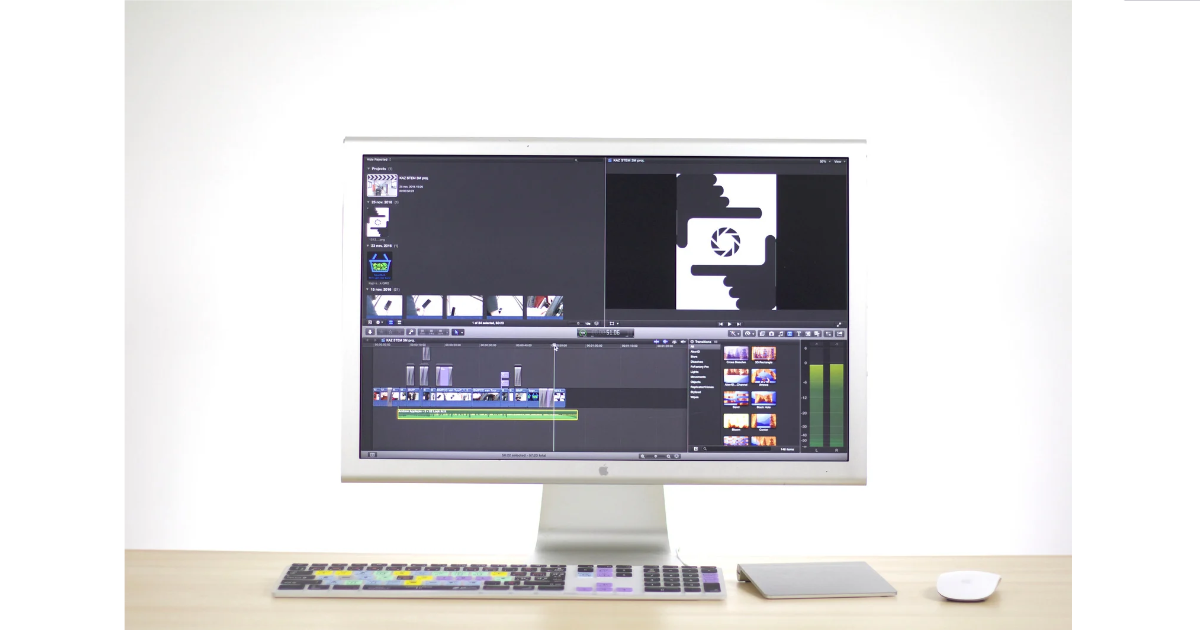
Model families such as Kling, Seedance, Runway and Google’s Veo give you a text prompt for describing the motion you want: “she looks up and laughs, camera slowly pushes in.” That control is powerful, but writing good motion prompts is a skill of its own, and vague prompts produce vague motion.
If you’d rather skip prompt-writing, an online AI photo animator such as AI Photo Animator wraps these models in a simpler flow: you upload one still and get back a few seconds of motion with sound. The trade-off is less fine-grained control in exchange for a much faster first result. That is often the right trade for family photos or social posts.
A good rule of thumb: use prompt-based tools when you need a specific action, and prompt-free tools when you just want the photo to come alive naturally.
A 5-step workflow for cleaner results
- Pick the strongest photo, not the most meaningful one. If you have five shots of the same moment, choose the sharpest face and simplest background. You can always try the sentimental one second.
- Prep the image. Crop to the aspect ratio you plan to publish in (9:16 for Reels and TikTok, 16:9 for YouTube). Restore or upscale old scans first.
- Decide on the type of motion. Subtle motion (breathing, blinking, a small smile) is far more reliable than big actions like dancing or walking. Start subtle.
- Generate several takes and compare them. Results vary between runs, even with the same input. AI Photo Animator’s photo to video AI tool is built for portraits, old photos and product shots and doesn’t ask for a prompt. That makes it easy to run the same image three times and keep the best version.
- Check the edges before you share. Pause on the last frame. Look at hands, teeth, ears, jewelry, any text in the image and the background behind the head. These are where artifacts hide.
Where the technology still struggles
Being honest about the limits will save you hours:
- Hands and fingers still warp, merge or gain extra joints during movement.
- Text and logos in the photo often smear once the camera or subject moves.
- Group photos are hard. Interactions between people, such as hugging or passing objects, are rarely convincing.
- Length: most tools produce clips of roughly 5 to 10 seconds. Longer sequences are usually several clips stitched together.
- Extreme head turns cause identity drift. A slight turn works; a full profile from a frontal photo usually doesn’t.
There are also non-technical limits. Animate photos of real people only when you have the right to. Be thoughtful with photos of relatives who have passed away, since not everyone in a family will react the same way. Label AI-generated clips when you post them publicly. And before uploading personal photos anywhere, read the tool’s policy on whether uploads are stored or used for model training.
Real-world uses that make sense today
- Family history: a few seconds of movement in a great-grandparent’s portrait makes a family-tree presentation or memorial slideshow far more engaging.
- E-commerce: a product photo with gentle motion (fabric moving, steam rising from a cup) can stand in for a basic product video.
- Social content: creators turn a single strong photo into a short clip for Reels, Shorts or TikTok without filming anything new.
- Education: teachers animate historical portraits or paintings to open a lesson. It works best when students are told up front that the motion is AI-generated.
How to judge whether your clip is good enough
Ask three questions before you publish:
- Would someone who knows the subject recognize them on the last frame, not just the first?
- Does every movement have a reason, like wind, a glance or a breath, or is it motion for its own sake?
- If you watched it on a phone at normal speed, would anything make you look twice?
If all three answers are fine, the clip is ready. If not, it is usually faster to go back to step 1 and pick a different photo than to keep re-rolling the same one. Which photo in your camera roll would you try first?
FAQs
1. What is image-to-video AI?
Image-to-video AI is a technology that transforms a still image into a moving video clip by generating new frames based on the original photo and a motion description or model settings.
2. How does image-to-video AI work?
Image-to-video AI models use learned visual and motion patterns to generate frames from an uploaded image. They predict how subjects, backgrounds, lighting, and other elements might move over time.
3. How can I get better results from image-to-video AI?
Use a high-resolution photo, clearly visible subjects, even lighting, simple backgrounds, and realistic motion instructions. Generate multiple versions and review them before publishing.
4. Can AI animate old family photos?
Yes. AI photo animation tools can animate old family photos by adding subtle movements such as blinking, smiling, head turns, and breathing. Restoring or upscaling the image first can improve results.
5. Which photos work best with AI video generators?
Photos with one clearly visible subject, sharp facial details, good lighting, sufficient resolution, and space around the subject generally produce more consistent animations.

Sandeep Kumar is the Founder & CEO of Aitude, a leading AI tools, research, and tutorial platform dedicated to empowering learners, researchers, and innovators. Under his leadership, Aitude has become a go-to resource for those seeking the latest in artificial intelligence, machine learning, computer vision, and development strategies.