GPT Image 2 Review : Features, Workflow, Pros, Cons and Real-World Testing
Visual production is now a daily task for creators, marketers, e-commerce sellers and small content teams. Image 2 is an independent browser-based platform that combines GPT Image 2 image generation and editing with separate AI video models. GPT Image 2 handles still-image creation and editing, while Image 2 adds tools for upscaling, background changes, object removal and image-to-video production. During several weeks of practical testing, its biggest benefit was not one dramatic feature. It was the reduced friction between creating, revising and exporting an asset.
- GPT Image 2 Review : Features, Workflow, Pros, Cons and Real-World Testing
- What GPT Image 2 Offers Inside Image 2
- Real-World GPT Image 2 Testing
- How the Image 2 Workflow Works
- Technical Details, Pricing and API Availability
- Image 2 vs Other AI Image Generators
- GPT Image 2 Pros and Cons
- Frequently Asked Questions
- Final Verdict
What GPT Image 2 Offers Inside Image 2
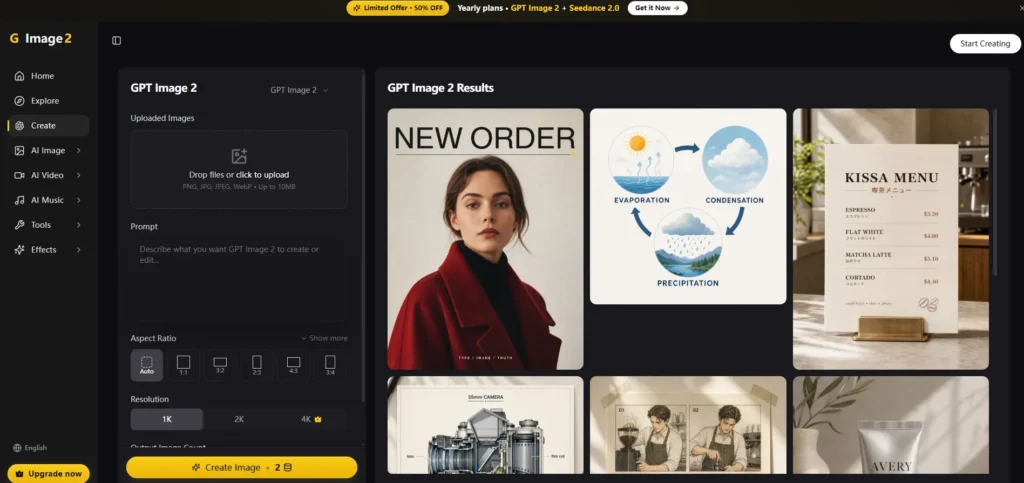
GPT Image 2 is OpenAI’s image-generation and editing model. It accepts text and image inputs, follows detailed instructions, preserves reference details, and returns image outputs. Image 2 places it inside a creator-focused interface and adds other image and video systems. The platform advertises multilingual text rendering, reference-aware consistency and 1K, 2K and 4K output.
This approach suits users who care more about completing a task than mastering a complicated design application. Instead of navigating layers and technical menus, you describe the desired result, inspect it and request a focused revision.
Real-World GPT Image 2 Testing
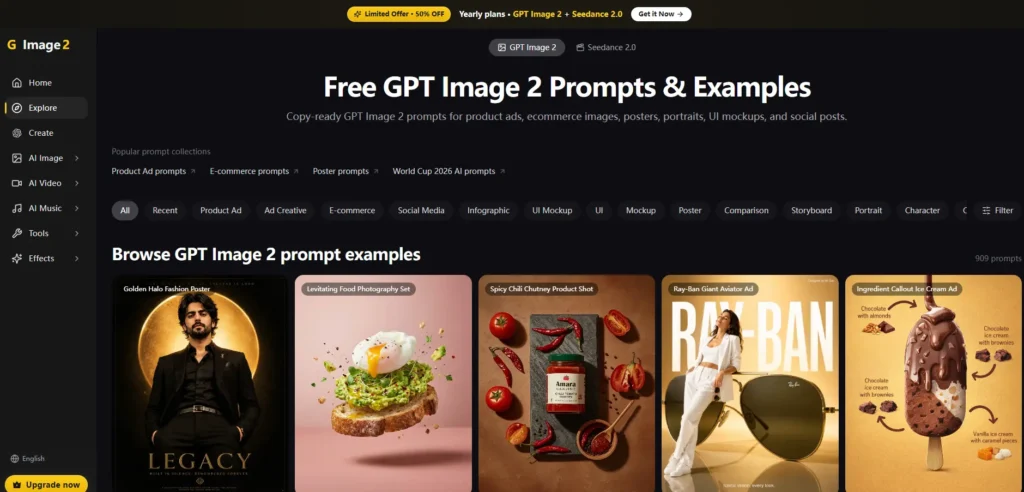
The first test involved a promotional poster with an English headline, a Chinese product name and a mixed-language label. The initial result was readable and well arranged. A few decorative letters required correction, but the text quality was strong enough to avoid rebuilding the full layout elsewhere. Posters, menus and social graphics still require proofreading before publication.
The second test used a basic product photograph. Asking the AI image editor to preserve the product and label while replacing the background with a softly lit kitchen. The product stayed recognisable, and a second instruction corrected a minor lighting mismatch. Focused edits worked better than requesting several major changes together.
The third test created campaign variations from one reference. Colour, identity and composition remained reasonably consistent, although unusual angles and busy scenes introduced more variation. Reference consistency is useful, but it should not be treated as exact.
How the Image 2 Workflow Works
Upload or Describe
Users can begin with a written prompt or a reference image. Site tools accept PNG, JPG, JPEG, and WebP files, with some workflows showing a 10 MB upload limit. A useful prompt identifies the subject, composition, lighting, aspect ratio, required wording and details that must remain unchanged.
Edit with Plain Language
After generation, users can request a background replacement, object removal, canvas extension, restyling or other focused changes. This is helpful for people who do not work with masks, layers or adjustment curves.
Export or Animate
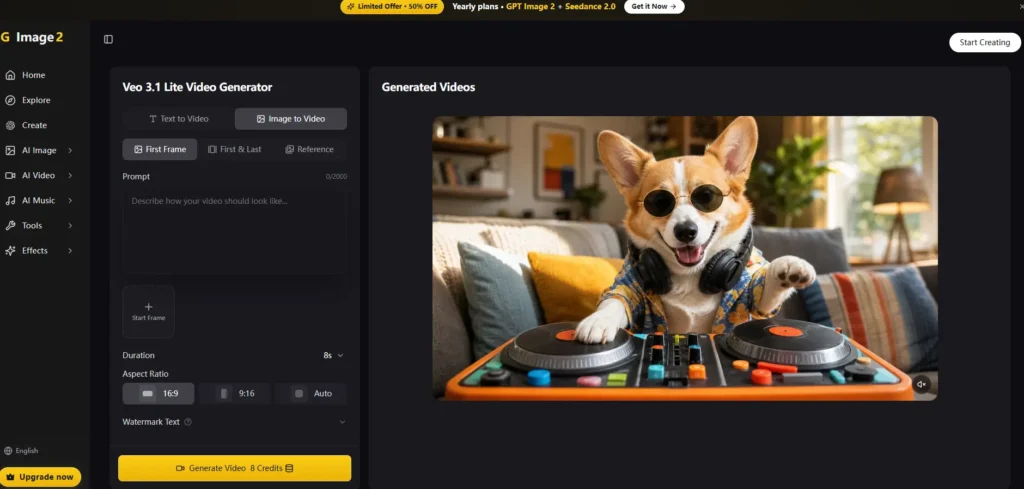
Image 2 provides selectable 1K, 2K and 4K image quality. It also offers image-to-video features through separate models such as Seedance, Veo and Grok Imagine. GPT Image 2 itself creates and edits still images; the wider Image 2 platform handles animation through video models.
Technical Details, Pricing and API Availability
Image quality is strongest when prompts clearly define layout, materials, lighting and text. The platform offers 1K, 2K and 4K choices plus common square, portrait and landscape ratios.
Image 2 works in a browser, so no traditional desktop installation is required. Its free plan currently includes two registration credits and requires no credit card. Listed annual-billing prices are $9.99 per month for Pro and $29.99 per month for Studio. Paid plans add credits, watermark-free downloads, premium generation, and greater access to image and video options. Readers should confirm current pricing before subscribing.
Image 2 vs Other AI Image Generators
| Tool | Best use | Editing and text | Video |
| Image 2 | Multi-model creator workflow | Natural-language edits and strong multilingual text | Separate video models |
| Midjourney | Style-led visual exploration | Web editor, references and style controls | Image-based video tools |
| Ideogram | Posters, logos and typography | Canvas, Magic Fill and editable text layers | Not its main focus |
| Adobe Firefly | Professional creative production | Image, design, audio and video tools | Integrated image-to-video |
| Canva Magic Design | Templates and branded content | Template editing and brand tools | Social video workflows |
Midjourney emphasises style references and web editing. Ideogram focuses strongly on typography and editable text. Adobe Firefly combines several media types, while Canva builds AI into a template-led design system. Image 2 is most attractive when users want GPT Image 2, editing utilities and separate video models in one browser workflow.
GPT Image 2 Pros and Cons
Its main strengths are readable multilingual text, reference-based editing, high-resolution choices, a low learning barrier and convenient movement from still images to short videos. It is useful for campaign drafts, product mockups and regular social publishing.
Limitations remain. Small or decorative text can contain errors. Characters may shift in difficult poses, and complex scenes can require repeated generations. High resolution does not guarantee print-ready typography. Video quality depends on the selected video model, not GPT Image 2. Credit-based pricing may also become expensive during heavy experimentation. Designers may still prefer specialist software for exact spacing, colour management and pixel-level control.
Frequently Asked Questions
What is GPT Image 2?
GPT Image 2 is an independent platform offering that model through its own interface.
Is Image 2 free?
A free plan provides limited registration credits.
Can GPT Image 2 generate videos?
Yes. GPT Image 2 creates videos through separate supported video models.
Does It Support multilingual text?
Yes. Multilingual rendering is a notable strength, although all generated wording should be proofread.
How does it compare to Midjourney or other AI image generators?
GPT Image 2 is better suited to instruction-heavy editing and readable text. Midjourney remains attractive for style exploration and aesthetic control.
Is It Suitable for Commercial Use?
Yes. Users should review the terms and confirm their rights to logos, people, and uploaded references.
Final Verdict
Image 2 is best suited to creators, marketers, e-commerce teams and non-designers who produce visual content frequently and value speed over detailed manual control. Its strongest qualities are GPT Image 2 text rendering, reference-based editing, 4K options and access to separate image-to-video tools in the same browser platform. It does not replace specialist design or professional video software.
Occasional text errors, imperfect consistency and credit costs remain important limitations. Still, it reduces the routine friction of generating, revising and repurposing visual content. For users seeking an approachable AI image generator, AI image editor and image-to-video workflow in one place, Image 2 is a practical option worth testing before selecting a paid plan. That balance makes the platform practical for frequent, deadline-driven visual production.

Sandeep Kumar is the Founder & CEO of Aitude, a leading AI tools, research, and tutorial platform dedicated to empowering learners, researchers, and innovators. Under his leadership, Aitude has become a go-to resource for those seeking the latest in artificial intelligence, machine learning, computer vision, and development strategies.