The learning of technical skills has been revolutionized by video-based learning. Technological advancements such as programming, software development, cloud computing, cybersecurity, and data science are increasingly using video tutorials to gain hands-on knowledge. Video content is very effective at conveying complex concepts, as viewers can see evidence and follow the explanation step by step.
- Why Accessibility Matters in Technical Content?
- Challenges Viewers Face When Learning Complex Topics
- Supporting Diverse Audiences and Learning Styles
- Benefits of Subtitles for Tutorials
- Improve Comprehension of Technical Terms
- Help Viewers Follow Along Without Sound
- Increase Accessibility for Non-Native Speakers
- How to Add Subtitles to Technical Videos?
- Best Practices for Clear Instructional Content
- Conclusion
But no amount of informative tutorials can be as effective if viewers don’t understand the content. Accessibility is an important factor to consider when educators, trainers and content creators strive to make their content more accessible. Adding subtitles is one of the easiest and most effective steps to make stuff more accessible. Understanding how to caption a video can help creators make technical videos more understandable, accessible, and enjoyable for viewers around the world.
Why Accessibility Matters in Technical Content?
Technical topics may include specific terminology, instructions, and demonstrations that move quickly. All learners may struggle to follow material being presented to them if it is not accessible.
Challenges Viewers Face When Learning Complex Topics
Technical tutorials often present new concepts, commands and workflows. There are some difficulties that viewers might face. They are:
- Difficulty understanding technical jargon
- Fast narration during demonstrations
- Complex command-line instructions
- Accents or audio quality issues
- Background noise in learning environments
Even if a student is an expert, he may miss important details in a tutorial if it is too fast for him.
Supporting Diverse Audiences and Learning Styles
Information is consumed in various ways. For some learners, listening is the preferred method of learning, and for others, reading along with the listening explanation is preferred. In addition, technical content can be popular worldwide, and many may not share the tutorial’s language as their native language.
The tutorials are accessible, allowing a wider range of viewers to enjoy the content, regardless of differing learning styles, language backgrounds, or hearing abilities. AI-powered learning tools can further improve accessibility by helping creators organize and adapt educational materials. For example, AI summarizer tools can help turn long technical explanations into shorter learning references, making it easier for students to review important concepts. This is especially useful for developers and learners who need quick summaries of complex tutorials, documentation, or training materials.
Benefits of Subtitles for Tutorials
There are many benefits of including subtitles in your videos. Subtitles can have a profound impact on the learning process and beyond, and are available.
Improve Comprehension of Technical Terms
In technical tutorials, you may find terms, code snippets, software names, and commands that are specific to the industry, which may not be easily understood after a single hearing.
Subtitles will provide visual reinforcement, allowing viewers to see the correct terms as they are read aloud. This is particularly beneficial in the context of the launch of new technologies, programming languages, or technical frameworks.
For instance, when a learner reads the real words used on screen, such as API, Kubernetes, Docker, GitHub, or SQL, he/she will have a better understanding and remember them.
Help Viewers Follow Along Without Sound
Not all learners learn in a place where sound is feasible. There are numerous situations in which people study in a car, at work, in a library, or in an open area where they may not have access to headphones.
Subtitles offer people an alternative way to learn even without audio. They can listen to instructions, read explanations, and comprehend demonstrations and explanations from text without audio narration.
Increase Accessibility for Non-Native Speakers
Technical education is becoming increasingly global. The tutorial published in English can be seen by viewers from dozens of countries.
When video content includes speech but the language isn’t your own, subtitles can provide written assistance to aid in comprehension. Viewers can pause and read the content multiple times, comprehending it at their own pace, which reduces confusion and enhances retention.
This increased access opens the door to more viewers and enables technical creators to make their content more accessible.
How to Add Subtitles to Technical Videos?
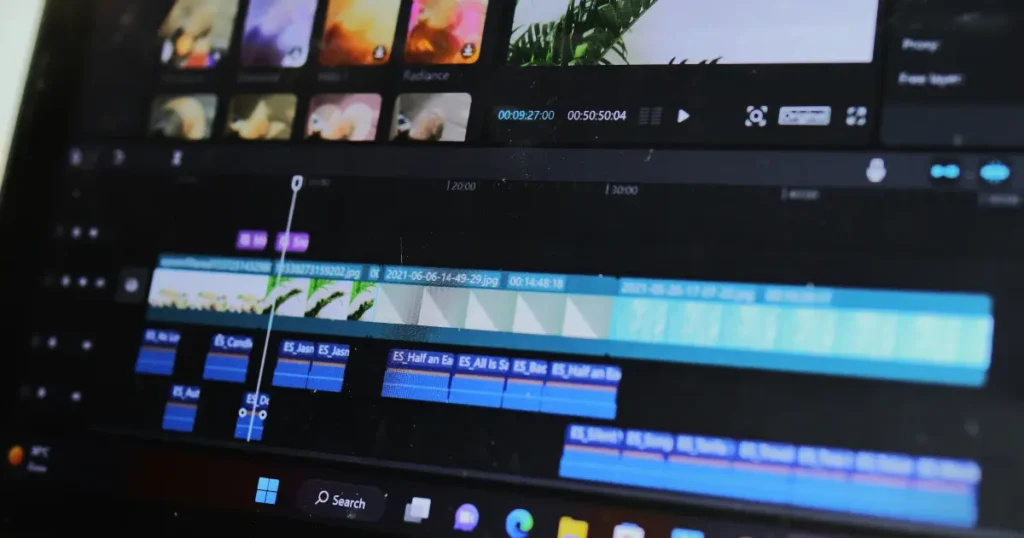
Many content creators think subtitling is time-consuming, but nowadays there are tools that make it easier than ever. Learning how to add subtitles to a video can be straightforward. But one must use this knowledge along with dedicated subtitle-generation platforms.
Upload and Edit Tutorial Footage
The first step is to upload your Tutorial Recording. The video can be a software demonstration, coding tutorial, troubleshooting guide, or product tutorial, but always make sure there is good audio narration.
Uploaded creators can then arrange the content, cut out any excess material and prepare the video for subtitle creation.
Reviewing the tutorial structure before creating subtitles will help keep explanations in sync with what is happening on screen.
Generate and Review Subtitles
With today’s subtitle tools, you can use speech recognition technology to automatically create subtitles. This significantly reduces the time required compared to transcribing each word spoken.
After the subtitles have been produced, creators should check them for accuracy. Technical tutorials may be full of specialised terms with specific meanings, and automated systems may sometimes misinterpret them.
Pay particular attention to:
- Software names
- Programming commands
- Code syntax
- Technical abbreviations
- Product and platform names
These corrections will allow viewers to get accurate information through the tutorial.
Knowing how to add subtitles to a video involves more than simply generating captions. It also needs to be reviewed and refined to uphold instructional quality.
Best Practices for Clear Instructional Content
The best use of subtitles is in conjunction with good instructional design. By focusing on a few best practices, technical educators can help enhance learning outcomes.
Keep Explanations Concise
Long explanations will bore viewers, particularly if they have to watch the demos and read the subtitles at the same time.
Divide ideas into smaller parts and go through them one by one. Clear and concise instructions will help the learner process information more effectively and lessen the cognitive overload.
Shorter sentences also make subtitles easier to read, allowing viewers to follow along more easily without missing the subtlest details.
Highlight Important Commands and Terminology
Commercial tutorials often contain commands, functions, configuration settings and other terms and phrases that must be memorized.
Whenever possible-
- Repeat critical terminology verbally & visually
- Show commands clearly on screen
- Use reliable naming conventions
- Stress on crucial steps in demonstrations
If all these elements are accurately reflected in the subtitles, learners will be able to refer to them more easily throughout the tutorial.
This helps viewers understand the process better and reduces errors when they try to recreate it.
Conclusion
With the ever-increasing use of video-based learning, it is crucial for all technical content creators to ensure their videos are accessible. Subtitles can make tutorials more inclusive, easier to understand, and more effective for all kinds of users in different parts of the world.
Subtitles offer various benefits for education, such as increasing understanding of technical terms, helping viewers to learn even when they don’t know the language, or supporting non-native speakers. Learning how to add subtitles to a video is a valuable skill that enables creators to maximize the reach and impact of their instructional content.
Subtitles are no longer a luxury in today’s age of technical how-to videos—they are a necessary part of effective and accessible learning experiences.

Sandeep Kumar is the Founder & CEO of Aitude, a leading AI tools, research, and tutorial platform dedicated to empowering learners, researchers, and innovators. Under his leadership, Aitude has become a go-to resource for those seeking the latest in artificial intelligence, machine learning, computer vision, and development strategies.