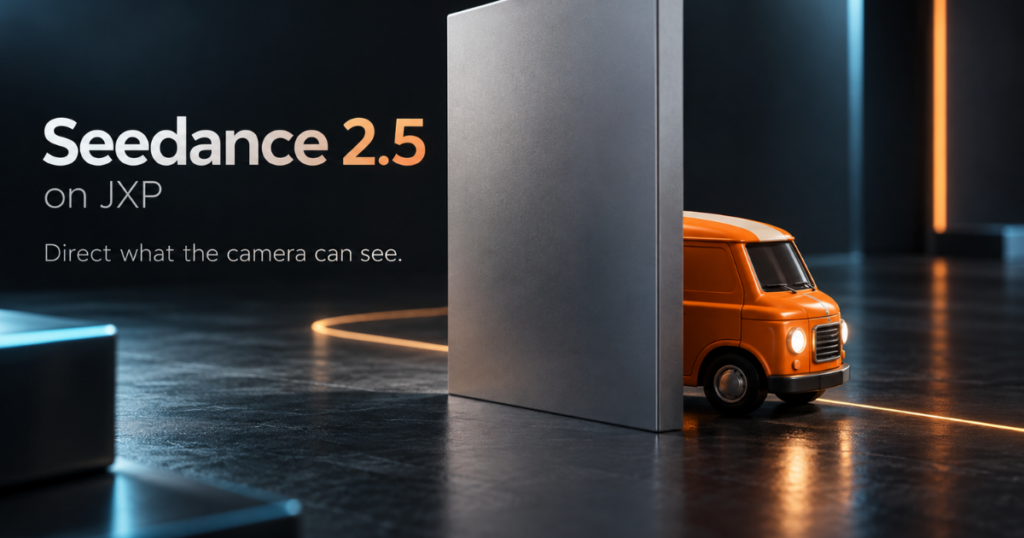
An orange toy van rolls behind a silver screen. For a moment, there is nothing to see but the screen. Then the van emerges. That small interruption gives a short video a surprisingly demanding question to answer: does the returning object still feel like the one that disappeared?
A different roof stripe, a sudden change of direction or an implausibly quick reappearance can break the shot. Yet making the subject visible at every moment is not always the right solution. Passing behind something helps establish depth, directs attention and creates anticipation.
This is occlusion: one object blocks another from the camera’s view. For AI video creators, it is worth treating as a deliberate part of shot design, rather than an accidental obstruction. The following toy-van example is a planning exercise, not a report of measured model performance.
Describe a route that continues out of sight
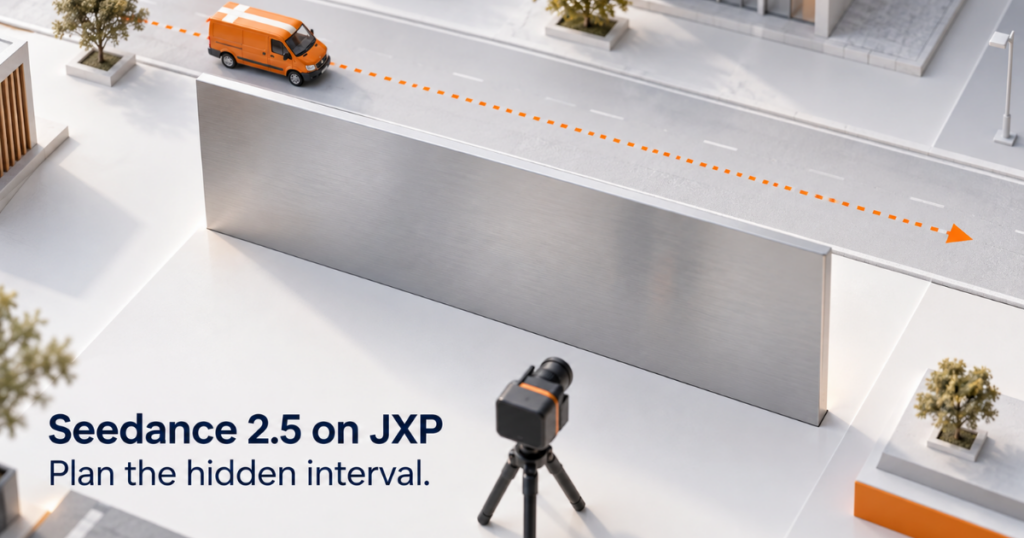
“The van disappears and reappears” leaves too much unexplained. It could describe a magical transformation, a cut or movement beyond the frame. A physical route is more useful: the van travels from left to right behind a stationary screen, stays on the same floor and emerges at the other edge.
Seedance 2.5 on JXP provides text-to-video and reference-generation options for developing a shot like this. An original image can establish the orange body, cream roof stripe and scene layout; the written description supplies the movement. The creative task is to make the hidden interval understandable, not simply to request a more detailed vehicle.
For an initial version, keep the camera still. A moving camera changes how much of the van is visible and where the screen’s edge falls. That may be desirable later, but it introduces another moving relationship before the basic action has been established.
Think in three visibility states
The van’s journey is continuous even though its visibility is not. Dividing the shot into three states makes the intended action easier to describe and the result easier to inspect.
| State | What the viewer sees | What should carry through |
| Approach | The van moves towards the screen’s left edge. | Body shape, roof stripe, direction and pace. |
| Concealment | The screen progressively hides the van, then blocks it entirely. | The implied route continues behind the screen. |
| Return | The front of the van emerges at the right edge. | The same design, plausible timing and continuing movement. |
This is a description of the shot, not a set of dedicated software controls. It avoids a common ambiguity: telling the generator what should be visible without explaining what is supposed to happen while the subject is hidden.
The concealed interval also needs a believable length. With a fixed viewpoint, a broad screen and a slowly moving van suggest a longer wait than a narrow post and a fast-moving subject. Exact timing is less important than the relationship. If the van returns almost immediately after entering behind a wide obstacle, the implied journey feels shortened.
Give the subject a few recognisable features
Choose details that remain easy to recognise at the size of the finished video. For this exercise, the orange body and single cream roof stripe are enough to establish a simple identity. Tiny lettering, elaborate wheel patterns and numerous accessories add details to inspect without necessarily helping the story.
Use an unobstructed view of the van when preparing eligible reference material. A picture that already hides half the vehicle leaves the unseen design unspecified. A clear side or three-quarter view gives a more useful basis for the parts that will become visible again.
Recognition is not the same as pixel-for-pixel sameness. A highlight can travel across the roof as the van moves, and perspective can change its apparent proportions. The question is whether those changes follow the scene or suggest that the object itself has been replaced.
Do not solve every discrepancy by adding a longer string of descriptive adjectives. If the returning vehicle has a different silhouette, clearer visual material may be more useful than another instruction to make it “highly consistent”.
Show the movement when words leave too much open
A rough physical demonstration can make the route easier to communicate. A toy, a piece of card and a fixed camera are enough to show gradual concealment followed by an ordinary reappearance. The demonstration need not share the final film’s lighting or polished finish.
Seedance 2.5 video references offer a way to provide motion context alongside the scene description. With suitable original footage, the reference can illustrate the passage behind the obstacle while an image establishes the desired subject. Explain that division in the prompt; do not assume a reference automatically tells the generator which details matter.
Only use material that meets the service’s current upload rules. Reference input is guidance, not a promise that the hidden route, timing or returning design will be reproduced exactly. Keep the demonstration simple enough that its intended movement is unambiguous.
Look for the moment the illusion breaks
Watch the result at normal speed first. Then examine the frames where the van meets each edge of the screen. A sharp still image of the returning van cannot establish whether the transition into view worked.
Three different problems call for different responses. A body that appears to pass through the screen suggests an unclear spatial relationship. A redesigned van suggests subject drift. An abrupt jump in position suggests a timing or movement problem. Calling all three “bad quality” makes the next revision harder to direct.
If the shot remains unreliable, change its staging. A narrower obstacle can keep part of the roof visible, or an adjusted viewpoint can reduce the period of total concealment. For a story that needs only the reveal, a deliberate cut may communicate it more cleanly than insisting on one continuous take.
Occlusion works when viewers can account for what they cannot see. The screen should hide the van, not erase the logic of its journey. A convincing return makes that brief absence feel like part of the scene.
FAQs
1. What is occlusion in AI video generation?
Occlusion occurs when one object temporarily blocks another object from the camera’s view. In AI video generation, planned occlusion can help create depth, anticipation, and more realistic movement.
2. How can Seedance 2.5 handle an object disappearing behind another object?
A clearer approach is to describe the physical route of the subject, including where it starts, what blocks it, and where it reappears. Reference images or suitable motion references can also help communicate the intended action.
3. Why is camera position important for occlusion?
A fixed camera makes the relationship between the subject and the obstacle easier to understand. Camera movement can change visibility and introduce additional motion relationships that make the shot harder to control.
4. What are the three visibility states in an occlusion shot?
The three useful states are approach, concealment, and return. Planning these stages helps clarify what the viewer should see and what movement should continue while the subject is hidden.
5. How can I maintain subject consistency after occlusion?
Use a few recognizable visual features, such as the subject’s color, shape, stripe, or other distinctive elements. Clear reference material can provide a stronger visual basis than simply adding more descriptive adjectives to a prompt.
6. How do you identify an occlusion problem in an AI-generated video?
Check the moments when the subject enters and exits the obstruction. Common problems include the subject appearing to pass through the obstacle, changing design while hidden, or suddenly jumping to a new position.
7. Is it always better to keep an object visible in an AI video?
No. Occlusion can make a shot more natural by establishing depth and creating anticipation. The important factor is whether the viewer can understand the subject’s implied movement while it is temporarily hidden.
8. What should I do if an occlusion shot remains inconsistent?
Consider changing the staging. A narrower obstacle, different camera angle, shorter concealment period, or even a deliberate cut may communicate the intended action more reliably.

Sandeep Kumar is the Founder & CEO of Aitude, a leading AI tools, research, and tutorial platform dedicated to empowering learners, researchers, and innovators. Under his leadership, Aitude has become a go-to resource for those seeking the latest in artificial intelligence, machine learning, computer vision, and development strategies.