
The strength of a GPU does not necessarily translate into fast applications, effective AI training or higher computing performance. You might spend on expensive hardware and still waste a large portion of its capabilities due to memory latency, inefficient kernel, unnecessary data writes, poor workload scheduling, or locking, or due to synchronization.
- What Is GPU Optimization?
- GPU Optimization Checklist for Better Performance
- Quick GPU Optimization Checklist
- 1. Profile Before You Optimize
- 2. Reduce CPU-to-GPU Data Transfers
- 3. Optimize GPU Memory Usage
- 4. Choose the Right Thread and Block Configuration
- 5. Minimize Unnecessary Synchronization
- 6. Make CUDA Streams where needed
- 7. Guard against Warp Divergence
- 8. Kernels should Minimize Launch Overhead
- 9. Use Appropriate Precision
- 10. Monitor Memory Capacity
- 11. Maintain your software stack with updates
- 12. Repeat Measures Each Time there is a major change
- Quick GPU Optimization Checklist
- FAQs
This is why GPU optimization should consider the entire workload and not just a single performance measure. Be it during the training of AI models, CUDA applications, or the work with large data sets and construction of high-performance computing systems, small technical inefficiencies increase faster. This checklist will help you determine whether you are obtaining the performance that your current GPU is capable of before upgrading.
What Is GPU Optimization?
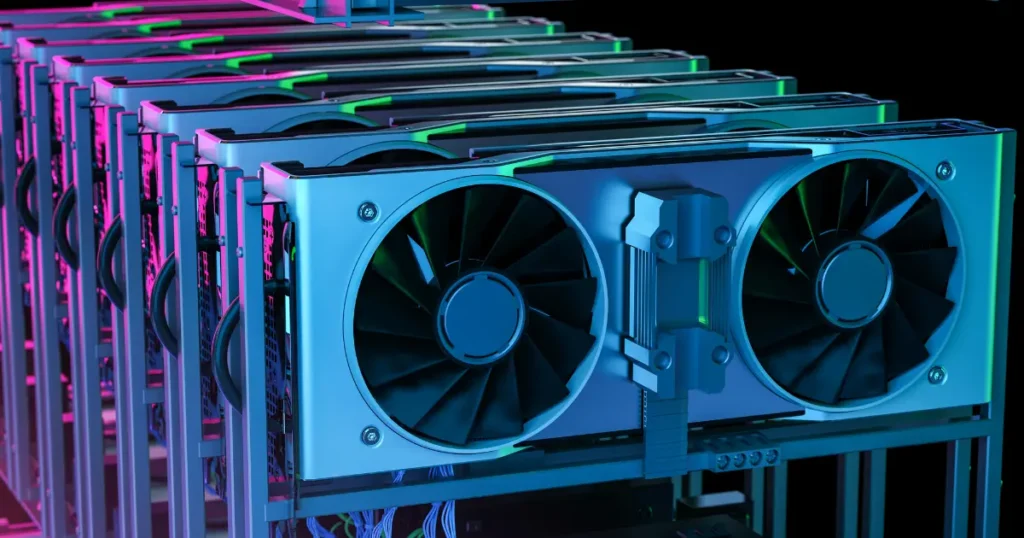
The optimization of GPU is how well your application can utilize the available GPU resources. It deals with analyzing computation, memory consumption, data transfer between systems, execution within the kernel, multiplexing, task allocation, and software structure.
It is not merely intended to drive GPU utilization to 100%. You would like to have useful work done sooner and strike a balance between throughput and latency and memory use and power needs and infrastructure costs depending on the needs of your application.
GPU Optimization Checklist for Better Performance
You shouldn’t optimize your GPU application by guessing which component is slow. Start with measurement, identify the real bottleneck, and then improve the parts of your workload that actually limit performance.
Quick GPU Optimization Checklist
1. Profile Before You Optimize
Do not begin converting the kernels to look inefficient by just rewriting the kernel. Profile your application to see where you are spending most of the execution time. Check kernel cycle, memory transfers, synchronization, CPU-GPU gaps, and occupancy. Profiling will provide you with a starting point with which you can compare whether each optimization is really causing an improvement on performance.
2. Reduce CPU-to-GPU Data Transfers
Data transfer between host memory and workstation memory can be costly, especially where transfers occur frequently. Store reusable data in the GPU where style and when feasible and make small transfers where they are useful; and do not transfer information which might not be needed again during a sequence of different calculations.
3. Optimize GPU Memory Usage
Rapid computation is of small importance when your kernels are waiting all the time on the memory. Seek ways to optimize memory access patterns, coalesce global-memory accesses, reduce unnecessary allocations, and use more appropriate, faster memory types. Efficient memory management can significantly impact workloads that use bandwidth intensively.
4. Choose the Right Thread and Block Configuration
Performance of CUDA kernels may vary depending on how you set up threads and blocks. Inappropriate configuration can either use up GPU resources or reduce occupancy. Try varying block sizes with registers, shared memory, and warp behavior in mind and with your GPU architecture, not the notion that one set of settings would work everywhere.
5. Minimize Unnecessary Synchronization
On certain occasions, synchronization is necessary, and too much synchronization compels your application to wait. Check on stream synchronization, barriers, and review device synchronization calls. When there aren’t real dependencies between operations, it can be beneficial to run them asynchronously, whereas idle time can be minimized and overall throughput can be increased.
6. Make CUDA Streams where needed
When your workload has independent operations, then opportunities to overlap computation and data movement can be created with CUDA streams. As an example, your GPU can be processing a data batch and data is being transferred to it. Streams do not ensure concurrency, and therefore, profile the resulting execution desirably rather than make assumptions about betting more performance due to the addition of other streams.
7. Guard against Warp Divergence
GPU threads are concurrently run in units referred to as warps. The threads in the same warp may follow different paths, some enforcement will even be required to be serial. Check branch-intensive kernels and find out whether your control flow can be restructured to minimize unnecessary divergence without distorting the meaning of your application.
8. Kernels should Minimize Launch Overhead
Starting numerous small kernels may impose some overhead, which can be evident in some workloads. Where feasible, consider amalgamating functions or reorganising your computation to do more valuable work on each launch. But do not make huge kernels that add register or memory or occupancy issues just so that you can launch fewer of them.
9. Use Appropriate Precision
All the work is not the most precise in terms of numerical precision. When the model and hardware enable such representation, AI inference and training workloads can take advantage of FP16, BF16 or TF32 or any lower-precision representations. Less precision might result in less memory and higher throughput but always verify accuracy first before adopting it.
10. Monitor Memory Capacity
Out-of-memory errors in Graphics cards may lead to faults or inefficient avoidance. Following track model size, batch size, intermediate tensors, allocations, and memory fragmentation. Mixed precision, gradient accumulation, and memory-efficient implementations are some of the techniques that can aid you in working with available VRAM in the case of AI workloads.
11. Maintain your software stack with updates
Hardware is not the only determinant of GPU performance. Execution is affected by drivers, versions of CUDA, libraries, frameworks, compilers and application code. Keep compatible versions and test updates, especially to newer libraries with optimized implementations to your graphics card.
12. Repeat Measures Each Time there is a major change
Unmeasured optimization is a guess. Next, make comparisons with execution time, throughput, latency, memory usage, and other pertinent application indicators against your original baseline post changes. When an optimization complexifies the code without a significant gain, then consider dropping it.
Quick GPU Optimization Checklist
Before considering your application optimized, check whether you have:
- Profiled the complete workload.
- Identified the actual performance bottleneck.
- Reduced unnecessary CPU-GPU transfers.
- Improved memory access patterns.
- Tested thread and block configurations.
- Removed unnecessary synchronization.
- Evaluated CUDA streams for independent work.
- Checked kernels for warp divergence.
- Reviewed kernel launch frequency.
- Selected appropriate numerical precision.
- Monitored VRAM consumption.
- Benchmarked performance after changes.
The key is not implementing every technique. Your optimization decisions should respond to what profiling shows about your specific application.
Conclusion
Single dramatic changes to the code rarely result in better GPU performance. It typically arises through a systematic discovery of bottlenecks in kernels, memory, data transfer, synchronization, accuracy and workload structure, and rectifying the focuses that actually constrain your program.
And in case your workloads start getting more complicated, Jashom will assist you on leaving trial-and-error maximization. In creating CUDA applications, running AI workloads, enhancing the performance of parallel computers, or addressing the bottlenecks in your GPU infrastructure, the appropriate technical know-how can enable you to optimize the use of the hardware that you are already paying for.
FAQs
1. What is GPU optimization?
GPU optimization means improving how efficiently your application uses GPU compute, memory, bandwidth, and concurrency so workloads can achieve better performance without unnecessarily increasing hardware resources.
2. How do you know if your GPU needs optimization?
Profile your workload. Low throughput, excessive memory transfers, long kernel execution, synchronization delays, poor memory efficiency, or significant idle periods can indicate optimization opportunities.
3. Does 100% GPU utilization mean good performance?
Not necessarily. High utilization only indicates that the GPU is busy. You still need to examine throughput, latency, memory behavior, kernel efficiency, and the amount of useful work completed.

Sandeep Kumar is the Founder & CEO of Aitude, a leading AI tools, research, and tutorial platform dedicated to empowering learners, researchers, and innovators. Under his leadership, Aitude has become a go-to resource for those seeking the latest in artificial intelligence, machine learning, computer vision, and development strategies.