AI GIF generators turn images and videos into animated GIFs through a combination of machine learning and conventional image processing. AI can generate movement or transform existing footage, while editing and encoding functions prepare the resulting frames for playback.
The process differs depending on the starting material. A photograph needs new frames created; a video already supplies movement.
Understanding how the software handles those inputs explains both what makes these tools useful and why a generated animation sometimes needs refinement.
Bringing Still Images to Life
A still image contains appearance but no information about what happens next. An AI model generates that missing movement using patterns learned during training, guided by the source picture and, where supported, a written prompt.
In a diffusion-based system, generation involves progressively removing noise from a numerical representation of the animation. The source image and prompt guide that process, influencing which subjects, details, and movements emerge.
Rather than uncovering hidden footage, the model synthesizes a plausible sequence.
For example, you might want to create a photograph of a cup of coffee that involves generating rising steam within the GIF without changing the cup’s position. A region mask identifies the area available for animation, helping constrain where the model introduces movement.
The output consists of newly generated frames, often assembled into a video first. The accuracy depends on the model’s ability to preserve the source’s details while creating motion, which explains why lettering, hands, or intricate product shapes can sometimes change unexpectedly.
Turning Video Moments into Short GIFs
Video takes a different route because the source already contains a sequence of frames. The software decodes the video into images and timing information, providing the material for editing or AI transformation.
Where generative video editing is supported, a mask can identify a region to change while protecting the surrounding content. The model generates replacement imagery for that region across successive frames, rather than treating the task as a single-picture edit.
A moving object makes this harder. The generated change must follow its position and remain visually consistent as lighting, perspective, or visibility changes. Processing information across frames helps prevent the replacement from becoming a different-looking object at every instant.
The chosen segment then supplies the animation’s start, finish, and duration.
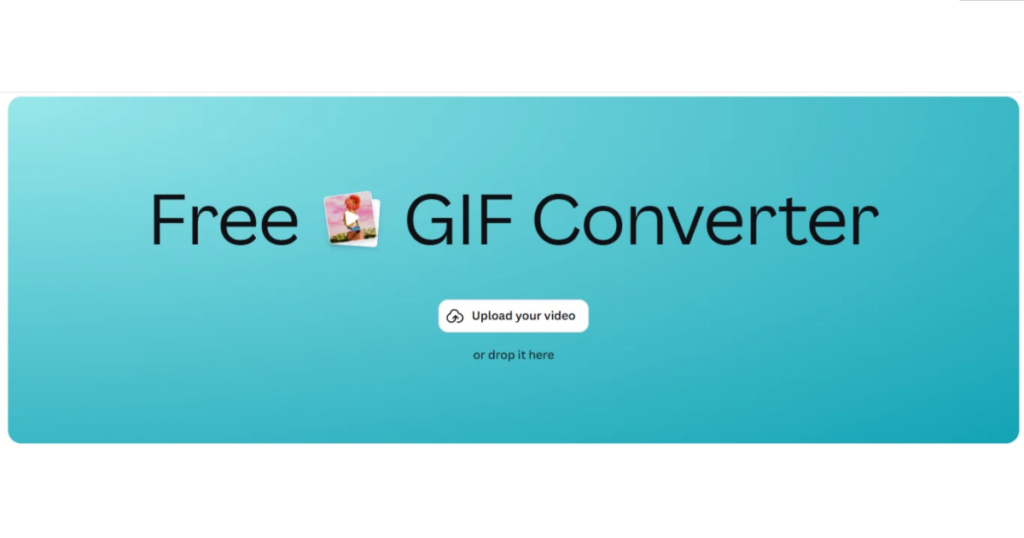
Once an edited video segment is ready, a free animated GIF converter can easily convert it into a looping animated graphic.
Making the Motion Work as a Loop
A moving sequence needs consistency within the animation and a workable transition when playback restarts. Those are separate problems, and solving one does not automatically solve the other.
Keeping Movement Consistent
Video-generation models use information across time to connect successive images. Depending on the architecture, temporal processing helps the system maintain relationships between a subject’s appearance, position, and movement.
Without that connection, individually convincing frames could produce flickering textures or unstable shapes when played together. An image-generated face needs to remain recognizable, just as an AI-edited object needs to retain its appearance throughout existing footage.
Connecting the End to the Beginning
GIF playback repeats the selected frames, but the repeat instruction does not generate a matching transition. If the final frame shows a different pose from the first, the restart produces a visible jump.
Loop controls can change the sequence’s boundaries or arrange frames in forward-and-reverse order. The latter creates back-and-forth movement, although it can make irreversible actions, such as pouring liquid, look unnatural.
A seamless loop therefore depends on compatible motion, suitable editing, or a generation method specifically designed to connect the endpoints.
Reframing the Animation for Social Viewing
Subject-aware reframing uses visual analysis to determine which content should remain visible when an animation changes shape. Instead of applying one fixed crop, the system can adjust its framing as the subject moves.
Google Research describes a process that detects important visual content and uses that information to calculate a reframing path. Faces, objects, and other prominent regions help guide where the crop should sit.
The software must balance following the action against keeping the framing stable. A crop that reacts to every small movement would appear restless, so the calculated path also needs to avoid unnecessary shifts.
The process works on the moving sequence regardless of whether it began as a photograph or recorded footage. It can preserve a face in a portrait composition or keep a moving product visible inside a square frame.
Visual importance is not the same as communicative importance, however. An automated system may prioritize a prominent person when the intended message concerns a smaller object nearby.
Balancing Visual Quality with File Size
GIF export translates the prepared sequence into indexed-color frames, timing instructions, and compressed image data. It is a distinct processing stage rather than another act of AI generation.
GIF uses color palettes containing up to 256 entries. The encoder maps the source colors to palette values, which can simplify the much richer colors present in photographs or generated video.
Dithering can approximate missing shades by arranging available colors into patterns, which can soften visible color transitions. But it may also introduce a grainy texture in gradients or detailed backgrounds.
Frame selection and dimensions create further trade-offs. Reducing the frame count means representing movement with fewer steps, while reducing dimensions means describing each image with fewer pixels.
Either can reduce the material being encoded. But excessive reduction can damage clarity or smoothness.
GIF also uses lossless compression on its indexed image data. It does not restore colors discarded during palette conversion, so a technically lossless compression stage can still follow an earlier reduction in visual information.
Give Your Next Social GIF a Clear Purpose
AI GIF generators combine several mechanisms rather than performing one mysterious conversion. Generation creates or changes visual content, temporal processing connects frames, and reframing helps preserve the subject.
Loop controls and GIF encoding then determine how that sequence repeats and survives export. Together, those stages turn a still image or existing video into social-ready animated GIFs, with different technical challenges at each step.
Hopefully this article has been informative! If that is the case, explore some of our related posts.
FAQs
1. What is an AI GIF generator?
An AI GIF generator is a tool that uses artificial intelligence to create or modify animated sequences from still images, text prompts, or existing videos. It can generate motion, edit visual elements, and prepare animations for sharing on social media.
2. How do AI GIF generators turn images into animations?
AI GIF generators use generative models to create new frames based on the original image and, where supported, a text prompt. These frames are assembled into a sequence, which can then be edited and exported as an animated GIF.
3. Can I convert a video into an animated GIF using AI?
Yes. You can select a video segment, apply AI-powered edits if needed, and convert the resulting frames into a GIF. You can adjust the duration, dimensions, and frame rate to suit your intended use.
4. How can I create a seamless looping GIF?
To create a seamless looping GIF, choose beginning and ending frames with compatible positions and movements. You can also use loop controls or forward-and-reverse playback to make the transition less noticeable.
5. How does AI maintain consistency between animated frames?
AI video models use temporal information to help preserve subjects, shapes, textures, and movement across successive frames. However, generated animations can still experience flickering or unexpected visual changes, so reviewing the output is important.

Sandeep Kumar is the Founder & CEO of Aitude, a leading AI tools, research, and tutorial platform dedicated to empowering learners, researchers, and innovators. Under his leadership, Aitude has become a go-to resource for those seeking the latest in artificial intelligence, machine learning, computer vision, and development strategies.