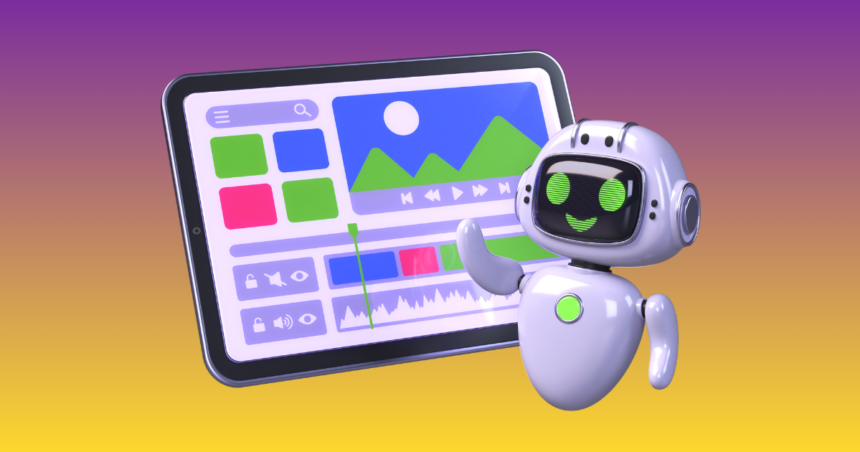
The Impact of AI Image Creation made easy for non-designers. Learn how to use AI tools, write better prompts, and generate professional visuals without any design experience. On the Digital Landscape AI Image Creation enables non-designers to create professional-grade visuals without having any technical skills. With AI Image Creation there is no need for expensive software and years of training. Now anyone with a concept can produce professional images in minutes. Graphics creation used to require learning complicated tools. Designers needed to understand layers and color balance and lighting adjustments and composition rules. It took time and practice to learn these skills. The new standard was also expensive for beginners and small businesses.
Now the process is simple thanks to AI Image Creation. You ask for what you want in words. The artificial-intelligence system translates those words into a vivid image. The technology automatically does perspective, lighting, shading and texture. AI Image Creation has been democratized by platforms such as DALL·E from OpenAI, Mid journey, Canva and Adobe Firefly from Adobe. Read on to learn how non-designers can begin using AI tools both confidently and effectively.
What Is AI Image Creation?
This post shows reading GPT Part 2Generating pictures using artificial intelligence. The system can take in a written description and produce an image based on that text. This procedure is commonly referred to as text-to-image generation.
Millions of images are included in the training set of AI models. The learn patterns pertaining to shape, lighting, texture and style. When you submit a prompt, the system links your words with patterns it learned. It then generates a new, original image based on that.
This is how it works: AI Image Creation does not replicate one photo. Instead, it synthesizes learned information to create original visuals. So, it is helpful for marketing, education, content creation and personal projects. This technology creates new possibilities not only for designers. You can produce images and graphics without manually drawing or editing.
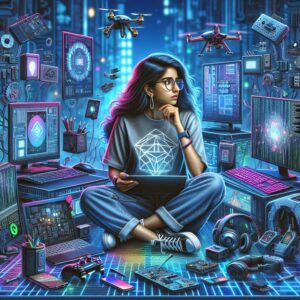
Why AI Image Generation Is Perfect for Non-Designers
AI Image Creation works across technical limitations. AI platforms simplify everything. You just describe your idea. This allows the system to take care of the technical design parts. It automatically handles lighting, shading, perspective and color correction.
There is also some time saved with AI Image Creation. Cost efficiency is another advantage. Most AI tools have reasonably priced plans. Small businesses, no longer have to invest in designers to create promotional graphics.
Selecting the Right Tool for AI Image Creation
Different platforms offer different features. The right tool makes AI Image Creation easier. OpenAI’s DALL·E has a reputation for generating similar images that are also quite realistic and detailed. It understands complex descriptions well. Perfect for: Product Mockups Technical Visuals Marketing Mid journey emphasizes artistic and cinematic styles. It provides dramatic lighting and eye-popping visual tableaux. Many creative professionals use it.
Canva combines AI Image Creation with an intuitive editing environment. Its purpose is to be the all-in-one place for any non-designer looking to generate and customize images. WHAT IS IT: Adobe Firefly by Adobe is great for users who require advanced options when editing. It integrates with tools such as Photoshop. Your objective determines what kind of a tool you will choose. Simple and editing features integrated platform is preferred by beginners.
Step by Step Guide to Generating AI Images Today
It is very easy to Start with AI Image Creation. First up, open an account on your proffered platform. Most tools have user-friendly dashboards. First, find the prompt area where you can input your query. This is your description; you write it here. Begin with a simple idea. Type something like minimalist design with natural lighting and workspace.
With data up to October 2023, Generate the image and observe the result. Observe how your words are interpreted by the AI. If the image isn’t what you expect, vary the description a bit. Experimentation is key to the process of generating AI Images. Word variations can make a huge difference in results. Do practice regularly to get a feel of how the system responds.
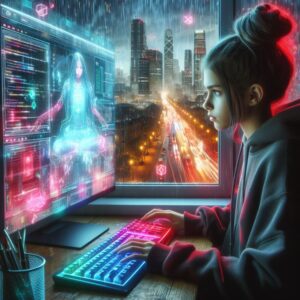
Taking Hours Out of AI Image Prompt Creating
The fundamental step for successful AI Image Creation is Prompt writing. Clear instructions produce better visuals. The first step is to give a description of the main subject. Then add background details. Including lighting conditions and style choices.
Instead of coffee shop, you could say, barista inside a cozy coffee shop with wood furniture and warm light realistic photography high res. That level of detail enhances quality. Keep sentences simple and direct. Avoid complicated phrases. The images can help AI to take in better minds.
You can also control perspective. Incorporating phrases like close-up view or wide-angle shot alters composition. Lighting descriptions add realism. Terms such as golden hour, soft daylight or dramatic shadows determine the mood.
Improving and Refining Your Images
The first picture might not be flawless. Tuning often be a part of AI Image Creation If the background image appears too busy, try to simplify the prompt. Generate multiple versions. Compare them carefully. Choose the best result. Editing tools can also improve images. You can crop, alter brightness and sharpen it. Small tweaks like this don’t spoil the polished look. Upscaling is taking a lower resolution image and making it larger for printing or bigger displays. Many platforms offer this feature.
Common Faults Non-Designers Should Sidestep
AI needs clear direction. Detailed descriptions improve output quality. The other mistake is mashing up too many disparate ideas. Concepts: One at a Time Failure to account for lighting and style further decreases realism. These features help an image look professional. Finally, avoid expecting perfection instantly. A build neural network becomes better with practice and experimentation
Generating Images of Practical Value Using AI
AI Image Generation Applications in Various industries What do bloggers create and write featured images about? AI visuals used by students in presentations. Entrepreneurs create product designs. Thumbnails are created by content creators for videos. AI Image Creation supports productivity. It allows faster content development.
Being a Answerable AI Image Creator
Always review platform licensing rules. Know what can be used for commercial purposes. Do not generate misleading or harmful content. Respect intellectual property rights. With Responsible AI Image Creation, you can build trust and protect your reputation.
What’s Next in Generative AI Images
Artificial Intelligence Image Creation is on-going content generation. Images are becoming more realistic. There has been an increase in the simplicity of tools. Editing options are expanding. Still to come, systems that can create both images and video. Real-time adjustments may become standard. Three-dimensional design may become simpler. Non-designers will continue to benefit. In the years to come, AI Image Creation will probably be a fundamental digital competency.
Conclusion
With AI Image Creation, professional design is available to those who are not designers. You don’t need to know any advanced software or have any artistic training. Structured prompts and clear ideas are the key to creating great visuals.
Choose the right platform. Write detailed descriptions. Experiment and refine your results. How to use editing tools to enhance your images. AI Image Creation: Simple and Powerful with Practice For everyone, it opens new creative possibilities.

Dinesh Suthar is an AI and technology writer who explores the latest trends in artificial intelligence, emerging tools, and digital innovation. He simplifies complex tech topics into practical insights for businesses, marketers, and tech enthusiasts.