Most businesses that commission a custom CRM expect the development team to carry the project. They sign the contract, attend the kickoff call, and then wait for a go-live date. What they don’t expect is to find their own team named in the incident report for a delayed launch. Businesses investing in CRM software development services in India consistently underestimate one variable: how much of the timeline they own. Development vendors control the build. They do not control your internal approvals, your data, or your availability. This post breaks down exactly where client-side gaps stall well-managed CRM projects — and what readiness looks like before development begins.
- The Vendor Gets the Blame. The Data Tells a Different Story.
- Three Client-Side Variables That Quietly Extend Your Timeline
- No Single Owner for Requirements
- UAT Treated as a Formality, Not a Phase
- Data Migration Handed Over Too Late
- What “Deployment-Ready” Actually Means Before Kickoff
- What a Realistic Client-Accountable CRM Timeline Looks Like
- How to Brief Your CRM Development Partner the Right Way
- Partner With a CRM Development Team That Plans for the Full Picture
The Vendor Gets the Blame. The Data Tells a Different Story.
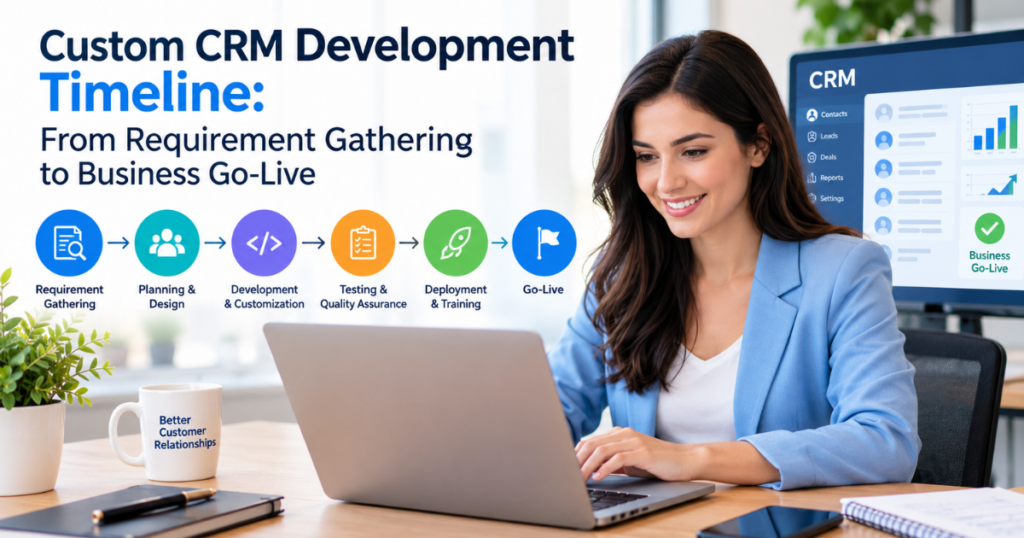
Project management research across software implementations points to the same finding: client-side delays, not development errors, are the primary driver of cost overruns and missed go-live dates. A 2023 Standish Group analysis found that scope creep and stakeholder misalignment — both client-originated — ranked among the top three failure causes in custom software projects.
The assumption that timeline risk lives on the vendor’s side is one of the most expensive misconceptions in enterprise software procurement. Development timelines are largely predictable. Sprint velocity can be measured. Build phases can be tracked in real time. What a development team cant track very well, is a clients internal pace of decision-making, their data readiness level, or how well everyone is lined up organizationally, like for real.
Mostly the CRM schedule overruns come from three client-side failure modes. First, requirement ownership gaps, where nobody on the client side is actually empowered with authority to make binding calls. Second, UAT under-resourcing, where the testing phase is treated like a checkbox, not a structured workstream with proper resourcing. And third, late data migration handoff, where legacy information ends up with the developer long after it was supposed to be used, maybe even after the whole timeline already slid. Each is predictable. None are vendor problems.
Three Client-Side Variables That Quietly Extend Your Timeline
No Single Owner for Requirements
Requirement gathering sessions that involve multiple stakeholders with competing priorities produce one outcome reliably: a bloated, contradictory brief. Without one named internal decision-maker empowered to resolve workflow conflicts, development teams receive competing instructions. Wireframes get approved and then revised. Features get challenged mid-sprint. Build sequences stall while the client conducts internal alignment meetings that should have happened before the project began.
The result is revision loops that consume development time without producing build progress. A client that arrives at requirement gathering with documented current-state workflows, a single accountable owner, and a clear escalation path for disagreements gives the development team exactly what it needs to move. Clients that don’t — regardless of vendor quality — will almost always extend Phase 1 beyond its original scope.
UAT Treated as a Formality, Not a Phase
User Acceptance Testing is the most chronically under-resourced phase in custom CRM projects — on the client side. The users who will operate the CRM daily are rarely assigned to UAT until the phase is already open. They arrive without test cases, without familiarity with what was built, and without scheduled time in their workload to test thoroughly.
The consequences are predictable: late-stage change requests, feature rework that re-opens closed development sprints, and delayed final approval that pushes go-live by weeks. UAT requires assigned testers, pre-written test scenarios, a defined feedback window, and executive sign-off authority identified in advance. That preparation is a client responsibility. It must begin at least two sprints before the UAT phase opens — not on the day the developer hands over the test environment.
Data Migration Handed Over Too Late
Legacy data is consistently the last thing a client prepares and the first thing that delays go-live. The common assumption is that data migration belongs to the development team. In practice, developers can only migrate data that is clean, mapped, and formatted for import. Producing that data is the client’s job.
The pattern repeats across projects: the CRM is built, UAT is complete, go-live is scheduled — and a data audit reveals duplicated records, missing fields, and no documented ownership of legacy datasets. The launch holds. Costs accumulate. Migration-ready data requires four client-side deliverables: a field mapping document aligning legacy fields to new CRM fields, a deduplication pass across all records, removal of obsolete data that should not migrate, and a signed data ownership confirmation from an internal stakeholder.
What “Deployment-Ready” Actually Means Before Kickoff
A pre-kickoff readiness audit is not an additional project phase. It is the work that prevents a 16-week timeline from becoming a 26-week one. Businesses that treat this groundwork as optional consistently find mid-project that the development team is waiting on them.
Deployment readiness covers four dimensions:
- Process clarity. Documented current-state workflows the CRM is built to replace or enhance — written down, reviewed internally, and approved before the first requirement session.
- Stakeholder alignment. Internal agreement on what the CRM solves, who holds final authority over build decisions, and what a successful go-live looks like in measurable terms.
- Data inventory. A preliminary audit of what legacy data exists, where it lives, and who owns it. This is a scoping exercise, not a full migration — but it directly informs the developer’s migration plan.
- IT environment readiness. A clear picture of existing integrations, single sign-on requirements, hosting preferences, and realistic internal IT bandwidth during the project window.
Businesses that engage CRM software development services in India with this level of internal preparation consistently report fewer revision cycles, cleaner UAT phases, and go-live dates that hold.
What a Realistic Client-Accountable CRM Timeline Looks Like
The standard CRM timeline documents what the developer delivers. It rarely shows what the client must deliver in parallel. That gap is where projects stall.
Weeks 1–3 | Discovery
Developer produces a functional specification. Client delivers: documented workflows, a named project owner, and a stakeholder sign-off matrix.
Weeks 4–8 | Design and Architecture
Developer delivers wireframes for review. Client delivers: consolidated feedback within a defined review window. Revision cycles are not open-ended.
Weeks 9–14 | Development
Active build phase. Client begins data audit and deduplication in parallel, and assigns UAT testers before this phase closes.
Weeks 15–17 | UAT
Client delivers structured test feedback using pre-agreed test cases. Executive sign-off must occur within the phase window — not after it closes.
Week 18+ | Go-Live and Handoff
Client coordinates internal training, owns the go-live communication plan, and designates a hypercare point of contact for the post-launch stabilization window.
When clients treat their responsibilities as parallel workstreams rather than reactive tasks, go-live dates hold. Working with a CRM development company in India only delivers its full value when the client shows up prepared at every phase.
How to Brief Your CRM Development Partner the Right Way
Most CRM project briefs are feature lists. They describe what the client wants built and say very little about the business context. A strong brief gives a CRM development company in India what it needs to scope the project accurately and build a timeline that holds.
A complete client brief includes:
- Business objective as the lead item — not a module list, but a clear statement of what problem the CRM solves and what changes in the business when it’s live.
- Named stakeholders with defined authority — who approves requirements, who signs off on UAT, who can authorize scope changes.
- Current tech stack and integration requirements — what systems the CRM must connect to on day one.
- Data volume and migration complexity — an honest estimate of how much legacy data exists and how clean it is.
- Go-live date with the business driver behind it — a deadline tied to a contract, sales cycle, or fiscal event is a real constraint. An arbitrary date is a planning fiction that will slip.
The quality of a client brief is the most reliable predictor of whether a CRM project will go live on time — and it is the one variable entirely within the client’s control.
Partner With a CRM Development Team That Plans for the Full Picture
A custom CRM project fails on the client side far more often than it fails in the build phase. Requirement confusion, under-resourced UAT, and late data handoffs are preparation problems — and they are solvable before development begins.
Arobit brings structured, phase-by-phase accountability to every custom CRM engagement. As a trusted CRM development team, Arobit works with businesses to close the readiness gaps that consistently push go-live dates. From requirement mapping to post-launch stabilization, every phase carries defined client and vendor deliverables — so no stage stalls waiting on either side.
If your business is planning a custom CRM build, the timeline conversation starts before the contract does. Explore Arobit’s best CRM software development services in India and build a project plan your entire organization can execute against.
Frequently Asked Questions
- What is the most common reason a custom CRM project misses its go-live date?
The most common cause is not a development failure — it is a client-side delay. Late or incomplete data migration handoffs and unresolved requirement conflicts are the two variables that most reliably push go-live dates. Both are preventable with structured pre-kickoff preparation.
- How early should a client begin preparing legacy data for CRM migration?
Data preparation should begin no later than the design and architecture phase — typically Weeks 4 through 8 of a standard 18-week timeline. Waiting until development is complete leaves no buffer for deduplication, field mapping, or data ownership sign-off. Each of those steps takes longer than most businesses estimate.
- Who should be assigned to User Acceptance Testing on the client side?
UAT should be manned by the end users who actually run the CRM after go-live, not by the project manager or IT lead just on their own. Each tester needs ready-made test scenarios, a set feedback window, and a straightforward escalation route for when something is critical and needs to get flagged fast. Also, an executive with sign-off power has to be reachable during the UAT phase time window, not only once it, kind of closes up.
- Can a business without documented internal workflows still commission a custom CRM build?
Yes — but the project will cost more and take longer. Undocumented workflows get resolved during requirement gathering, which extends Phase 1 and produces scope revisions in later sprints. Businesses that document workflows before kickoff move through discovery faster and experience fewer mid-project pivots. The documentation work is not optional — it either happens before development or during it, at a higher cost.

Sandeep Kumar is the Founder & CEO of Aitude, a leading AI tools, research, and tutorial platform dedicated to empowering learners, researchers, and innovators. Under his leadership, Aitude has become a go-to resource for those seeking the latest in artificial intelligence, machine learning, computer vision, and development strategies.