A castle feels remote when the land around it has room to breathe. A hidden valley feels deep when its river disappears behind a ridge. For convincing fantasy landscapes, describe those spatial relationships before adding magical details. AI image generation lets you explore an imagined place through a written scene, but the strongest direction comes from deciding what is close, what is distant, and what the weather conceals.
A Believable Fantasy Landscape Starts With the Terrain
Choose a viewpoint before describing the castle. From a neighboring hillside, you might see its outer wall, the slope beneath it, and a stream far below. From the valley floor, much of that ground would disappear behind the nearest rise. Mixing those viewpoints in one prompt makes the scene harder to picture.
Give each part of the landscape a different job. Nearby heather and broken stone establish texture. A castle or a bend in the river draws attention in the middle distance. Farther mountains suggest how much land continues beyond the frame. You do not need equal detail everywhere: softer distant ridges help the eye recognize space.
Keep the architecture proportional to its setting. A modest keep on a broad shoulder of rock feels exposed and isolated. An enormous palace filling the frame tells a different story. For this scene, the mountains should remain larger and more imposing than the building.
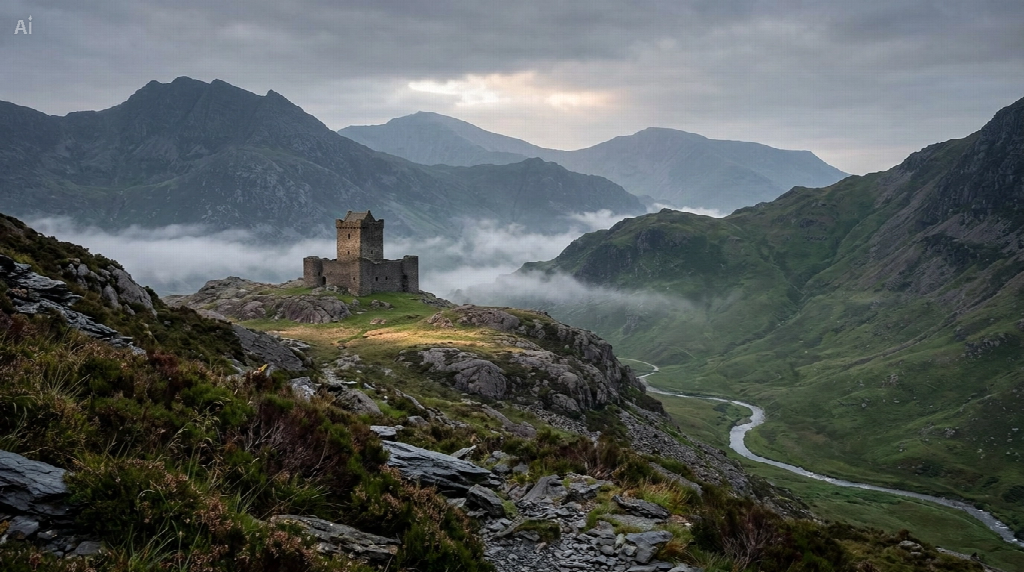
A Misty Castle Prompt With a Clear Silhouette
Mist is most useful when you specify where it sits. A low band beneath the castle can separate its rocky perch from the valley behind it. Fog covering every wall and ridge equally removes the shapes that make the place interesting. Leave enough of the tower visible to recognize it at a glance.
The castle scene pairs wet foreground texture with a small patch of brighter grass. That patch gives the eye somewhere to travel without turning the whole valley golden. Muted greens and slate blues keep the weather consistent across the frame.
Castle prompt
Create a horizontal photorealistic fantasy landscape. A modest weathered stone keep with one square tower stands left of center on a broad rocky shoulder in the middle distance. It is firmly built into the slope and much smaller than the surrounding mountains. Wet dark heather and rough slate fill the foreground. A thin silver stream curves through the deep green valley on the right. Broken low mist rests in the hollows below the keep, leaving its upper silhouette readable. Distant ridgelines become progressively paler and softer. A narrow break in gray dawn clouds lights a patch of grass beside the castle. View the scene from a neighboring slope, with natural muted greens, cool diffuse light, and the strongest texture close to the camera. No people, floating land, giant moon, text, or decorative border.
CapCut supports generating images from text descriptions and refining the results with additional prompts. To explore this scene, open its AI image generation tool, enter the description, and generate an image. The illustrations in this article were created in CapCut.
An AI art prompt becomes more useful when it describes placement rather than relying on words such as “epic” or “magical.” “Mist below the tower” is a visible instruction. “A mysterious castle” leaves the weather, scale, and composition undecided.
A Hidden Valley Prompt That Leads the Eye Inward
A valley does not need a castle to become a destination. A river that slips behind an overlapping slope suggests more space than the viewer can see. A narrow opening between darker cliffs can make that discovery feel private, especially when the far end of the valley remains partly veiled.
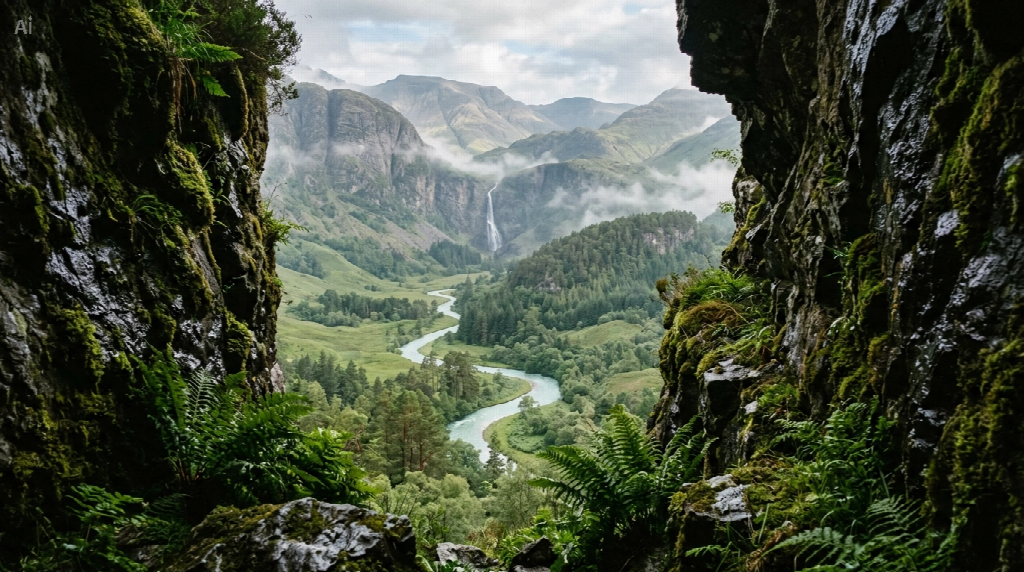
Hidden valley prompt
Create a horizontal photorealistic fantasy landscape of an uninhabited hidden valley, seen through a narrow opening between dark mossy rock faces. Ferns and wet stones sit close to the camera. Beyond the opening, a pale turquoise river winds through a wide green basin and disappears behind a wooded ridge. A slender waterfall descends from a distant cliff into the upper valley. Thin broken mist follows the water and gathers between overlapping slopes, while the nearest rocks remain crisp. Soft overcast morning light, restrained natural colors, believable erosion, and progressively lighter distant mountains. Let the river lead the eye inward. No buildings, people, animals, floating rocks, glowing plants, text, or border.
The darker edges act as a frame, but they should leave a generous opening. If the rocks dominate, the picture becomes a cave interior with a distant view. Ask for a wider gap or less foreground rock when the valley itself needs more space.
The waterfall is a secondary detail. Keep it thinner and less prominent than the river so the scene has a clear route through it. An oversized waterfall, bright sunbeam, and glowing horizon would compete for attention if all three appeared together.
A Mountain Path Gives the Valley an Unseen Entrance
An open mountain pass offers another way to suggest a hidden valley. Here, a footpath crosses the nearer slope, then slips out of view behind a grassy shoulder. The interruption lets the hills establish depth. There is no need to draw the route all the way to the horizon.
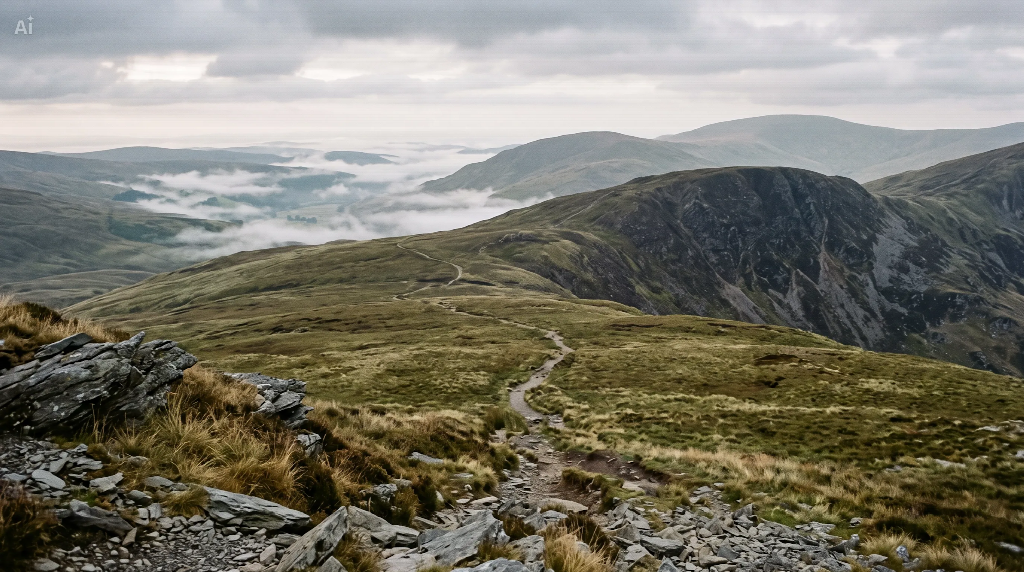
For this variation, describe “a narrow worn path crossing a green-brown mountain saddle, disappearing behind the next ridge, with broken mist in the basin below.” Keep stones and grass sharp nearby, then reduce contrast across successive hills. The path should sit on the slope, not hover above it or continue across an open gap. Its concealed destination gives the scene a sense of discovery without adding another landmark.
How to Judge Depth Before Adding More Detail
First, look at the image at a small size. The castle should remain recognizable, or the river should still guide your eye into the valley. If the scene only makes sense when enlarged, simplify the arrangement before adding finer stonework or more vegetation.
Then follow the terrain from front to back. Nearby objects should overlap farther slopes, and distant ridges should lose some contrast. If every mountain has equally dark edges and sharp texture, ask for softer, paler background ridges while keeping the foreground unchanged. This gives the next round of AI image generation a specific spatial task.
Check the contact between the building and the land. The keep needs a plausible base, with rock or earth beneath the walls. A partly hidden foundation can suit a misty setting, but leave enough visible ground to show how the structure is supported. The same principle applies to water: a river should follow the valley floor, and a waterfall should descend from a visible ledge.
Finally, decide what the mist is hiding. It can interrupt the river in places or soften the foot of a distant cliff. It should not erase every landmark. Ask for separate bands in the low ground if the atmosphere looks like a uniform gray veil.
Keep revisions focused on the view you want. Moving the castle farther away changes scale; lowering the mist changes visibility; widening the foreground opening changes access to the valley. After a revision, compare that specific relationship with the previous result. Once the scene reads clearly, use CapCut’s Download option to save the image.
Summary
Fantasy landscapes feel convincing when terrain, distance, and weather agree. Give a castle solid ground, let a river reveal the valley gradually, and place mist where it separates the slopes. Explore your own setting with CapCut’s AI image generation tool, then refine the view around one clear focal point.

Sandeep Kumar is the Founder & CEO of Aitude, a leading AI tools, research, and tutorial platform dedicated to empowering learners, researchers, and innovators. Under his leadership, Aitude has become a go-to resource for those seeking the latest in artificial intelligence, machine learning, computer vision, and development strategies.