

AI video content creation is changing how businesses, marketers, educators, and content creators produce videos. Tasks that once required cameras, professional editing software, voice actors, and production teams can now be completed with AI-powered tools. From generating videos using text prompts to animating images, creating AI avatars, and automatically editing footage, artificial intelligence is making video production more accessible.
- What Is AI Video Content Creation?
- How AI Video Content Creation Works
- 1. Text-to-Video Generation
- 2. Image-to-Video Generation
- 3. AI Script Generation
- 4. AI Voiceovers and Text-to-Speech
- 5. AI Avatar Video Creation
- 6. AI Video Editing and Enhancement
- Best AI Tools for Video Content Creation
- AI Video Content Creation Tools Compared
- Types of Videos You Can Create Using AI
- YouTube Videos
- Social Media Videos
- Marketing and Promotional Videos
- Educational and Explainer Videos
- Product Videos
- Training and Corporate Videos
- Benefits of AI Video Content Creation
- 1. Faster Video Production
- 2. Lower Production Costs
- 3. No Advanced Editing Skills Required
- 4. Create Content at Scale
- 5. Experiment With Creative Ideas
- 6. Multilingual Video Production
- How to Create Videos Using AI
- Step 1: Choose a Video Topic
- Step 2: Generate a Video Script
- Step 3: Create a Storyboard
- Step 4: Generate Video Scenes
- Step 5: Generate AI Voiceovers
- Step 6: Edit and Assemble the Video
- Step 7: Add Subtitles and Final Adjustments
- Step 8: Export and Publish
- Challenges and Limitations of AI Video Content Creation
- Inconsistent Video Quality
- Limited Creative Control
- AI-Generated Content Can Look Generic
- Copyright and Licensing Concerns
- Accuracy and Human Review
- Privacy and Ethical Concerns
- Tips for Creating Better AI Videos
- The Future of AI Video Content Creation
- Frequently Asked Questions (FAQs)
- 1. What is AI video content creation?
- 2. How does AI video content creation work?
- 3. What are the best AI tools for video content creation?
- 4. Can I create videos using AI without editing skills?
- 5. Can AI create videos from text?
- 6. Is AI video content creation free?
- 7. Can AI video content be used for commercial purposes?
- 8. Can AI video tools create YouTube videos?
- 9. Will AI replace video editors?
- 10. How can I create better AI-generated videos?
For creators who want to publish content consistently, AI can help simplify the production process, reduce repetitive work, and explore new creative possibilities. Businesses can use AI-generated videos for product demonstrations, advertisements, training materials, and social media campaigns, while individuals can experiment with video creation without advanced technical skills.
However, AI does not automatically turn every idea into a high-quality video. The results depend on the prompts, tools, creative direction, editing, and quality control involved in the process.
In this guide, we will explore what AI video content creation is, how it works, the tools available, its benefits and limitations, and how to create videos using artificial intelligence.
What Is AI Video Content Creation?
AI video content creation is the process of using artificial intelligence to generate, edit, enhance, or transform video content. It involves AI-powered tools that can create video clips from text prompts, animate images, generate scripts, produce voiceovers, build avatar-based videos, and automate editing tasks.
Unlike traditional video production, which often requires recording equipment, manual editing, and multiple production steps, AI video creation tools can automate many of these activities through simple prompts or predefined workflows.
For example, a marketer can enter a prompt describing a product advertisement and generate a short video clip. A YouTube creator can turn a written script into a video using AI narration, stock footage, subtitles, and automated editing. An educator can create an animated explanation of a difficult concept without recording a live presentation.
AI video content creation does not replace every part of video production. Instead, it provides additional tools that help creators work more efficiently and experiment with different formats.
How AI Video Content Creation Works
AI video creation platforms use different AI models and technologies depending on the task. Some generate new video footage, while others process existing videos, create voices, or automate editing.
1. Text-to-Video Generation
Text-to-video AI allows users to generate video clips by describing a scene, subject, action, camera movement, and visual style in a written prompt.
For example, a prompt such as “A futuristic city at night with flying vehicles, glowing skyscrapers, cinematic camera movement, and realistic lighting” can generate a video based on the description.
These tools interpret the prompt and generate visual frames that form a video sequence. Some models also support audio, camera movement, scene transitions, and more advanced cinematic effects.
Text-to-video generation is useful for creative projects, advertisements, social media content, storytelling, concept visualization, and promotional videos.
2. Image-to-Video Generation
Image-to-video AI transforms static images into moving video clips. Users can upload a photograph, illustration, product image, or AI-generated image and describe how they want it to move.
For example, a creator can upload an image of a mountain landscape and prompt the AI to animate moving clouds, flowing water, and a slow cinematic camera movement.
This technology allows creators to reuse existing visual assets instead of producing new footage for every video. It is also useful for product visualization, creative storytelling, social media posts, animated artwork, and marketing campaigns.
3. AI Script Generation
A video often begins with a script, storyboard, or concept. AI writing tools can help generate video scripts, introductions, scene descriptions, product explanations, voiceover text, and storytelling ideas.
Creators can use AI to brainstorm video topics, structure their content, develop scripts for YouTube videos, and convert blog posts into video outlines.
However, AI-generated scripts should be reviewed before production. Editing the content to improve accuracy, storytelling, tone, and originality can make the final video more engaging.
4. AI Voiceovers and Text-to-Speech
AI voice generation converts written text into spoken audio. Creators can use text-to-speech tools to produce narration without recording their own voices.
Modern AI voice tools offer different voices, accents, languages, speaking styles, and emotional expressions. Some platforms also provide voice cloning capabilities with appropriate consent.
AI voiceovers are useful for explainer videos, tutorials, advertisements, presentations, podcasts, educational content, and faceless YouTube videos.
5. AI Avatar Video Creation
AI avatar tools allow users to create videos featuring digital presenters. These avatars can deliver written scripts using AI-generated speech and synchronized facial movements.
Instead of recording a presenter in front of a camera, users can select an avatar, enter a script, choose a voice, and generate a video.
AI avatars are commonly used for employee training, product demonstrations, onboarding videos, educational content, internal communication, and marketing presentations.
6. AI Video Editing and Enhancement
AI video editing tools automate repetitive editing tasks and help creators improve existing footage. Depending on the software, these tools can remove silence, generate subtitles, identify scenes, resize videos, remove backgrounds, enhance audio, and create short clips from longer recordings.
AI editing can help creators spend less time on repetitive production tasks and more time improving the story, visual presentation, and overall quality of their videos.
Best AI Tools for Video Content Creation
Several AI platforms provide video generation, editing, avatar creation, voice generation, and video localization capabilities. The best tool depends on the type of video you want to create, your workflow, and your production requirements.
1. Google Veo
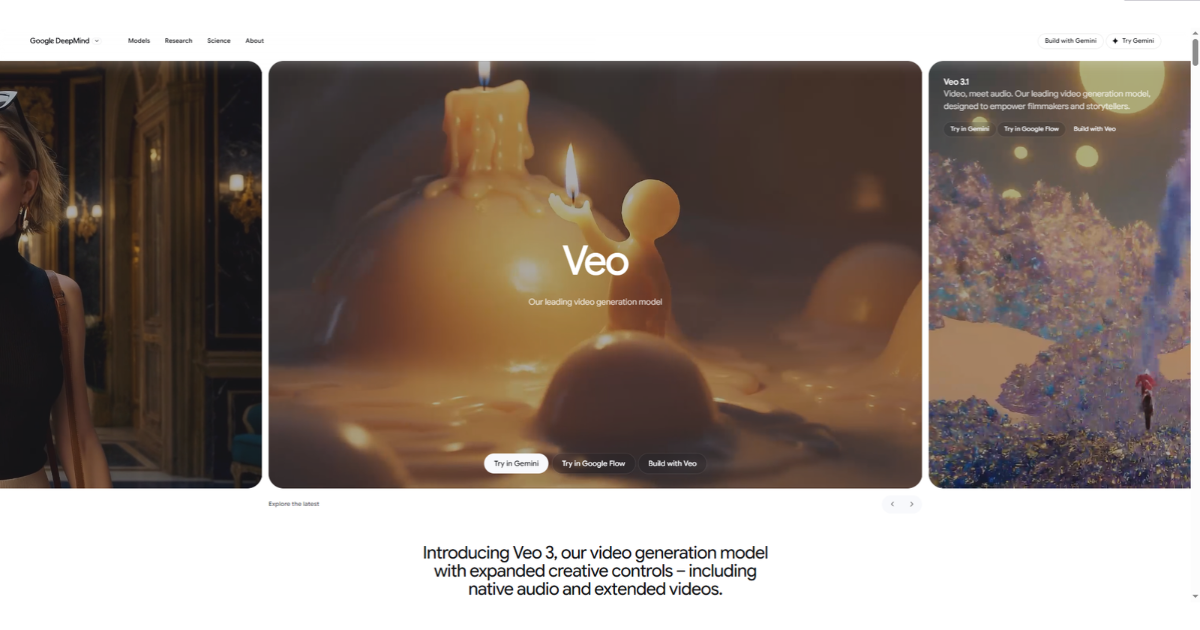
Google Veo is an AI video generation model designed to generate video content from creative prompts and other supported inputs. It is suitable for users who want to experiment with cinematic video generation, visual storytelling, and AI-generated scenes.
Depending on the available version and workflow, Veo can support video generation using text and images, with capabilities related to visual quality, motion, and audio.
Key capabilities:
-
Text-to-video generation
-
Image-to-video workflows
-
Cinematic scene generation
-
Creative video production
-
AI-generated visual content
2. Runway
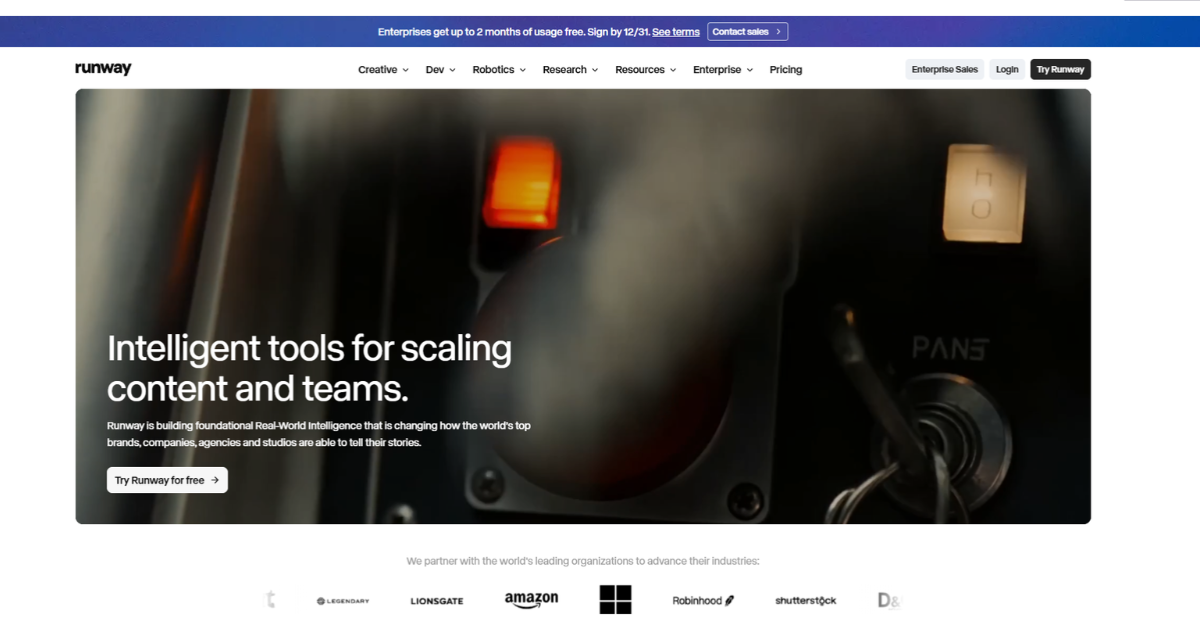
Runway is an AI-powered creative platform for video generation, editing, and visual production. It offers tools that help creators generate video scenes, transform visual content, and experiment with different creative workflows.
It can be useful for filmmakers, designers, marketers, and creators who want to incorporate AI into their video production process.
Key capabilities:
-
AI video generation
-
Image-to-video workflows
-
Creative video transformation
-
AI-assisted visual production
-
Video editing and creative tools
3. Kling AI
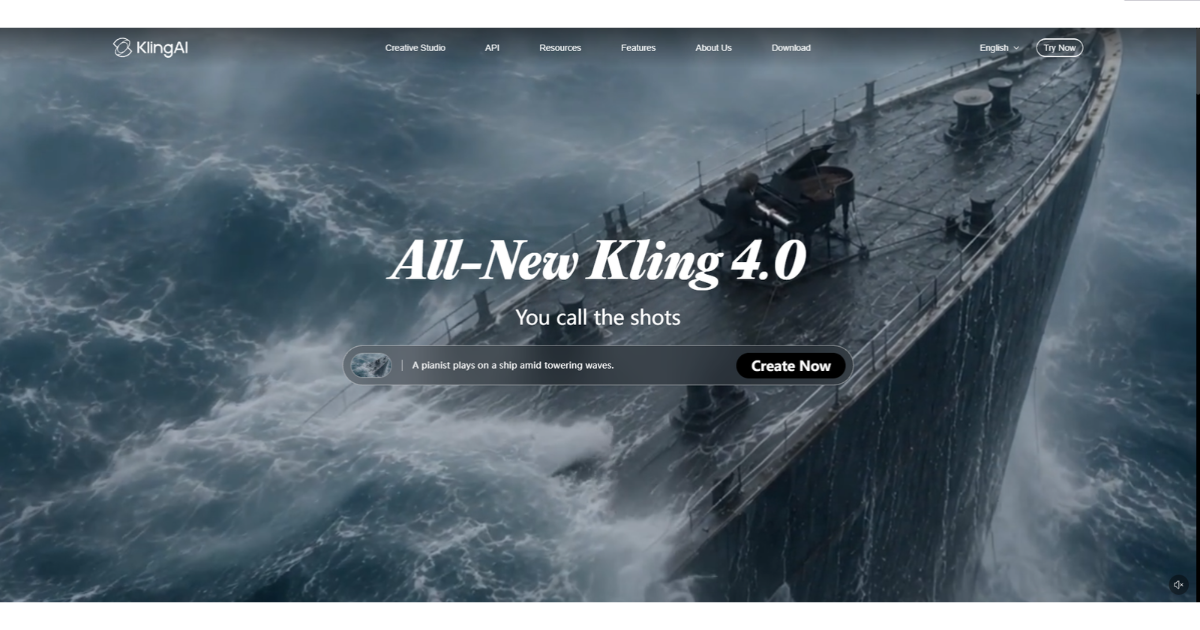
Kling AI is an AI video generation platform that helps users create video content from text prompts and images. It is particularly relevant for creators experimenting with cinematic scenes, animated images, creative storytelling, and short-form videos.
Users can describe a scene or provide a visual reference to generate video content using supported workflows.
Key capabilities:
-
Text-to-video generation
-
Image-to-video animation
-
AI-generated cinematic scenes
-
Creative visual storytelling
-
Video generation workflows
4. Pika
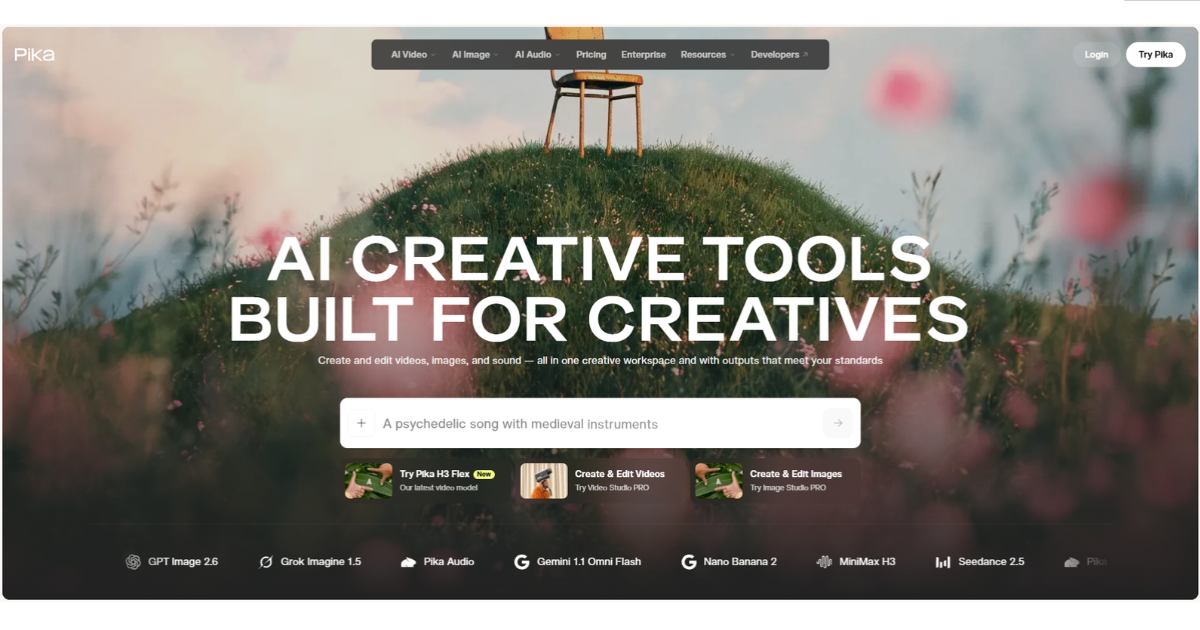
Pika is an AI video creation platform designed for generating and transforming video content. It helps creators experiment with visual effects, animated scenes, and creative video ideas using AI-powered tools.
It can be useful for short videos, creative projects, social media content, and visual experiments.
Key capabilities:
-
AI video generation
-
Image animation
-
Creative video effects
-
Video transformation
-
Short-form visual content
5. HeyGen
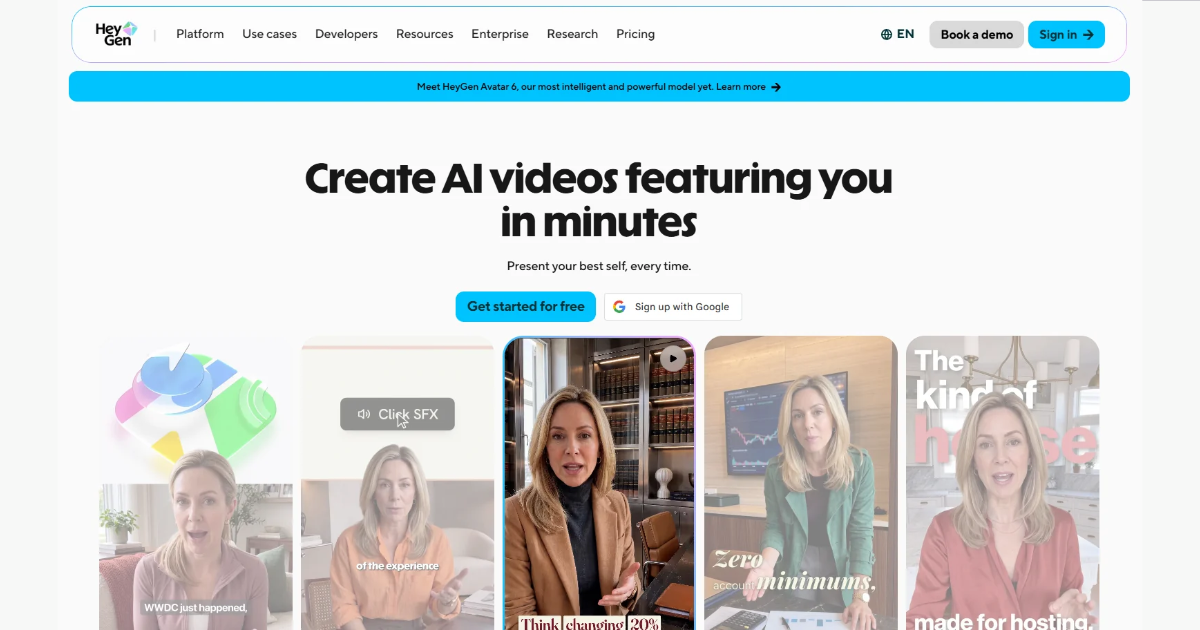
HeyGen is an AI video platform focused on avatar-based video creation, video translation, and AI-generated presentations. Users can create videos featuring digital presenters without recording themselves on camera.
It is particularly useful for businesses, marketers, educators, and content creators who want to produce presenter-led videos.
Key capabilities:
-
AI avatar video creation
-
AI video translation
-
AI-generated presenters
-
Voice generation
-
Video localization
6. Synthesia
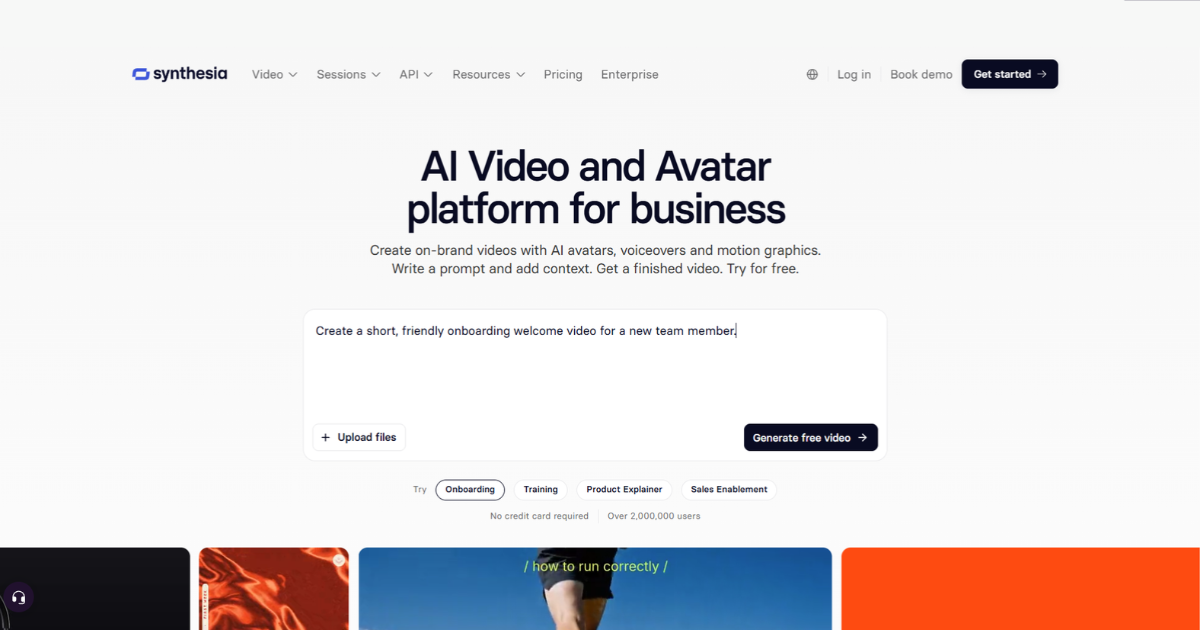
Synthesia is an AI video creation platform designed for business, education, and professional communication. It allows users to create videos featuring AI presenters and generated speech using scripts and visual templates.
Organizations can use it for employee training, onboarding, instructional videos, product explanations, and presentations.
Key capabilities:
-
AI avatar videos
-
Script-to-video workflows
-
AI-generated narration
-
Multilingual video production
-
Training and educational content
7. CapCut
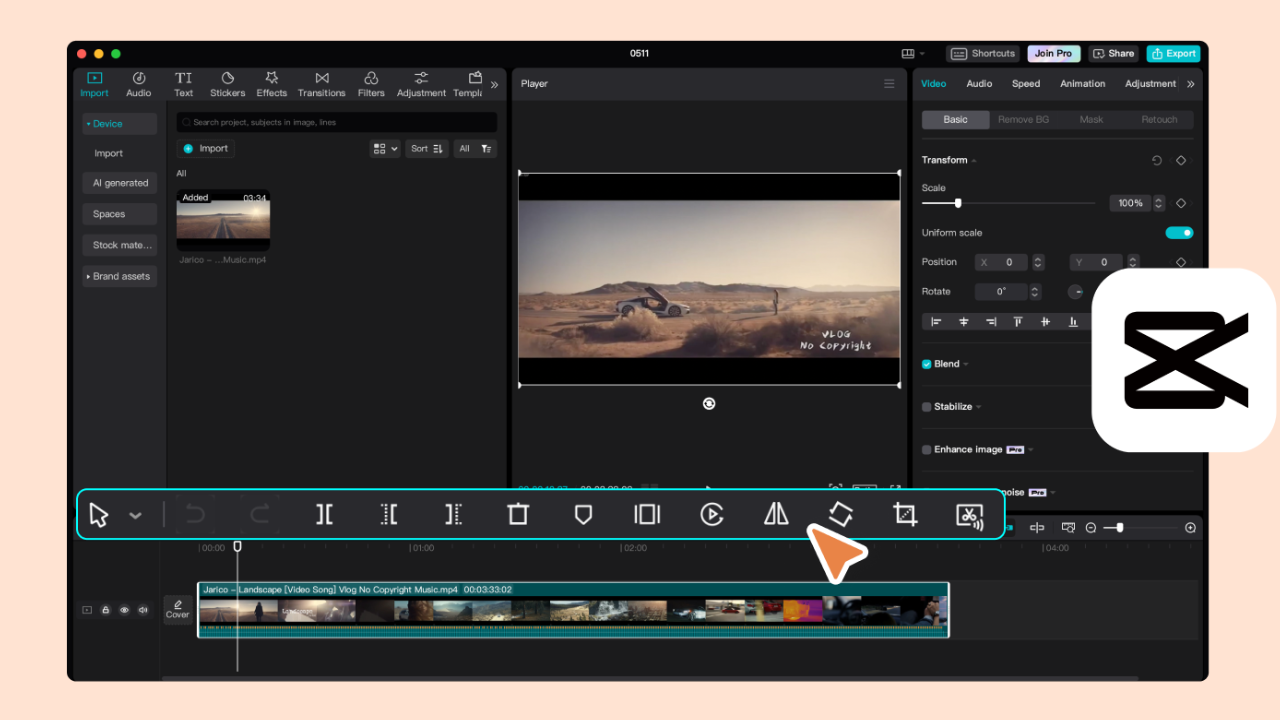
CapCut is a video editing platform with AI-powered features for video production, editing, and social media content creation. It offers tools that help creators edit videos, generate captions, improve visual content, and streamline workflows.
CapCut is useful for short-form videos, social media content, YouTube Shorts, promotional videos, and creative editing.
Key capabilities:
-
AI-assisted video editing
-
Automatic subtitles
-
Video enhancement
-
Background removal
-
Social media video workflows
8. Descript
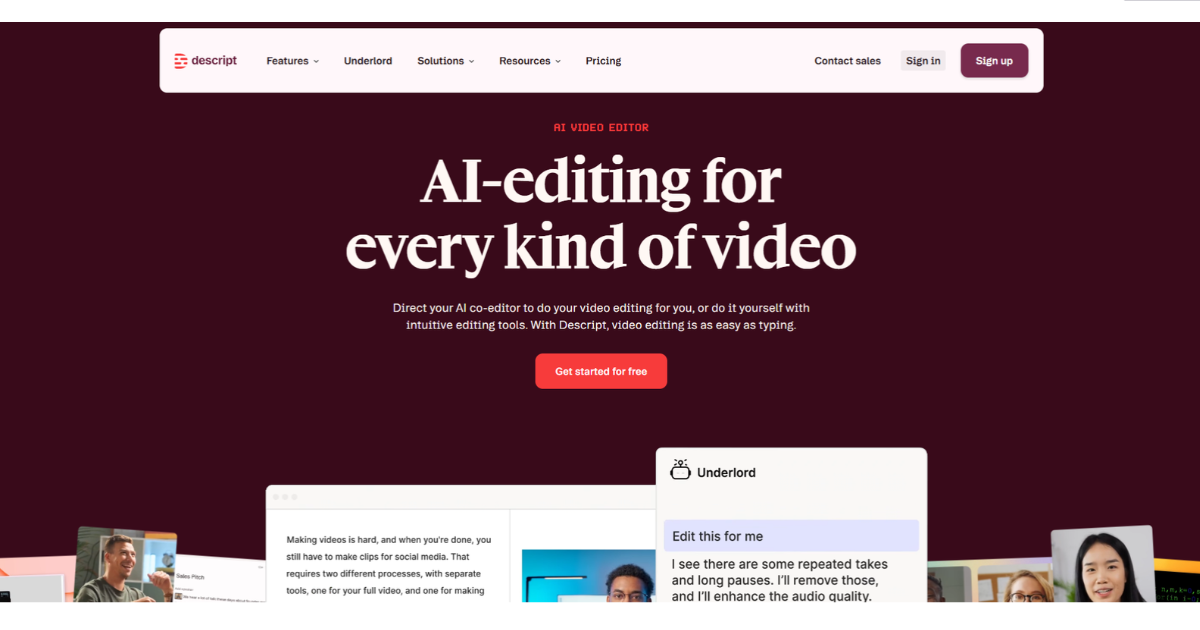
Descript is a video and audio editing platform that uses AI to simplify editing workflows. Its editing approach allows users to work with video and audio content through text-based editing and other AI-assisted features.
It is useful for podcasters, video creators, educators, and businesses that produce talking-head videos, interviews, tutorials, and presentations.
Key capabilities:
-
Text-based video editing
-
AI audio enhancement
-
Transcription
-
Video editing
-
Podcast and content production
9. InVideo AI
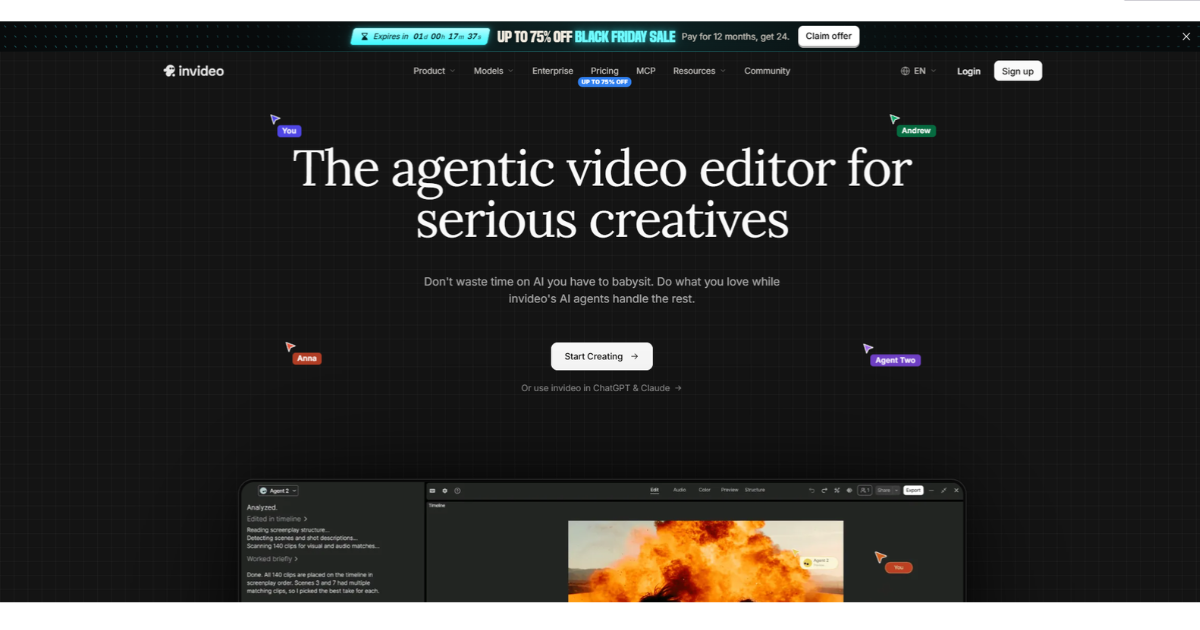
InVideo AI is an AI-powered video creation platform that helps users generate videos from text prompts and scripts. It can assist with creating video scenes, narration, visual assets, and editing workflows.
It is useful for marketers, creators, businesses, and individuals who want to create videos without managing every production step manually.
Key capabilities:
-
Prompt-based video creation
-
Script-to-video workflows
-
AI-generated narration
-
Video editing
-
Marketing and social media content
AI Video Content Creation Tools Compared
| Tool | Best For | Main Capabilities |
|---|---|---|
| Google Veo | Cinematic AI videos | Text-to-video, image-to-video |
| Runway | Creative video production | AI generation, editing, transformation |
| Kling AI | Visual storytelling | Text-to-video, image animation |
| Sora | AI video generation | Prompt-based video creation |
| Pika | Creative short videos | Video generation, effects |
| HeyGen | Presenter videos | AI avatars, translation |
| Synthesia | Business videos | AI presenters, training |
| CapCut | Social media editing | AI editing, captions |
| Descript | Talking-head videos | Text-based editing, audio tools |
| InVideo AI | Marketing videos | Prompt-to-video, narration |
Features, availability, pricing, and usage restrictions may change depending on the platform and subscription plan.
Types of Videos You Can Create Using AI
AI video content creation is useful for different formats, from short social media clips to business presentations. The type of video you create depends on your audience, content goals, and the AI tools you use.
YouTube Videos
YouTube creators can use AI to develop scripts, generate visual scenes, create narration, edit footage, and produce subtitles. AI can also help turn long videos into shorter clips for other platforms.
Creators can use AI to produce tutorials, educational videos, product reviews, storytelling content, informational videos, and faceless videos.
Social Media Videos
AI video tools can help create content for Instagram Reels, TikTok, YouTube Shorts, Facebook, and other social media platforms.
Creators can generate short clips, animate images, add captions, produce voiceovers, and resize videos for different platforms.
Marketing and Promotional Videos
Businesses can use AI to create promotional videos, product demonstrations, advertisements, campaign videos, and branded content.
AI-generated video scenes and voiceovers can help marketers develop creative variations for testing different messages, audiences, and campaign ideas.
Educational and Explainer Videos
Educators, trainers, and businesses can use AI video tools to explain complicated concepts through animated scenes, AI presenters, narration, and visual demonstrations.
These videos can make instructional content easier to distribute and update.
Product Videos
AI video generation can help businesses create product demonstrations, promotional clips, visual presentations, and product-related content.
Businesses can experiment with product visuals, backgrounds, animation, and storytelling without arranging a traditional video shoot for every creative idea.
Training and Corporate Videos
Organizations can use AI video creation tools to develop employee training, onboarding, safety instructions, internal presentations, and workplace learning materials.
AI avatars and text-to-speech technology can help create consistent training videos and make it easier to update scripts when policies or processes change.
Benefits of AI Video Content Creation
AI video content creation offers several advantages for creators, businesses, and marketing teams. It can simplify production workflows, automate repetitive tasks, and make video creation more accessible.
1. Faster Video Production
AI can automate tasks such as script generation, voiceovers, subtitles, scene generation, and editing. These capabilities can reduce the time required to produce videos, especially for projects that involve repetitive content.
Creators can use AI to generate initial video drafts and focus on refining the storytelling, visual quality, and final presentation.
2. Lower Production Costs
Traditional video production may require cameras, lighting equipment, recording studios, professional editors, voice actors, and other resources.
AI tools can reduce the need for some of these resources, especially when creating simple promotional videos, tutorials, presentations, or social media content.
However, professional projects may still require human editors, actors, designers, and production teams.
3. No Advanced Editing Skills Required
Many AI video creation platforms are designed for beginners. Users can generate video clips, create voiceovers, animate images, and edit content through simple interfaces.
This makes video production more accessible to small businesses, independent creators, educators, and people who do not have professional editing experience.
4. Create Content at Scale
AI video creation can help businesses and creators produce more content without repeating every production task manually.
For example, a marketing team can use a single campaign script to create several video variations, while an educator can convert different lesson topics into consistent video formats.
AI automation can make content production more scalable when combined with a clear workflow and quality control.
5. Experiment With Creative Ideas
AI video generation allows creators to experiment with visual styles, environments, camera movements, animation, and storytelling concepts.
Instead of spending hours creating every visual from scratch, creators can generate multiple ideas and select the scenes that best fit their project.
This can be particularly useful for creative campaigns, concept videos, storyboards, and experimental content.
6. Multilingual Video Production
AI voice generation, translation, and dubbing can help creators adapt videos for audiences who speak different languages.
Businesses can localize promotional videos, educators can translate lessons, and creators can experiment with multilingual content without recording every version manually.
How to Create Videos Using AI
Creating videos using AI does not require a complicated workflow. You can combine AI writing tools, video generators, voice tools, and editing software to create a video from an initial idea.
Step 1: Choose a Video Topic
Start by identifying what you want to create. Your video may be a tutorial, product demonstration, advertisement, educational video, storytelling clip, or social media post.
Define your target audience and the purpose of the video before selecting tools.
Step 2: Generate a Video Script
Use an AI writing tool to develop a script based on your topic.
Provide details about the target audience, video length, tone, structure, and key points. Review the generated script and make changes to improve accuracy, clarity, and originality.
A well-structured script can make the rest of the video production process easier.
Step 3: Create a Storyboard
Break your script into individual scenes. Each scene should have a clear visual purpose and describe what viewers will see.
For example, a video about AI productivity tools may include:
-
Scene 1: Introduction to AI productivity.
-
Scene 2: A person managing multiple digital tasks.
-
Scene 3: AI tools automating repetitive work.
-
Scene 4: Practical examples of AI productivity.
-
Scene 5: Conclusion and key takeaways.
A storyboard helps you plan visual content before generating video clips.
Step 4: Generate Video Scenes
Use a text-to-video or image-to-video tool to create the scenes.
Write detailed prompts describing the subject, environment, lighting, camera movement, visual style, and action.
For example, instead of writing “A person working on a computer,” use a more descriptive prompt:
A professional working at a modern office desk with a laptop, reviewing digital reports and organizing tasks. Soft natural lighting, realistic office environment, subtle camera movement, cinematic composition, professional business video, natural human movement, 16:9 aspect ratio.
Detailed prompts can help provide better creative direction, although the results may vary between AI models.
Step 5: Generate AI Voiceovers
If your video requires narration, use a text-to-speech tool to generate the voiceover.
Choose a voice that matches your content. For example, a professional voice may work better for a business presentation, while a conversational voice may suit a YouTube tutorial.
Review the generated audio for pronunciation, pacing, tone, and clarity.
Step 6: Edit and Assemble the Video
Combine the generated scenes, voiceover, background music, subtitles, and other visual elements using an AI video editor or traditional editing software.
Adjust the scene order, timing, transitions, audio levels, and visual consistency to make the video more engaging.
Step 7: Add Subtitles and Final Adjustments
Generate subtitles and review them for accuracy. Make sure the text is readable and synchronized with the audio.
You may also adjust the aspect ratio, add branding, improve audio quality, and remove unnecessary scenes.
Step 8: Export and Publish
Export the final video in the appropriate format and resolution for your target platform.
For YouTube, you may need a horizontal video. For Instagram Reels, TikTok, or YouTube Shorts, a vertical format is generally more suitable.
Before publishing, watch the complete video and check for visual errors, unnatural movement, inaccurate narration, spelling mistakes, and copyright concerns.
Challenges and Limitations of AI Video Content Creation
AI video creation offers many advantages, but it also has limitations. Understanding these challenges can help creators avoid common mistakes.
Inconsistent Video Quality
AI-generated videos may contain unnatural movements, distorted objects, inconsistent backgrounds, incorrect details, or visual artifacts.
These issues can affect the quality of the final video, especially when generating complex scenes or realistic human interactions.
Limited Creative Control
AI video generators may not always follow prompts precisely. The generated scene may contain unexpected objects, camera movements, visual changes, or actions.
Creators may need to generate several variations, adjust prompts, or use traditional editing tools to achieve the desired result.
AI-Generated Content Can Look Generic
Some AI videos may use repetitive visual styles, similar compositions, or predictable scenes. If creators rely entirely on automated generation without creative direction, the final content may feel generic.
Original storytelling, custom visuals, clear messaging, and thoughtful editing can help make videos more distinctive.
Copyright and Licensing Concerns
AI-generated videos may involve different licensing terms depending on the platform, model, source material, and subscription plan.
Creators should review the platform’s terms before using AI-generated videos for commercial projects. They should also avoid using copyrighted material, logos, characters, or other protected content without appropriate permission.
Accuracy and Human Review
AI-generated scripts, voiceovers, and videos can contain incorrect information. This is especially important when creating content about technical subjects, healthcare, finance, legal matters, or educational topics.
Human review is necessary to verify facts, improve clarity, and ensure that the video communicates the intended message.
Privacy and Ethical Concerns
AI video tools may allow users to generate realistic faces, voices, avatars, and scenes. These capabilities can create privacy and ethical concerns when used without permission.
Creators should use AI responsibly, respect people’s identities, and avoid misleading audiences with manipulated content.
Tips for Creating Better AI Videos
Creating a good AI video requires more than choosing a video generator. A thoughtful workflow can help improve the final result.
-
Start with a clear idea: Define the video’s purpose, target audience, and message before generating content.
-
Write detailed prompts: Include the subject, action, environment, camera movement, lighting, and visual style.
-
Break videos into scenes: Generate shorter clips and combine them instead of relying on a single long generation.
-
Maintain visual consistency: Use similar styles, references, characters, and environments across scenes.
-
Use natural voiceovers: Choose voices that match the content and audience.
-
Edit the generated footage: Remove unnecessary scenes and adjust timing, transitions, audio, and subtitles.
-
Review every scene: Check for distorted objects, inconsistent movement, incorrect text, and visual artifacts.
-
Focus on storytelling: Use AI as a creative assistant rather than relying on automated visuals alone.
-
Respect copyright and consent: Use licensed assets and obtain appropriate permission when working with voices, faces, or reference materials.
-
Optimize for the platform: Adjust the video length, aspect ratio, subtitles, and presentation for the platform where you intend to publish.
The Future of AI Video Content Creation
AI video content creation is evolving as video generation models, voice technologies, editing systems, and creative automation tools continue to improve. These technologies are making it easier for individuals and businesses to experiment with video production without relying entirely on traditional workflows.
Future AI video tools may offer better control over characters, camera movements, scene transitions, voice synchronization, and storytelling. Creators may also be able to generate longer videos with fewer inconsistencies and more predictable results.
Real-time video generation, interactive video experiences, multilingual video production, and AI-powered editing workflows could become more accessible as the technology develops.
Businesses may increasingly use AI videos for product demonstrations, customer education, marketing campaigns, and employee training. Independent creators may use AI to develop content for YouTube, social media, online courses, and digital platforms.
However, the future of video creation will not be determined by AI capabilities alone. Creativity, storytelling, authenticity, accuracy, and audience understanding will continue to influence the quality of video content.
AI can automate parts of video production, but creators who combine AI technology with original ideas and thoughtful editing are more likely to produce meaningful content.
Conclusion
AI video content creation is making video production faster, more accessible, and more flexible. From text-to-video generation and image animation to AI voiceovers, avatars, and automated editing, artificial intelligence is changing how creators develop and distribute video content.
Tools such as Google Veo, Runway, Kling AI, Sora, Pika, HeyGen, Synthesia, CapCut, Descript, and InVideo AI offer different capabilities for video generation and production.
Whether you are a marketer, business owner, educator, YouTube creator, or beginner, AI video tools can help you turn ideas into visual content without managing every production task manually.
The most effective approach is to use AI to simplify repetitive work while maintaining creative control, accuracy, originality, and quality. AI can help you create videos more efficiently, but the ideas, storytelling, and decisions behind the content still matter.
Frequently Asked Questions (FAQs)
1. What is AI video content creation?
AI video content creation is the process of using artificial intelligence to generate, edit, enhance, or transform videos. It includes text-to-video generation, image animation, AI voiceovers, avatar videos, script generation, and automated video editing.
2. How does AI video content creation work?
AI video creation tools use machine learning and generative AI models to process text, images, audio, and video. Depending on the tool, they can generate video scenes, create narration, animate images, edit footage, add subtitles, and transform existing videos.
3. What are the best AI tools for video content creation?
Popular AI video creation tools include Google Veo, Runway, Kling AI, Sora, Pika, HeyGen, Synthesia, CapCut, Descript, and InVideo AI. Each tool offers different features for video generation, editing, narration, avatars, and creative production.
4. Can I create videos using AI without editing skills?
Yes. Many AI video creation platforms are designed for beginners and offer simple interfaces for generating videos, creating voiceovers, adding subtitles, and editing content. However, basic editing and reviewing skills can help improve the final result.
5. Can AI create videos from text?
Yes. Text-to-video AI tools can generate video clips from written prompts describing scenes, subjects, actions, environments, and visual styles. Some platforms also support image-to-video generation and other creative workflows.
6. Is AI video content creation free?
Some AI video creation tools offer free plans, trials, or limited credits. Free usage may include restrictions on video length, export quality, watermarks, generation credits, or available features. Paid plans may offer additional capabilities and higher usage limits.
7. Can AI video content be used for commercial purposes?
Many AI video platforms allow commercial use under certain conditions, but licensing terms vary. Users should review the platform’s terms, subscription requirements, and asset licensing rules before using AI-generated videos in advertisements, business projects, or commercial publications.
8. Can AI video tools create YouTube videos?
Yes. AI tools can help create YouTube videos by generating scripts, scenes, voiceovers, subtitles, animations, and editing content. Creators can use these tools for tutorials, explainers, product videos, storytelling, and other video formats.
9. Will AI replace video editors?
AI is automating many repetitive video editing tasks, but it is unlikely to replace every aspect of professional video editing. Creative storytelling, visual decisions, pacing, audience understanding, and complex production work still require human judgment.
10. How can I create better AI-generated videos?
Use detailed prompts, plan your scenes, maintain visual consistency, select appropriate AI voices, review generated footage, edit the final video, and check for accuracy. A combination of AI automation and human creative direction can improve video quality.

Sandeep Kumar is the Founder & CEO of Aitude, a leading AI tools, research, and tutorial platform dedicated to empowering learners, researchers, and innovators. Under his leadership, Aitude has become a go-to resource for those seeking the latest in artificial intelligence, machine learning, computer vision, and development strategies.