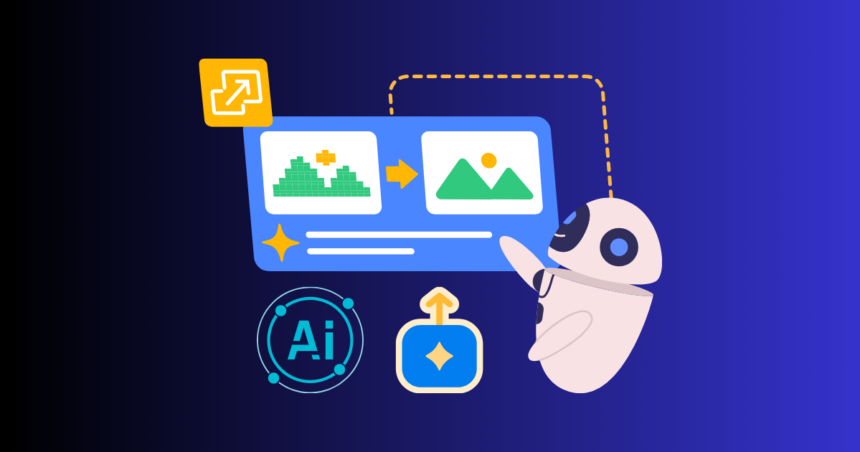
AI image upscaling has now become one of the most influential technologies in digital design and content creation. The Best AI Image Upscaler Tools in 2026 help developers, designers, and creators transform blurry or low-resolution images into sharp, high-quality visuals with ease. By 2026, users no longer have to struggle with poor-quality images, as modern AI upscalers can intelligently enhance details, sharpen edges, and increase resolution up to 4K or even 8K. These tools are widely used by designers, photographers, marketers, and social media creators who need professional-quality visuals for their projects.
AI upscaling does more than simply stretch pixels. Using advanced machine learning models trained on millions of images, these tools can recreate missing details and produce outputs that look cleaner, sharper, and far more realistic. In this article, we will explore the Best AI Image Upscaler Tools in 2026, including their features, performance, ease of use, and real-world applications, helping you choose the right solution for your specific needs.
Topaz Gigapixel AI
Topaz Gigapixel AI can largely be considered as one of the most powerful AI upscaling tools available in the market. It is oriented towards specialists in need of very high standards of work especially in photography, print and commercial design. Sophisticated AI models are utilized in the software to recreate the fine detail, such as skin texture, hair strands, patterns on the fabric, and lighting effects.
The possibility to upscale images without any unnatural artifacts and distortions is among its greatest advantages. It has the ability to enlarge images up to 6x and even greater without necessarily appearing unnaturally real. It demands nevertheless a robust computer infrastructure and it is not so user-friendly as browser-based tools. Yet it has been one of the best substitutes amongst the serious creators, which require the highest quality and precision.
Let’s Enhance
Let’s Enhance is a popular online AI upscaling application, which can be directly used in your browser, which is user-friendly with no software needed to use. It may come in especially handy when users are in need of fast result when ordering or promoting products and services in social media websites or blogs.
The platform has a number of AI models that concentrate on different approaches of images such as portraits, product pictures, and digital art. Its key advantages are the batch processing, thus allowing one to scale a number of images at a go. It can also upscale up to high resolutions which can be printed. It is not as versatile as desktop programs in offering the same level of in-depth control, but its convenience and speed makes it a very good choice in the day-to-day.
Adobe Photoshop
Adobe Photoshop is considered one of the most potent image editing and image enhancing applications, and has an AI-based upscaling feature. It offers the ability to upscale the images in addition to some manual tasks such as sharpening, noise reduction and color alteration of the image.
This AI automation and manual control allow users to have complete freedom of the end product. Photoshop may be of great help especially to professionals who may want to sharpen the fine details of an image after upscaling. It is however, a skill and experience that is needed to effectively apply it. It is not a dedicated upscale, like other tools, but has developed editing and can prove extremely valuable in high-end creative work.
Photo Enhancer Hit Paw -Best
Hit Paw Photo Enhancer is a user-friendly and simple artificial intelligence (AI) application that is utilized to upscale images in a quick and simple fashion. It uses AI models to automatically detect blur, noise, and low resolution and enhances the image with just a single click.
This makes it very easy to use by users that do not have technical skills. It facilitates various types of improvement among them the face improvement, noise suppression and general improvement. The interface is simple and clean and therefore will be easy to the casual users as well as those who develop social media. It may not be as detailed of control as professional tools, but with easy usability and fast results, it is an excellent starting point as a novice.
Comparison of speed and performance
Time is an important aspect which should be considered when selecting an AI upscaling solution. Quick and convenient browsers like Let’s Enhance are hosted on cloud servers. Topaz Gigapixel AI is a slower desktop tool, but with better performance, as it does more processing. Free software such as Upscale provide a trade-off between performance and speed according to your system hardware. Generally speaking, desktop tools will be more suitable to good professional work, but simple tasks can be better done with the assistance of cloud-based tools.
The choice of the proper tool would be given whether speed is of utmost importance or maximum image quality would be of utmost importance.
Best AI Image Upscale for High-Quality Results
Topaz Gigapixel AI would be the most suitable option, should you be a professional photographer or designer. Let’s Enhance is the ideal online tool when you require to possess a simple tool. Having said that, unscaly is the most appropriate alternative to such users that are more prone to using a free alternative.
Adobe Photoshop would be most appropriate in case you have to edit and upscale your photos. Among the novices who do not desire to get entangled in getting quick results, Hit Paw Photo Enhancer is the best choice. All the tools have their purpose and thus the most suitable tool will be decided by your working process and level of experience.
Conclusion
In conclusion, the use of AI image upscaling software in 2026 will revolutionize the manner in which we enhance and improve the quality of images in 2026. These applications enable one to easily change low-resolution images into sharp, detailed and professional visuals. Whether a user is a powerful desktop user with such power that they can use software such as Topaz Gigapixel AI, or a free open-source user like Upscale, a user has a choice.
Be it a beginner or a professional, with the assistance of the appropriate upscaling tool, one can really boost the quantity of creative work. With the further development of the AI technology, these tools will be even more advanced and capable of offering a more realistic representation of detail, faster processing and more realistic results of all types of digital content.

Shruti Roy is a content writer at Aitude, where she writes easy-to-understand articles on artificial intelligence, AI tools, and emerging tech trends. She focuses on creating helpful, practical content that makes complex AI topics simple for everyday users.