You keep hearing “AI agent” everywhere. But most explanations either go too deep too fast or stay so vague they tell you nothing. This article explains what is an AI Agent actually is, how it works step by step, how it differs from a chatbot, and where real businesses are using AI agents right now.
What is an AI Agent?
An AI agent is an autonomous software system that perceives its environment, reasons about a goal, and takes actions to achieve it, often through tools like web search, APIs, and code execution, with little or no human input at each step. Unlike a chatbot that waits for prompts, an agent decides what to do next on its own.
That 50-word answer covers the core. Now here is why it actually matters.
The key word is autonomous. Traditional software follows rules someone programmed. A chatbot follows a script. An AI agent plans, adapts, and executes. If the first step fails, it tries another path. If it needs more information, it goes and gets it.
IBM defines an AI agent as “a system that autonomously performs tasks by designing workflows with available tools.” That framing is precise: the agent is not just answering a question, it is assembling a workflow to solve a problem.
The MIT AI Agent Index (2025) characterizes AI agents by four properties: autonomy (minimal human oversight), goal complexity (long-horizon planning), environmental interaction (write access to tools and APIs), and generality (adapting to new or under-specified tasks). A system needs all four to qualify as a true agent.
How an AI Agent Works: The Core Loop
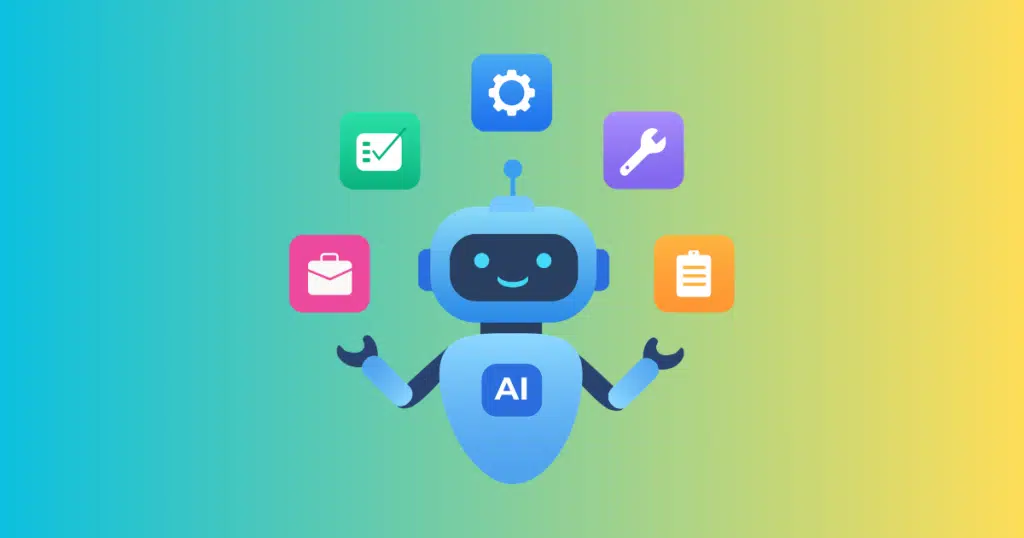
Most people picture AI agents as a magic black box. The actual architecture is simpler than that, and understanding it will change how you evaluate any agent product.
An AI agent operates in a continuous cycle called the Perceive – Plan – Act – Learn loop:
- Perceive The agent takes in its goal and gathers context. This might be a user instruction, the contents of an email, data from a database, or output from a previous step. The agent’s “senses” are whatever inputs you connect: files, APIs, browser content, memory from past interactions.
- Plan The agent uses a large language model (LLM) as its reasoning engine. It breaks the high-level goal into smaller sub-tasks and decides which tools to use and in what order. This is where AI agents differ most from automation tools: planning is dynamic, not pre-programmed.
- Act The agent executes one task at a time using its available tools. Common tools include web search, code execution, form submission, sending messages, reading and writing files, or calling external APIs. Each action produces a new observation the agent feeds back into its reasoning.
- Observe and Adjust After each action, the agent checks whether it is closer to its goal. If something fails, it replans. If it encounters new information, it incorporates that. This loop runs until the task is complete or the agent decides it cannot proceed.
One practical example from MIT Sloan: an AI agent given the goal of planning a vacation could access APIs for flights and hotels, check your calendar via email integration, compare options, and book the entire trip with a credit card, all without a human approving each step.
The most important thing to understand about this loop: no two runs look the same. An AI agent navigating an unexpected error will try a different route. That is both its power and its risk.
AI Agent vs. Chatbot vs. Automation: The Key Differences

This comparison matters most if you are deciding what to build or buy. Here is the clear breakdown:
| Feature | Chatbot | Automation (e.g., Zapier) | AI Agent |
|---|---|---|---|
| Follows a script | Yes | Yes | No |
| Adapts to unexpected inputs | Rarely | No | Yes |
| Plans multi-step tasks | No | No | Yes |
| Uses tools dynamically | No | Fixed triggers | Yes |
| Learns from outcomes | No | No | Some do |
| Requires human input per step | Yes | No | No |
| Example | FAQ bot | Email-to-calendar trigger | Research, write, and send a report autonomously |
The cleanest way to think about it: chatbots respond, automations trigger, AI agents solve.
A chatbot can explain your refund policy. An AI agent can look up the order, verify eligibility, process the refund, update the CRM, and send the customer a confirmation email, all from one instruction.
Automation tools like Zapier or Make are powerful for predictable, rule-based workflows. They break when something unexpected happens. An AI agent is specifically built to handle the unexpected.
Types of AI Agents
Not every AI agent is the same. Understanding the types helps you match the right agent to a real use case.
Reactive Agents The simplest type. These respond to the current state of the environment without memory of past events. IBM’s Deep Blue was a reactive agent. It evaluated the chess board as it was, made the best move, and had no recall of earlier games. Fast and reliable, but limited to narrow tasks.
Model-Based Agents These maintain an internal model of the world and update it as new information arrives. A self-driving car’s perception system is a model-based agent: it continuously maps its environment and uses that map to decide on actions.
Goal-Based Agents These know what outcome they are trying to reach and choose actions to get there. Most modern LLM-powered agents fall into this category. You give them a goal; they plan toward it.
Learning Agents These improve from experience. They observe which actions produced good outcomes and adjust their behavior accordingly. Reinforcement learning agents in financial trading fall here. Over time, they develop strategies that outperform the starting rules.
Multi-Agent Systems Multiple agents work together, each with a specialized role. One agent searches the web, another writes, a third reviews and edits. The agents coordinate through a shared framework. These systems can tackle far more complex tasks than any single agent.
In practice, most enterprise AI agents today are goal-based LLM agents with limited memory. Full multi-agent systems are emerging in research and in products like Microsoft Copilot Studio.
AI Agent Examples Across Industries
Here is where it gets concrete. These are real applications being used today, not theoretical futures.
Customer Support Call centers are one of the highest-deployment areas for AI agents right now. An agent can simultaneously analyze a customer’s sentiment, pull their order history, check company policies, and respond with the right answer, all in one interaction. Stuart Brown, a partner at Guidehouse, described it as agents that “orchestrate intelligence and automation across the multiple activities involved in serving customers.” Businesses are also using agents for proactive churn prevention: the agent monitors usage patterns, spots declining activity, and triggers a retention workflow before the customer churns.
Insurance Underwriting Insurance brokers submit hundreds of applications a week. An AI agent reads each submission, extracts key risk factors like industry, revenue, and claims history, checks them against underwriting guidelines, assigns a risk tier, and routes the file to the right underwriter. What previously took hours per file now runs in minutes. One implemented system handles email submissions with attached PDFs end to end, with humans reviewing only the flagged edge cases.
Sales and Marketing Inbound lead qualification agents chat with website visitors in real time, score them against an ideal customer profile, and book meetings only for qualified leads. Content localization agents adapt marketing copy for regional audiences. Social media agents monitor trending topics, draft platform-specific posts, and respond to comments without a human in the loop.
Creative teams are also adopting AI agents for video production workflows. For example, invideo agent helps creators move from an initial idea or brief to a complete video by assisting with scene planning, visuals, voiceovers, music, and editing while keeping the project context connected.
Finance AI trading agents process market data, predict short-term price movements, and execute trades on 5- and 15-minute timeframes. Finance teams use agents for report generation and for shifting from reactive oversight to proactive financial monitoring.
Healthcare MIT researchers deployed an agent to detect adverse events among cancer patients from clinical notes. Their 2025 paper found that 80% of the project’s effort went into data engineering and stakeholder alignment, not the AI itself. That finding is worth noting: agents fail when the underlying data is messy, regardless of how smart the model is.
What Is AI Agent Mode?
You may have seen “AI agent mode” as a setting inside AI tools like ChatGPT, Claude, and Google’s AI products. The phrase describes a configuration where the AI is given tools and permissions to take actions beyond just generating text.
In agent mode, the model can browse the web, write and run code, read and write files, and interact with connected services. The difference from a regular chat session is that the AI does not stop after generating a response. It checks whether the task is done, then continues if it is not.
Claude Code is one example of agent mode applied to software development. It reads a codebase, understands the context, makes changes, runs tests, and iterates. ChatGPT’s Agent feature works similarly, combining web browsing, Python execution, and file handling into one continuous workflow.
From a user perspective, the practical difference is this: in standard chat mode, you and the AI trade turns. In agent mode, you hand off a goal and the AI handles the turns itself until the work is done.
Why AI Agents Are Hard to Get Right
Agent mode sounds like a silver bullet. It is not, and knowing why will save you time and money.
Data quality is the hidden bottleneck. The MIT cancer detection study found that 80% of the work had nothing to do with the AI model. It was data cleaning, structuring, and integration. An agent that cannot read clean, consistent data will fail in unpredictable ways.
Trust and governance are unsolved. A January 2025 Gartner poll found that only 15% of IT application leaders were actively deploying fully autonomous AI agents, while 31% were still in “wait and see” mode. The reason is not capability. It is accountability. When an agent makes a wrong decision, who is responsible?
Scope creep is a real risk. Agents given broad permissions will occasionally act in ways you did not anticipate. A well-designed agent has explicit guardrails: defined tool access, approval checkpoints for irreversible actions, and logging for every step.
They are not always the right tool. If your workflow is predictable and rule-based, standard automation is faster, cheaper, and more reliable. Use an AI agent when the task is ambiguous, multi-step, or requires reasoning under changing conditions.
The practical advice: start with a narrow, well-scoped task. Give the agent a specific goal, limited tools, and clear stopping conditions. Expand scope only after you have verified performance at the smaller scale.
FAQ
What is an AI agent in simple terms? An AI agent is software that can take a goal and figure out how to accomplish it on its own, using tools like web search, code execution, and APIs. Unlike a chatbot, it does not need a human to guide each step. Think of it as a digital worker that can plan and act, not just answer questions.
How is an AI agent different from a chatbot? A chatbot follows a predefined script and responds to what you type. An AI agent reasons about a goal, breaks it into tasks, takes actions using tools, and continues working until the goal is reached. Chatbots talk; AI agents act. That is the core difference.
What are some real AI agent examples? Real examples include customer support agents that handle refunds end to end, insurance agents that sort and route underwriting submissions, sales agents that qualify website leads automatically, and coding agents like Claude Code that can read a codebase and ship changes without constant human input.
What is AI agent mode in tools like ChatGPT or Claude? Agent mode is a setting that gives an AI model access to tools such as web browsing, code execution, and file access. Instead of generating one response and stopping, the model runs a loop, takes actions, checks results, and continues until the task is complete.
Can a small business actually use AI agents today? Yes. Many AI agent tools are available through existing SaaS platforms. You do not need a development team to deploy a lead qualification agent or a customer support agent. The practical entry point is a narrow, high-repetition task where mistakes are recoverable. Expand from there.
Are AI agents safe to use autonomously? That depends on how they are configured. Agents with well-defined tool permissions, human approval gates for irreversible actions, and activity logs are significantly safer than unconstrained ones. Governance is the main unsolved challenge in enterprise adoption. Start with supervised workflows before moving to fully autonomous ones.
Conclusion
An AI agent is software that perceives its environment, plans toward a goal, acts through tools, and adjusts based on what it learns. That loop is what separates it from a chatbot and from standard automation.
Three things to take away. First, the word “autonomous” is the real differentiator. An AI agent decides what to do next; a chatbot waits for your instruction. Second, the architecture matters more than the marketing. Look for agents with memory, tool access, and a genuine planning layer. Third, good data and clear scope matter more than model quality. Most agent failures trace back to messy inputs or undefined boundaries, not weak AI.
If you want to understand what an AI agent can realistically do for your business, start with the call center and insurance examples. They are the furthest along in real-world deployment, and the patterns transfer across industries.

Sandeep Kumar is the Founder & CEO of Aitude, a leading AI tools, research, and tutorial platform dedicated to empowering learners, researchers, and innovators. Under his leadership, Aitude has become a go-to resource for those seeking the latest in artificial intelligence, machine learning, computer vision, and development strategies.