Artificial intelligence is rapidly changing the way developers build software. From code completion tools to fully autonomous coding agents, AI is becoming an essential part of modern software development.
- What Is Google Antigravity?
- Key Features of Google Antigravity
- 1. AI Agents That Work Independently
- 2. Manager View for Multi-Agent Workflows
- 3. Familiar Editor Interface
- 4. Artifacts for Transparency
- 5. Built-In Browser and Terminal Access
- Which AI Models Power Antigravity?
- Is Google Antigravity Based on VS Code?
- Supported Platforms
- Is Google Antigravity Free?
- How Is Antigravity Different From GitHub Copilot or Cursor?
- Potential Benefits for Developers
One of Google’s latest innovations in this space is Google Antigravity, an AI-powered Integrated Development Environment (IDE) designed to help developers build applications faster by delegating tasks to intelligent AI agents.
In this article, we’ll explore what Google Antigravity is, how it works, its key features, and why it could change the future of software development.
What Is Google Antigravity?
Google Antigravity is an AI-first coding environment developed by Google. It was announced on November 18, 2025, alongside the launch of Gemini 3.
Unlike traditional code editors that simply assist developers with suggestions, Antigravity is built around autonomous AI agents that can perform coding tasks on behalf of developers. Instead of manually handling every step of the development process, users can assign tasks to AI agents and monitor their progress.
Google describes Antigravity as a platform designed to make AI agents a central part of software development workflows.
Why Did Google Create Antigravity?
Traditional AI coding assistants help developers write code faster, but they still require constant human guidance.
Google Antigravity takes a different approach. Its goal is to allow developers to:
- Delegate complex coding tasks
- Run multiple development tasks simultaneously
- Automate repetitive work
- Manage large projects more efficiently
- Focus on higher-level problem solving
This shift from AI assistance to AI delegation is one of Antigravity’s most important innovations.
Key Features of Google Antigravity
1. AI Agents That Work Independently
The standout feature of Antigravity is its autonomous AI agents.
Developers can assign tasks such as:
- Building new features
- Fixing bugs
- Refactoring code
- Writing tests
- Researching solutions
- Updating documentation
The AI agents can work on these tasks with minimal supervision and provide updates throughout the process.
2. Manager View for Multi-Agent Workflows
One unique feature is the Manager View.
Instead of working with a single AI assistant, developers can coordinate multiple AI agents working on different tasks simultaneously.
For example:
- One agent can write frontend code
- Another can create APIs
- A third can generate tests
- A fourth can update documentation
This parallel workflow can significantly speed up development.
3. Familiar Editor Interface
For developers who already use Visual Studio Code or similar editors, Antigravity feels familiar.
Its Editor View provides:
- Traditional coding workspace
- File explorer
- Code editor
- Terminal access
- AI agent sidebar
This makes the transition easier for developers who don’t want to learn an entirely new environment.
4. Artifacts for Transparency
A common concern with AI agents is trust.
To address this, Antigravity generates Artifacts, which are verifiable outputs showing exactly what the AI has done.
Artifacts may include:
- Task plans
- Implementation summaries
- Screenshots
- Browser recordings
- Progress reports
These records help developers review and verify AI-generated work before deployment.
5. Built-In Browser and Terminal Access
AI agents in Antigravity can interact with:
- The code editor
- Terminal
- Browser
This allows agents to perform more advanced workflows, such as:
- Testing applications
- Running commands
- Checking websites
- Verifying functionality
The result is a more capable AI development environment.
Which AI Models Power Antigravity?
Google Antigravity primarily uses Google’s Gemini models, including:
- Gemini 3.1 Pro
- Gemini 3 Flash
The platform also supports several external AI models, including:
- Claude Sonnet 4.6
- Claude Opus 4.6
- GPT-OSS-120B
This multi-model approach gives developers flexibility when selecting AI systems for different tasks.
Is Google Antigravity Based on VS Code?
Yes.
Google Antigravity is built on a heavily modified version of Visual Studio Code (VS Code).
This gives developers access to a familiar editing experience while adding advanced AI agent capabilities on top of the existing foundation.
Because VS Code is one of the most popular code editors in the world, this approach reduces the learning curve for new users.
Supported Platforms
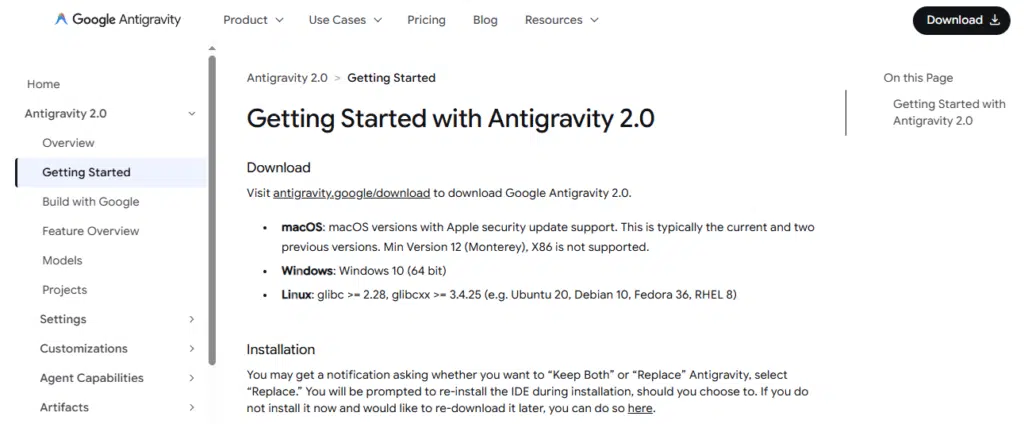
Google Antigravity is available on:
- Windows 10 (64-bit) and later
- macOS Monterey 12 and later
- Linux (64-bit systems meeting required libraries)
This broad platform support makes it accessible to most developers.
Is Google Antigravity Free?
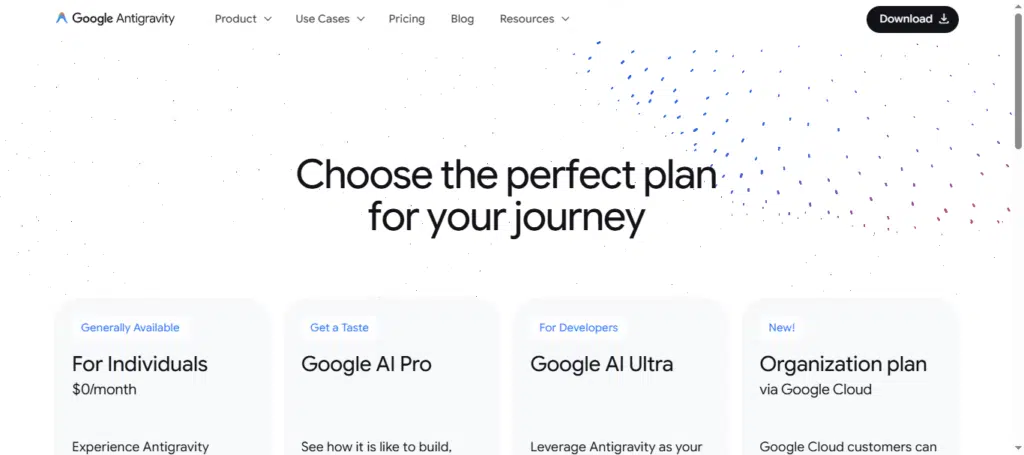
During its public preview phase, Google Antigravity is available free of charge.
Google has also provided generous usage limits for Gemini 3.1 Pro, allowing developers to experiment with the platform without immediate subscription costs.
Future pricing plans may be introduced after the preview period ends.
Explore Google Antigravity pricing and find the right plan for your AI-powered coding journey.
How Is Antigravity Different From GitHub Copilot or Cursor?
While tools like GitHub Copilot and Cursor focus mainly on helping developers write code, Antigravity focuses on managing AI agents that can execute larger tasks independently.
| Feature | GitHub Copilot | Cursor | Google Antigravity |
|---|---|---|---|
| Code Suggestions | Yes | Yes | Yes |
| AI Chat | Yes | Yes | Yes |
| Autonomous Agents | Limited | Partial | Extensive |
| Multi-Agent Management | No | No | Yes |
| Manager Dashboard | No | No | Yes |
| Artifacts and Progress Tracking | Limited | Limited | Yes |
This makes Antigravity more focused on AI-driven project execution rather than simple code assistance.
Potential Benefits for Developers
Google Antigravity could help developers:
- Build software faster
- Reduce repetitive coding work
- Manage larger projects more efficiently
- Collaborate with multiple AI agents
- Improve productivity
- Focus on architecture and business logic
As AI agents become more capable, tools like Antigravity may fundamentally change how software is developed.
Final Thoughts
Google Antigravity represents Google’s vision for the future of AI-assisted software development. Instead of acting as a simple coding assistant, it introduces an agent-first approach where multiple AI agents can work on tasks, generate verifiable outputs, and help developers complete projects more efficiently.
Ready to try Google Antigravity? Follow the official getting started guide and set up your AI-powered development environment in minutes.
Although still in public preview, Antigravity showcases how AI development environments are evolving beyond autocomplete and chat interfaces. For developers interested in the future of coding, Google Antigravity is a platform worth watching closely.

Sandeep Kumar is the Founder & CEO of Aitude, a leading AI tools, research, and tutorial platform dedicated to empowering learners, researchers, and innovators. Under his leadership, Aitude has become a go-to resource for those seeking the latest in artificial intelligence, machine learning, computer vision, and development strategies.