Smart field service software improves mobile team productivity by removing guesswork from daily field work.
- Quick Answer: How Field Service Software Improves Productivity
- GoHighLevel CRM With FieldTask: How It Works
- Why GoHighLevel Plus FieldTask Can Be Useful
- Why This CRM Plus Field Service Model Feels Like the Future
- Simple Table: FieldTask.io, GoHighLevel, and FieldServicely
- Smart Scheduling Improves Daily Output
- GPS Tracking Reduces Unnecessary Calls
- Work Orders Keep Jobs Clear
- Time Tracking Helps Control Labor Cost
- Route Optimization Saves Field Time
- Automation Helps Teams Move Faster
- Reports Turn Field Work Into Better Decisions
- Dedicated Section: How FieldServicely Supports Mobile Team Productivity
- Dedicated Section: How FieldTask.io Extends GoHighLevel for Field Teams
- Best Practices for Using Smart Field Service Software
It helps managers assign jobs, track employees, update customers, review timesheets, process payroll, and study team performance from one system. That matters because mobile teams lose time when they depend on phone calls, spreadsheets, paper forms, and scattered apps.
A good setup can look different for each business. Some teams may use GoHighLevel CRM with FieldTask to connect sales and field operations. Other teams may use FieldServicely to manage scheduling, GPS tracking, work orders, timesheets, payroll, invoicing, and reports in one field service platform.
In my opinion, the best field service software does not only track workers. It helps the whole team finish more work with less confusion.
Quick Answer: How Field Service Software Improves Productivity
Smart field service software improves productivity by helping teams:
- Assign jobs faster
- Track field employees in real time
- Reduce manual check-ins
- Improve route planning
- Capture accurate time logs
- Connect jobs with customer records
- Submit proof of work from the field
- Reduce payroll disputes
- Automate follow-ups
- Review reports before problems grow
This makes field work smoother.
It also gives managers better control without making employees feel buried in admin tasks.
Why Mobile Teams Lose Productivity
Mobile teams lose productivity when work details live in too many places.
A lead may sit inside the CRM. The job may sit inside a spreadsheet. The technician may get the address through a text message. The invoice may come later from another tool.
That setup creates delays.
A dispatcher may not know who is free. A technician may miss job details. A manager may spend hours checking timesheets. A customer may call for an update, but the office may not know the latest field status.
Field service software fixes this by keeping field activity connected.
Field Service Software Turns Field Work Into a Clear Process
A productive field team needs a clear process.
The process should start from the customer request and end with job completion, approval, payment, and reporting.
A smart workflow usually looks like this:
- A lead or customer request enters the system.
- The office creates a job or work order.
- A manager assigns the right field worker.
- The employee gets the job details on mobile.
- GPS or geofencing confirms arrival.
- The employee updates job status.
- The worker submits notes, photos, or proof.
- The manager approves the work.
- Timesheets and payroll get updated.
- The business reviews reports for improvement.
This process saves time because everyone knows what should happen next.
GoHighLevel CRM With FieldTask: How It Works
GoHighLevel works well for CRM, sales pipelines, conversations, workflows, calendars, and customer follow-up. Its official site lists CRM, sales pipelines, workflows, automations, calendars, appointment reminders, invoicing, payment tools, and customer communication features.
FieldTask adds the field service layer for businesses that already use HighLevel.
FieldTask.io describes itself as a field service management app for HighLevel. Its feature list includes dispatching, GPS tracking, scheduling, work orders, route optimization, time tracking, invoicing, job photos, geofencing, job approval, payroll calculations, and mobile apps.
Here is the simple idea.
GoHighLevel manages the customer side. FieldTask.io helps manage the field work side.
That means a service business can move from lead to booked job to field execution without forcing teams to jump between too many disconnected tools.
Why GoHighLevel Plus FieldTask Can Be Useful
GoHighLevel plus FieldTask can be useful because many service businesses already use CRM tools to manage leads.
The problem starts after the sale.
A CRM can help capture and nurture leads, but field teams still need dispatching, GPS tracking, route planning, time tracking, work orders, and job proof. FieldTask.io fills that field operations gap inside the HighLevel ecosystem.
This setup can help teams:
- Turn booked leads into scheduled jobs
- Assign field workers from one connected system
- Track job progress after the sale
- Keep customer records and service records closer together
- Reduce manual updates between sales and operations
- Improve follow-up after job completion
- Give agencies a stronger solution for service-based clients
In my view, this is useful for agencies and local service businesses.
An agency can offer more than marketing. A field service business can connect customer acquisition with actual job delivery.
Why This CRM Plus Field Service Model Feels Like the Future
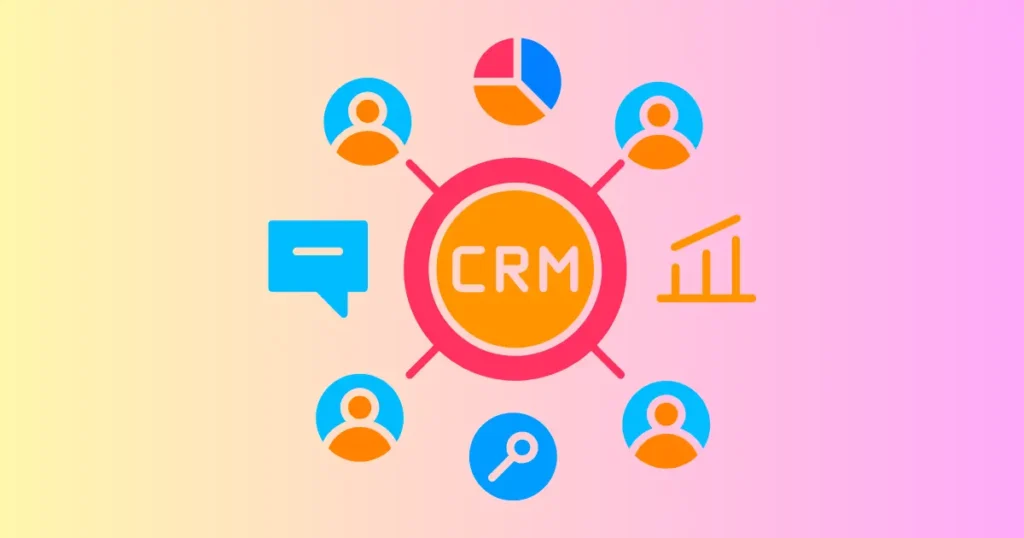
The future of field service work will not depend on disconnected tools.
Service businesses need one flow from lead capture to customer follow-up. They also need real-time field visibility, cleaner payroll data, and better reporting.
GoHighLevel already supports pipeline tracking and workflow automation. Its support documentation says pipelines help organize and automate sales or service workflows by tracking opportunities through defined stages.
HighLevel also supports workflow triggers when pipeline stages change. Its documentation explains that a pipeline stage change can automate follow-ups, notifications, task assignments, and other actions.
That matters for field service.
For example, when a deal moves to “Job Approved,” the team can create the next step. When a job is completed, the business can trigger follow-up, review requests, invoices, or customer reactivation.
That is where the future is heading.
The best systems will connect sales, scheduling, field work, proof, payment, and retention.
Why Smart Field Service Software Is Cost-Effective
Smart field service software becomes cost-effective when it reduces hidden costs.
Most field service costs do not look obvious at first. They come from missed jobs, bad scheduling, payroll errors, wasted travel time, repeat visits, late invoices, and too much admin work.
A connected platform can reduce those problems.
The cost advantage comes from:
- Fewer manual admin hours
- Fewer payroll disputes
- Less time spent calling employees for updates
- Better dispatching
- Lower travel waste
- Faster job completion
- Better customer follow-up
- Cleaner invoices
- Better use of each employee’s day
GoHighLevel’s pricing page lists a Starter plan at $97 per month and an Unlimited plan at $297 per month, with a 14-day free trial. That can make sense for agencies or service businesses that want CRM, automation, and customer communication in one place.
FieldServicely also positions its mobile workforce management software as free to start, with scheduling, GPS tracking, timesheets, payroll, and invoicing in one platform. Its page also says no credit card is required.
In my opinion, the cheapest tool is not always the most cost-effective one.
The better choice is the tool that removes the most waste from daily work.
Where FieldServicely Fits
FieldServicely fits businesses that want direct field service management without building around a CRM first.
Its official site says teams can manage scheduling, work orders, GPS time clock, timesheets, payroll, invoicing, and reports without jumping between systems. It also highlights real-time visibility into jobs, locations, timesheets, approvals, and team performance.
That makes it useful for teams that need daily operational control.
FieldServicely can help with:
- Job scheduling
- Work order management
- GPS employee tracking
- Timesheets
- Payroll
- Invoicing
- Reports
- Approvals
- Team performance visibility
- Mobile workforce management
This type of platform works well for field teams that need structure fast.
A cleaning company, HVAC team, maintenance crew, construction service, delivery team, or inspection business can use it to reduce manual work and improve daily output.
Simple Table: FieldTask.io, GoHighLevel, and FieldServicely
| Tool | Main Role | Best Use Case | Productivity Value |
| GoHighLevel | CRM, pipelines, automation, customer communication | Managing leads, bookings, follow-ups, payments, and customer journeys | Helps sales and customer follow-up run in one place |
| FieldTask.io | Field service app for HighLevel | Adding dispatching, GPS tracking, scheduling, work orders, and field execution to HighLevel | Connects CRM activity with field operations |
| FieldServicely | Field service management software | Managing mobile teams, jobs, GPS tracking, timesheets, payroll, invoices, and reports | Gives field teams one place to run daily operations |
This table shows the real difference.
GoHighLevel handles the customer and growth side. FieldTask.io connects that CRM activity to field jobs. FieldServicely focuses on field service operations as a direct management platform.
Smart Scheduling Improves Daily Output
Scheduling affects productivity more than many leaders admit.
A bad schedule can waste the whole day. A technician may drive across town for one job, return to the same area later, and lose hours in traffic.
Smart field service software helps managers plan jobs with better context.
They can review:
- Employee availability
- Job location
- Customer priority
- Skill level
- Travel time
- Job duration
- Current workload
- Route efficiency
This helps teams complete more jobs without pushing employees too hard.
GPS Tracking Reduces Unnecessary Calls
GPS tracking improves productivity because it reduces constant check-ins.
A manager should not need to call every employee to ask where they are. A dispatcher should not need five messages to find the nearest worker.
FieldTask.io includes GPS tracking for real-time team visibility. FieldServicely also includes GPS tracking as part of its field service platform.
This saves time for both sides.
The office gets visibility. The employee gets fewer interruptions.
Work Orders Keep Jobs Clear
Work orders improve productivity because they define the work before the employee reaches the site.
A good work order should include:
- Customer name
- Job location
- Task details
- Assigned employee
- Schedule
- Required tools
- Special notes
- Proof needed
- Approval steps
FieldTask.io lists work order management as one of its field service features for HighLevel. FieldServicely also includes work orders in its field service platform.
Clear work orders reduce mistakes.
They also help new employees perform better because they do not need to guess what the job requires.
Time Tracking Helps Control Labor Cost
Time tracking helps managers understand where labor hours go.
A worker may spend eight hours in the field, but the business needs more detail. Managers need to know how much time went to travel, actual work, waiting, delays, and job reporting.
FieldTask.io includes time tracking. FieldServicely includes timesheets and payroll tools.
This helps leaders see which jobs are profitable.
It also helps payroll teams process employee hours with less back-and-forth.
Route Optimization Saves Field Time
Route optimization improves productivity because travel time is a real cost.
Every extra mile can reduce job capacity. Every poor route can delay the next customer.
FieldTask.io includes route optimization and route history maps for field teams.
That feature matters for businesses with many daily site visits.
A better route can help the same team complete more jobs without adding more people.
Automation Helps Teams Move Faster
Automation helps field service teams avoid repetitive manual work.
GoHighLevel supports workflow automation, and its pipeline stage change trigger can automate follow-ups, notifications, task creation, and other actions when an opportunity changes stage.
This can support field service in practical ways.
For example:
- A new lead can trigger a follow-up.
- A booked job can trigger a scheduling step.
- A completed job can trigger an invoice.
- A paid job can trigger a review request.
- A lost deal can trigger a recovery sequence.
This reduces manual work.
It also helps teams respond faster without depending on memory.
Reports Turn Field Work Into Better Decisions
Reports improve productivity because they show patterns.
A manager may feel that the team is busy. Reports can show why they are busy.
Leaders can review:
- Completed jobs
- Delayed jobs
- Overtime
- Travel time
- Employee workload
- Payroll hours
- Job approval delays
- Customer service trends
- Route problems
- Team performance
FieldServicely highlights reports, dashboards, job activity, timesheets, approvals, and team performance visibility.
In my view, reporting is where productivity becomes measurable.
Without reports, managers may only react to daily problems. With reports, they can improve the system.
Dedicated Section: How FieldServicely Supports Mobile Team Productivity
FieldServicely supports productivity by giving mobile teams one place to manage daily field operations.
It connects scheduling, work orders, GPS tracking, timesheets, payroll, invoicing, reports, approvals, and team performance visibility.
That helps managers reduce manual work.
It also helps field employees work with clearer job details, better schedules, and cleaner time records.
The useful part is the connection between field activity and back-office work. A job can move from schedule to tracking to timesheet to payroll to invoice without forcing the team to rebuild the same information in different tools.
That is a practical productivity gain.
Dedicated Section: How FieldTask.io Extends GoHighLevel for Field Teams
FieldTask.io supports productivity by adding field service tools to GoHighLevel.
It brings dispatching, GPS tracking, scheduling, work orders, route optimization, time tracking, invoicing, job photos, geofencing, job approval, and payroll calculation features into the HighLevel field service workflow.
This is useful for agencies and service businesses that already use HighLevel.
They do not need to treat customer management and field execution as separate worlds. They can connect lead handling, job scheduling, technician tracking, field updates, invoicing, and follow-up in a tighter process.
That is why this model feels future-ready.
It helps service companies manage the full customer journey, not just the first sale.
Best Practices for Using Smart Field Service Software
A smart tool still needs a smart process.
Leaders should set clear rules before they expect better productivity.
The best approach is simple:
- Keep job details clear
- Assign work based on location and skill
- Use GPS tracking only during work hours
- Use geofencing for fair attendance
- Track time by job
- Collect proof of work
- Automate follow-ups where possible
- Review reports weekly
- Train managers to use data fairly
- Keep employees informed about tracking rules
This keeps the system practical.
It also helps employees see the software as a work support tool, not a control tool.
Common Mistakes to Avoid
The first mistake is buying software without fixing the workflow.
A messy process will stay messy inside a new tool. Leaders should map the job flow first.
The second mistake is tracking location without job context.
Location shows where someone is. It does not always show job difficulty, customer delay, traffic, or missing materials.
The third mistake is using too many disconnected apps.
A CRM, scheduling tool, GPS tracker, timesheet app, payroll sheet, and invoice tool can create extra admin work. A connected setup usually works better.
The fourth mistake is ignoring reports.
Reports show where productivity leaks happen. Managers should use them to improve schedules, routes, training, payroll, and customer communication.
Final Thoughts
Smart field service software improves mobile team productivity by connecting people, jobs, time, location, payroll, invoices, and reports.
GoHighLevel with FieldTask.io works well when a business wants to connect CRM, sales pipelines, automation, and field service operations. FieldServicely works well when a business wants a direct field service management platform for scheduling, GPS tracking, work orders, timesheets, payroll, invoicing, and reporting.
Both approaches point to the same future.
Mobile team productivity will depend on connected systems, not scattered updates. The businesses that connect customer data with field activity will move faster, waste less time, and make better decisions.

Sandeep Kumar is the Founder & CEO of Aitude, a leading AI tools, research, and tutorial platform dedicated to empowering learners, researchers, and innovators. Under his leadership, Aitude has become a go-to resource for those seeking the latest in artificial intelligence, machine learning, computer vision, and development strategies.