AI animation makes it easier to turn creative ideas into moving visuals. You do not need to draw every element by hand to create animated characters, imaginative scenes, or short videos. The results still depend on your idea, the direction you provide, and the style you choose.
- What Can You Create With AI Animation?
- Choose an Animation Style That Fits Your Idea
- Illustration-Style Animation for Lighthearted Stories
- Realistic Animation for Cinematic Projects
- 2D Animation for Simple Stories
- 3D Animation for Depth and Detail
- How to Turn an Idea Into an AI Animation With Flova
- Start With an Idea
- Describe the Scene and Actions
- Choose the Visual Style
- Generate and Review the Animation
- Refine Details for Better Consistency
- Tips for Creating Better AI Animations
- FAQs
- 1. What is Flova AI?
- 2. How do you create AI animation videos with Flova AI?
- 3. What animation styles can you explore with Flova AI?
- 4. How do you write effective prompts for AI animation?
- 5. Can Flova AI help maintain character consistency?
- 6. Can beginners create AI animation videos with Flova AI?
- 7. What types of videos can you create with AI animation?
- 8. How can you improve the quality of AI-generated animations?
Before creating an animation, consider the story you want to tell and who will watch it. A cartoon style may suit an entertaining video, while a simpler visual style may work better for an educational explanation. You can start with a rough idea and refine the direction as the project develops.
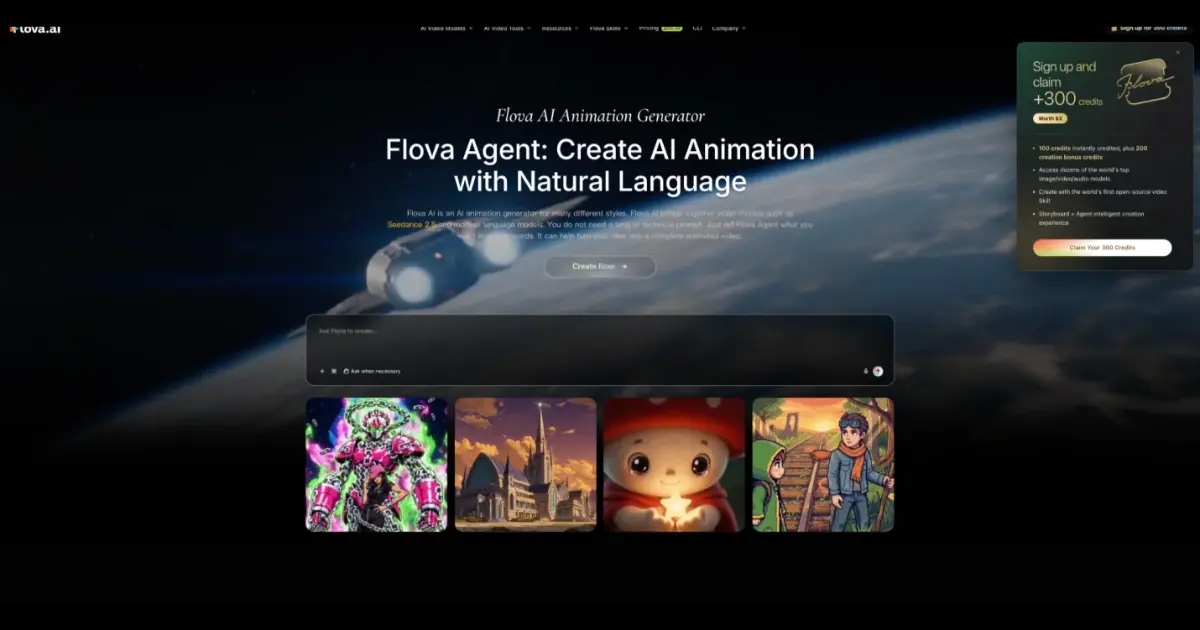
Flova AI supports scene planning, visual generation, and video assembly in one creative process. You can explore different styles, describe what you want in natural language, and refine individual scenes to better match your goals.
Flova AI makes it easier to turn creative ideas into engaging animated videos with AI-assisted scene planning, visual generation, and video assembly. Whether you want to create cartoon stories, 2D animations, 3D visuals, educational explainers, or cinematic sequences, you can use clear prompts to describe characters, settings, movements, and visual styles. By refining your prompts and reviewing each scene, you can improve the consistency and quality of your animations for social media, marketing, education, and other creative projects.
What Can You Create With AI Animation?
- Animated characters and stories: Bring characters, actions, and storylines to life.
- Cartoon scenes and fantasy worlds: Explore imaginative settings, expressive characters, and playful visuals.
- Cinematic animated sequences: Plan movement, lighting, and atmosphere across a series of shots.
- Educational and explainer animations: Use visuals to explain ideas, processes, or instructions.
Choose an Animation Style That Fits Your Idea
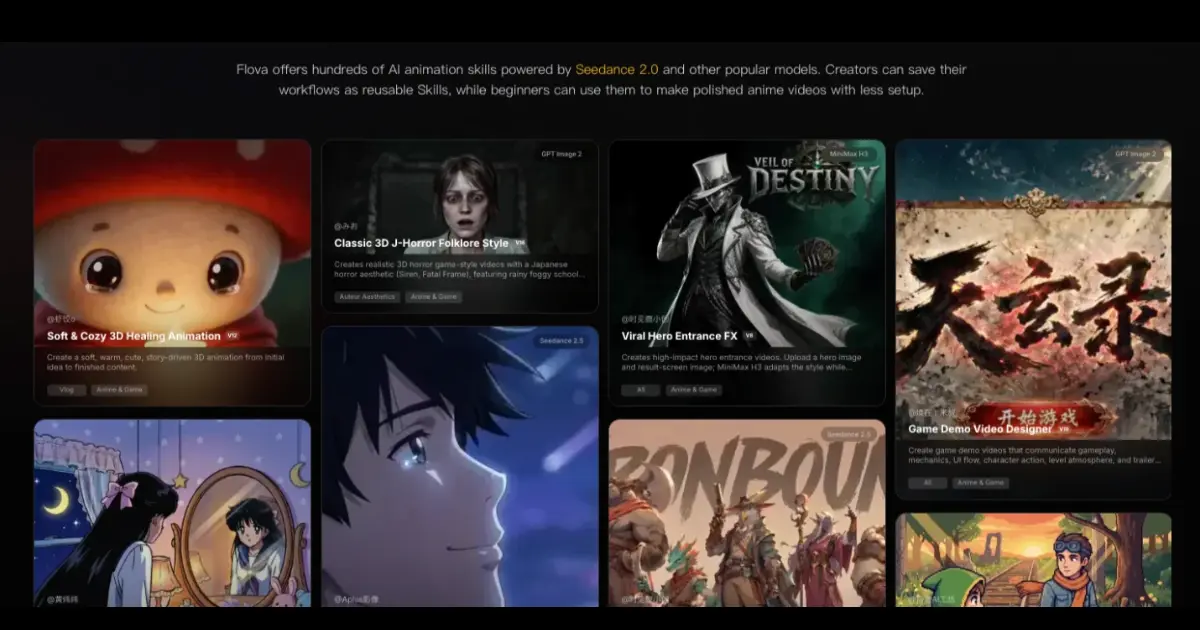
Illustration-Style Animation for Lighthearted Stories
Illustration-style animation uses drawn characters, simple shapes, and expressive colors. It works well for humorous videos and straightforward stories where a playful visual style helps make the message easy to follow.
Realistic Animation for Cinematic Projects
The realistic visual style might assist in building scenes that have a natural look, natural-looking light, and motion. It can be applicable to film ideas or projects that require a more realistic look.
2D Animation for Simple Stories
2D animation can work well for simple stories, cartoon-style videos, and clear explanations. Its flat visual style can help keep the focus on characters, actions, and important details.
3D Animation for Depth and Detail
3D animation can give characters, objects, and settings a greater sense of depth. AI animation with Flova can be used for product demonstrations, creative stories, and projects that would benefit from a three-dimensional look.
How to Turn an Idea Into an AI Animation With Flova
Start With an Idea
- Describe the initial idea for the animation.
- Identify any characters, objects, or subjects you have in mind.
- Indicate the intended mood and audience.
- Work with Flova Agent to develop the story and refine the details.
Describe the Scene and Actions
- Explain where the scene takes place.
- Describe what the subject does.
- Include important background details.
- Specify how the camera or subject should move when needed.
Choose the Visual Style
- Choose a style that suits your idea.
- Describe the colours, lighting, and atmosphere.
- Avoid mixing unrelated visual styles in the same sequence.
Generate and Review the Animation
- Approve Flova’s character and setting designs for later shots, then generate the scene.
- Check whether the movement matches your description.
- Review the subject, background, and overall look.
- Identify any details that need improvement.
Refine Details for Better Consistency
- Tell Flova Agent which details need to change.
- Check that approved characters and settings remain consistent.
- Simplify scenes with too many actions.
- Review the revised result before moving to the next scene.
Tips for Creating Better AI Animations
- Describe the main subject: Explain what the animation should feature, such as a character, product, animal, or object.
- Explain movement and actions: Use clear descriptions of what happens in the scene.
- Scene setting and lighting: Incorporate location, time of day, light and setting.
- Choose the visual style: Indicate whether you desire a cartoon, 2D, 3D, anime-inspired or realistic look.
- Keep character details consistent: Repeat important details about appearance, clothing, and other recognisable details. Avoid unnecessary instructions: Focus on the details that matter most instead of combining too many unrelated ideas in one prompt.
Conclusion
To make AI animation videos, one begins with an idea and appropriate visual style. By planning the scene, articulating movement details and checking the results that were made, you have full control of the final video.
Flova AI can assist in the work of transforming creative ideas into video content. Begin with an easy prompt, test with various styles and polish the details until you have an animation that better aligns with your vision.
With Flova AI, you can experiment with different animation styles, refine scene details, and develop your ideas into more engaging video content. Focus on clear prompts, consistent characters, and natural movement to achieve better results. Whether you are creating animations for storytelling, education, or marketing, a structured workflow can help you save time and bring your creative vision to life.
FAQs
1. What is Flova AI?
Flova AI is an AI-powered creative tool that helps users develop ideas, plan scenes, generate visuals, and assemble video content through an AI-assisted workflow.
2. How do you create AI animation videos with Flova AI?
Start with a clear idea, describe the characters and setting, choose a visual style, and specify the actions and camera movements. Generate the scenes, review the results, and refine details to improve the final animation.
3. What animation styles can you explore with Flova AI?
Depending on the available features, you can explore illustration-style animation, cartoon visuals, 2D animation, 3D animation, and realistic or cinematic styles.
4. How do you write effective prompts for AI animation?
Describe the main subject, its appearance, the setting, the action, lighting, and desired visual style. Use clear instructions and avoid combining conflicting camera movements or too many actions in one prompt.
5. Can Flova AI help maintain character consistency?
You can improve consistency by repeating important character details, using approved reference designs when supported, and reviewing each scene before generating the next one.
6. Can beginners create AI animation videos with Flova AI?
Yes. Beginners can start with a simple idea and a short scene, then gradually experiment with prompts, visual styles, character designs, and movement.
7. What types of videos can you create with AI animation?
AI animation can support short stories, educational explainers, cartoon scenes, product demonstrations, social media videos, and cinematic sequences.
8. How can you improve the quality of AI-generated animations?
Use specific prompts, keep scenes manageable, maintain consistent character descriptions, review generated movement, and revise individual details rather than changing the entire prompt unnecessarily.

Sandeep Kumar is the Founder & CEO of Aitude, a leading AI tools, research, and tutorial platform dedicated to empowering learners, researchers, and innovators. Under his leadership, Aitude has become a go-to resource for those seeking the latest in artificial intelligence, machine learning, computer vision, and development strategies.