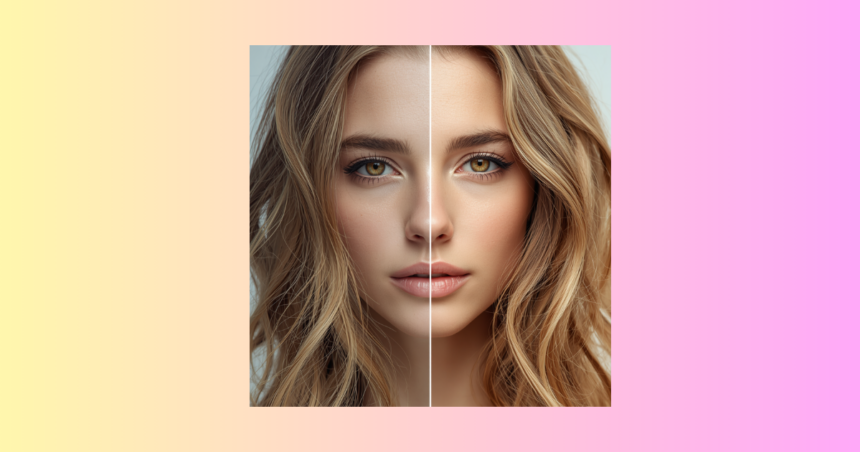
One of the most common problems associated with the use of AI generated images as a means of creating digital content in the contemporary digital landscape is that the image generated by AI is lower resolution than a real-life image. Although an image created by an AI might be good, it might not be sharp enough to print or create on a professionally designed image or display on a high-resolution screen. It is here that the issue of upscaling will come into effect. The process of enhancing the number of pixels of an image, whilst preserving or maintaining the quality of the image is called upscaling.
The first mistake is the over enlargement of the images without due considerations and the resultant consequences are blurred, pixelated and loss of details. Good upscaling will be directed towards making the details more visible, without adversely affecting the appearance of the textures or the realism. In this guide we will discuss how we can upscale AI images in the appropriate way using modern tools, techniques and workflows that will either maintain or even better the quality of the images. Not only will you learn the tricks of the trade which are of beginners-friendliness, but also what professional tricks in the trade that are put to use by the designers are, in order to come up with sharp and high-resolution results.
What AI -Image Upscaling?
The technology is artificial intelligence image upscaling, which is based on the principles of artificial intelligence and aims at improving the quality of the image and providing the details which are not represented in the image. By a single example, as you upscale a face, the AI can sharpen the texture of the skin, the detail in the hair or the light instead of simply blowing things out of proportion. The technology can be specifically used on the images created by the AI since most of them are first created in low resolutions. By the proper upscaling of these images, one can translate these images into high quality images that can be utilized in a professional manner including marketing, printing and digitization.
Tool Built-in AI Upscaling Tools
The huge majority of AI image generators have added the capacity to upscale to create a straightforward and advantageous process. The tools are coded in such a manner that further solves the images without necessarily having to use any other software. One-click upscale can be found in such generators as Canva AI and other contemporary generators. These automatically increase sharpness, sharpen edges and increase overall clarity. The benefit of built-in upscaling is that it is quick, simple and is optimized to the original image model. The users need not be of high grade of technical knowledge so that they obtain good results. However, quality may be varied, depending on the tool itself and therefore it is always better to cross- compare the results and the best version of the output will be taken.
Apply Special AI Upscaling Application
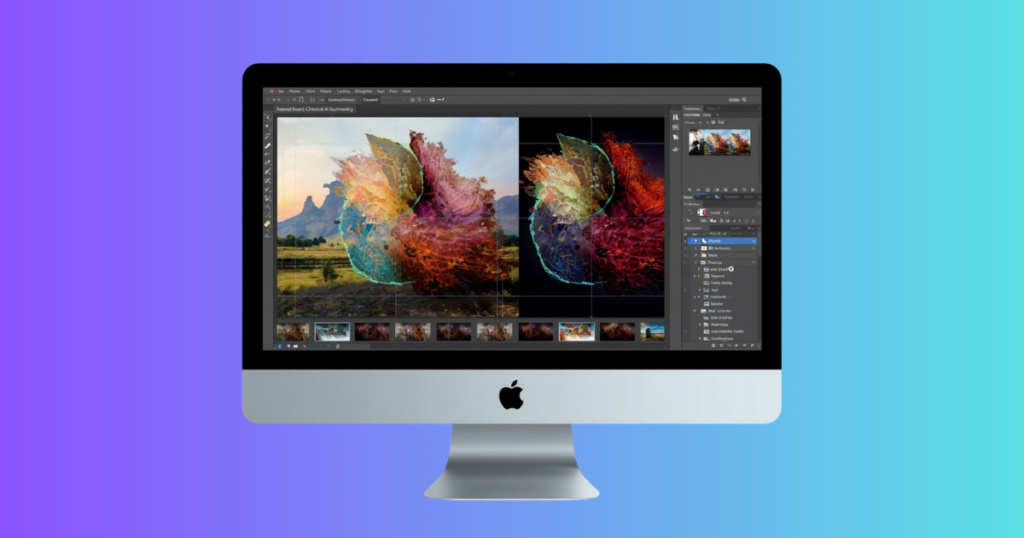
To achieve better quality results, numerous professionals apply special AI upscaling programs. The websites are particularly designed in such a way that the image of a product is enhanced without compromising the information. One of the most sought out software programs in this category is Adobe Photoshop which has enhanced features of upscaling and enhancement of images. Other AI-based upscales understand the textures, edges and lighting to re-create the lost information with a better interpretation. The tools are particularly handy to AI-generated images, which may have to be printed or utilized in high-resolution projects. Unspecialized resizing should not be confused with specialized upscales; which deliver superior results due to their lack of concern with other effects such as maintaining a certain mood or tone in the image.
Simple Image resizing
The fact that users can simply resize their images by simply applying simple resizing software is but one of the biggest mistakes that users make. The conventional resizing not only fails to enhance the quality of the image, but also stretches the pixels resulting in low quality image and blurred images. It is a strategy that does not imply the introduction of any new information and it is likely to bring AI images even lower. The use of simple editors and their dragging corners and the poor-quality scaling options should be avoided so as to maintain the quality. Otherwise, there will always be the need to choose to use AI-based upscaling algorithms that intelligently upscale the image. This difference is crucial in understanding to provide professional outcomes and prevent typical problems with quality.
Start with positive AI Results
The most suitable type of upscaling an image is a case when the original image is of a good quality. Even the most advanced upscaling will not be able to restore even the image of the highest quality, unless the underlying image has an extremely low resolution or otherwise is of poor quality. This is the reason why it is necessary to start with the unstoppable AI generation environments. Prompts during generation should be described in detail and good models identified and better resolution options selected. The larger the beginning is the larger the beginning will be at the end in the upscaled version. Enhancement instead of restoration- Upscaling has the potential to enhance good images, but is unable to fully repair bad images.
Enhance Detail Prompt Engineering
The other significant tactic is to work on your prompt prior to creating the image. As soon as you feed the AI with such words as high resolution, ultra-detailed, sharp focus, and 4K quality, the AI will automatically present you with a better base image. This will prevent the process of up scaling that will be required in future. Improved prompts result in improved initial outputs, which constitutes upscaling more effective. To elaborate this, a descriptive prompt, that is, the description of lighting, texture and camera style will result in a more realistic image that will retain the quality even when it is enlarged. It is among those steps that are not given much consideration and it is a big factor that determines the ultimate image clarity.
Several Levels
Other applications of AI provide up scaling to different levels i.e. 2x, 4x or even 8x upscaling. Though the higher levels have the prospects of raising the solution much higher, they should be used cautiously. Unnatural textures or fake details may be brought about by over-upscaling. The best would be to conduct a progressive over scaling and quality testing at each stage. Most professionals go through upscaling steps in order to make sure that the balance between the resolution and the realism are achieved. The process further makes sure that the image is kept natural and yet acquires clarity and sharpness.
Most effective Fallacies to prevent.
The upscaling of AI images also result in poor performance as the majority of its users are flawed when upscaling AI images. One of the most dangerous mistakes that can be made that may result in the formation of unnatural textures is over-upscaling. The other is the low-quality base images and it constrains potential of improvement. One can also find users who only resize and not by using AI which eliminates sharpness. These are the errors that ought to be circumvented so as to have quality results. Knowledge of the upscaling mechanics will assist you to make more appropriate decisions, and enhance your working experience.
Conclusion
Lastly, the right combination of tools, techniques and preparation is needed to upscale AI images without compromising on quality. With AI-based upscales, where the initial results are of high quality, improving prompts, and not just simple resizing can have a significant impact. Further activities of refining images to make it specialized and suitable to be used in professional setting can be carried out with specific programs such as adobe photoshop, and even websites such as Canva which could be used to further refine images. The gimmick is to think of upscaling as a process of improvements, and not a process of corrections. The right answer will assist you to transform low-resolution AI images into high-quality and sharp visuals that can be utilized in any project, be it social media or commercial design.
Dinesh Suthar is an AI and technology writer who explores the latest trends in artificial intelligence, emerging tools, and digital innovation. He simplifies complex tech topics into practical insights for businesses, marketers, and tech enthusiasts.