Introduction
The design profession is a mixture of technical skills. Every professional designer wants his work to look unique and flawless. Traditional photo editing tools were useful. But they made a lot of effort. Artificial Intelligence (AI) has changed the entire land. Today, with the help of AI-based photo editing tools, designers are making projects fast and innovative.
In this detailed guide. We’ll explore how AI tools are transforming professional designers’ workflows. Which top tools are most in demand in 2026.
Why Professional Designers Need AI Editing Tools
1. Save time on boring tasks
Repetitive tasks like logo placement and basic improvement take a lot of time for designers. Now, with AI they’re done in seconds.
2. Improve output quality
AI tools automatically adjust exposure, sharpness and tones so that the output is client ready.
3. Competitive advantage
Not every designer on the market uses AI tools. Those who excel in both speed and quality.
4. Fast workflow with AI
AI photo editing tools dramatically speed up every designer’s workflow. A simple task that would take hours to edit manually is completed in seconds with AI. This speed allows designers to meet deadlines more easily and work on more projects.
5. Consistent and professional quality
In professional projects. It is very important to keep a steady look for each image. AI tools maintain constant quality through auto-adjustment and smart presets. This branding gives clients a polished and professional result that’s optimized for every platform.
6. Creativity without limits
AI handles boring allowing designers to focus on their originality. Features like text-to-image and generative fills help create new ideas and unique visuals. Now it has become even easier for creators to turn their imagination into real designs.
7. Affordable to everyone
One of the great powers of AI photo editing tools. They are open to all levels of users. Even freelancers with limited budgets can use AI apps to deliver professional results. For large agencies. These tools increase productivity and improve cost effectiveness.
Industries that benefit from AI photo editing.
1. O Commerce
E-commerce sellers use AI editors to create fast and clean product images. Remove.bg and PhotoRoom are popular.
2. Fashion and beauty
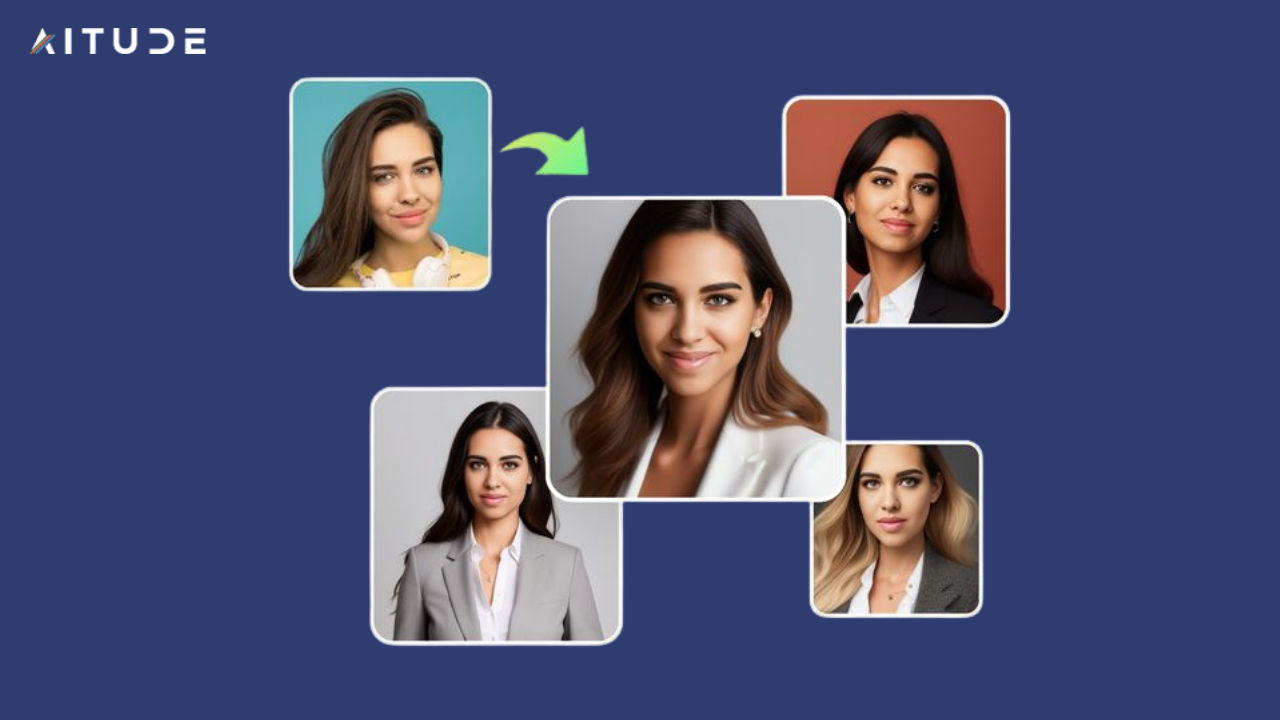
Luminar Neo and RetouchMe are quite popular for portrait retouching and skin smoothing.
3. Marketing and Advertising
Design agencies need consistent campaign visuals. Canva AI and Picsart are ideal tools for this need.
4. Printing and Publishing
High resolution images are important. Tools like Topaz Photo AI and Corel PaintShop Pro improve details.
5. Social media content creation
Influencers and freelancers need instant editing and AI filters. BeFunky and Picsart AI are perfect.
Advanced AI Features Designers Should Know
1. Generative Phil
AI tools now automatically generate missing parts of an image. For example, Photoshop’s Generative Fill can create a small crop in the full frame.
2. Image from text
Runway ML and Picsart AI generate visuals directly from text prompts. Concept creation is made easy for designers.
3. The restoration of AI
Restoring old photos with color and clarity is now faster and more accurate with AI. HitPaw and VanceAI are the best at this.
4. Smart presets
AI-based presets for one-click exposure to balance, color grading, and tones.
5. Real-time collaboration
Some new AI tools allow team members to work on the same project simultaneously.
Top AI photo editing tools in detail
1. Affinity Photo with AI plugin
Budget-friendly and professional-level editing. AI masking and plugin support are its strong points.
2. Coral Paint Shop Pro
Powerful tool for print designers with AI Upsampling and Denoise features.
3. Photo room
Mobile-first e-commerce designers are the best. Background space and branded templates provide instant does.
4. Remove anything (AI Eraser)
AI cleanly removes unwanted objects. Perfect for photographers.
5. HitPaw Enhancer
Restore and invincible me. Makes blurry images crystal clear.
6. BeFunky AI Editor
Web-based and lightweight. Quick editing is possible for beginners and freelancers.
7. VanceAI
Ideal for detail and creative effects. Also makes cartoon and art changes.
8. Design
Creates branded forms for e-commerce sellers.
9. Picsart AI
An all-in-one platform for social media and creative projects. Text-to-image and avatar generation are highlights.
10. RetouchMe
A quick mobile retouching app useful for influencers.
Tips for Professional Designers Using AI Tools
1. Combine AI with manual editing
AI will provide the foundation, but a manual touch is necessary for the final polish.
2. Experiment with multiple tools
Every project has different needs. Don’t rely on any one tool.
Use AI to brainstorm.
Use text-to-image AI for concept art. It sharpens the mind.
3. Focus on moral modification
AI can also create deepfakes and misleading edits. Always ensure transparency in professional projects.
4. Stay updated
AI tools release new updates every month. Designers must constantly update their skill set.
Comparison table
| Tool | Best feature | Ideal users |
| Affinity Photo | AI masking | Budget professionals |
| Coral Paint Shop | AI Upsampling | Print media designers |
| Photo room | Product background | E-commerce sellers |
| Remove anything. | AI object cleanup | Photographers |
| Hit power booster | The restoration of AI | Archive projects |
| Be funky. | Instant edits online | Freelancers and creators |
| VanceAI | Cartoon + Advanced | painting |
| Designing | The branded product is visible. | Online store owners |
| Picsart AI | Image from avatar + text | Social media marketers |
| RetouchMe | Mobile quick fixes | Impressive |
The future of AI photo editing for designers
- 3D AI Editing: Soon designers will be able to convert photos directly into 3D models.
- Voice Command Editing: Editing will be done by speaking only.
- AI authenticity checking: tools to identify fake and real images.
- Full Automation: Designers will submit a brief and AI will create a complete campaign.
Clever image retouching
AI tools offer smart retouching for portraits and fashion projects. They naturally smooth skin, fade blemishes, and adjust light without over-editing. It helps professional photographers and designers achieve natural and realistic results that are perfect for clients.
Advanced background editing
Background editing is now super fast and accurate with AI. The tools detect subjects accurately and provide clean cutouts. Designers can now fit product images into multiple backgrounds in easy steps, making e-commerce and marketing campaigns look professional and attractive.
High resolution enhancement
Enhancing low-quality images used to be difficult and time-consuming. AI enhancers now convert images to high resolution without losing sharpness. This is a valuable feature for print media and advertising agencies, making every visual crystal clear and impactful.
Easy access to platforms
AI photo editing tools aren’t just limited to the desktop. Now, mobile apps and web-based editors offer the same advanced features. It allows freelancers and social media creators to edit anywhere, anytime, making their workflow flexible and easy.
Conclusion
AI photo editing tools have redefined the professional design industry. Designers now have smart platforms that enhance their creativity and reduce repetitive tasks.
Affinity Photo, Corel PaintShop, PhotoRoom, Remove Anything, HitPaw, BeFunky, VanceAI, Designify, Picsart and RetouchMe – all your top picks for tools 2026.
For designers who embrace AI tools, every project will become faster, smarter and more professional. AI is now a support system that makes creativity limitless.

Sandeep Kumar is the Founder & CEO of Aitude, a leading AI tools, research, and tutorial platform dedicated to empowering learners, researchers, and innovators. Under his leadership, Aitude has become a go-to resource for those seeking the latest in artificial intelligence, machine learning, computer vision, and development strategies.