They will transform how artists produce digital art. Professional AI Images: Beginners can create high-quality graphics without technical training. AI Images allow those who lack advanced software expertise. Now, even amateurs can make polished and attractive visuals using artificial intelligence. This is a far cry from the days when creating images for professional use took years of experience in design. You had to know the principles of color theory, composition, lighting and editing tools. It took time to learn the common software like Photoshop, and it was complicated. It was also costly to hire a professional designer.
Today, artificial intelligence–powered platforms have simplified that process. You just need an idea and a good description. The AI does the design work. It creates detailed, realistic or artistic images in seconds. These tools include DALL·E by OpenAI, Mid journey, Canva and Adobe Firefly by Adobe are driving this change. These platforms empower users to generate Professional AI Images with ease and speed.
In this tutorial you will learn how to design Professional AI Images without any design skill. You will understand how AI works, how to write better prompts, how to refine results and how to generate images that look absolutely pro.
What Are Professional AI Images?
Professional AI Images are AI-generated images that appear clean and high quality. They resemble images produced by seasoned designers or photographers. Use: The Business professional AI Images such as a Realistic Portraits, Product Mockups, Social Media graphics, Website Banners, Concept Art and Marketing Visuals. Basic AI images vs Professional AI Images by detail, clarity, lighting and composition.
AI systems are trained on hundreds of millions of images. They learn rules about shape, color, shadow and texture. In response to a prompt, the system creates a brand-new picture by reading and learning all that information. The quality of Professional AI Images is largely dependent on the clarity of your direction.

Why You Do Not Need Design Skills Anymore
Traditional design required technical knowledge. Designers needed to know about layers, filters and editing tools. They required some practice to make balanced compositions. AI takes away a lot of this complexity. It automatically deals with perspective, light and shadow. It chooses combinations of colors that suit your definition. It creates surfaces with texture and depth without having to manually tweak each one.
This makes it possible for beginners to create Professional AI Images without knowing advanced techniques. You talk not so much about technical tools, but ideas and descriptions. The skill set of today is clear communication. If you can make a good description of your idea, you can yield good results.
Choosing the Right Tool for Professional AI Images
Different platforms offer different strengths. Choosing the correct one makes you able to generate more Professional AI Images. OpenAI’s DALL·E is famous for photorealistic and very detailed outputs. It understands confusing prompts and gives clean results. Ideal for marketing visuals and concept designs
Mid journey is known for its artful and cinematic aesthetic. It gives rise to dramatic lighting and picturesque scenes. Many creative projects are made using it from artists. Adobe Firefly for Professionals Integrates AI Into Adobe Design Software It enables greater customization and refinement. How do you pick the right tool? Choose beginner-friendly platforms if you need basic graphics. Use professional tools if you need to edit like a pro.
Start with a Clear Concept
Professional AI Images starts with clarity. Visualize the finished product before even typing in a prompt. Consider the subject and mood. So in its place of business image think a confident businesswoman working on her laptop in an office space with lots of natural daytime. Clarity improves output. AI is a tool best used with focused instructions.
Write Detailed and Structured Prompts
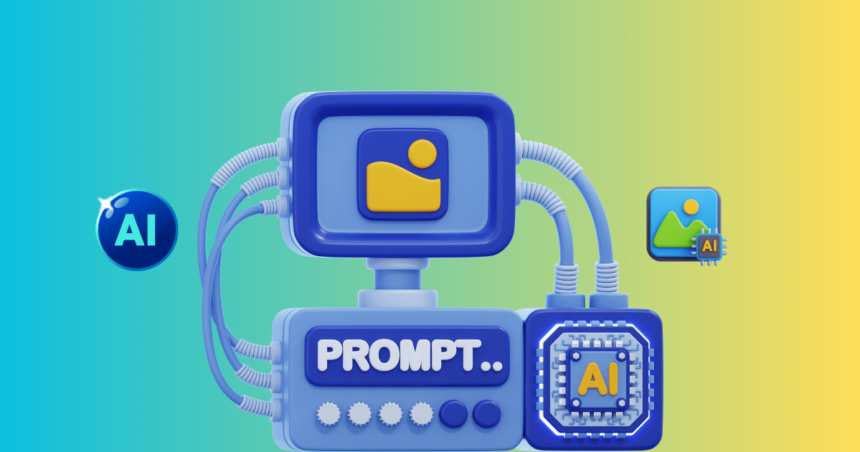
Creating AI Images with items that are professional starts from Prompt writing. A structured prompt improves accuracy. Start with the main subject. Then describe the environment. Add lighting details. Finally, mention style or quality.
So rather than just typing office, you would write something like, modern corporate office interior with glass walls, soft natural lighting, realistic photography, high resolution. AI is guided very well with detailed prompts. Average results come from short vague prompts. Keep sentences simple. Avoid confusing language. Well Written Prompts, Make Professional AI Images.
Use Lighting and Style Keywords
Lighting creates mood. Professional AI Images often have realistic look due to strong lighting descriptions. These words affect tone and depth. Style keywords also matter. You can ask for ultra-realistic photography, cinematic composition or minimalist design. These phrases shape how the final output will look. Wording changes make significant differences.
Refine and Improve
Not often is the first result perfect. AI Generated Professional Images Needs Some Finishing Touches. If the image is not detailed, use more adjectives. If you feel the composition is off-balance, make it simpler. Adjust lighting descriptions if needed. Generate multiple versions. Compare them carefully. Choose the strongest result. Refining is part of that process. Professionals do not take the first version.
Enhance With Editing Tools
Most work creates by AI, but for much better results small changes can be added. Might you wish to crop the image for better framing. You are enabled to change brightness and contrast. You can sharpen details. Upscaling is for printing or displays on large screens. Editing is easy with platforms like Canva and Adobe tools. These little tweaks turn good images to Professional AI Images.
Common Mistakes to Sidestep
A big error is to create ultra-brief prompts. If you are generating AI images professionally, your prompt should be clear and descriptive. Too many unconnected ideas is another error. So, keep the idea told and makes sense. Ignoring lighting is also common. Lighting creates realism and depth. Always include it when possible. Quality suffers if you stop at the first try. Iteration improves results.
Business Use of Professional AI Images
AI images are professionals and can be strong for marketing. Winning mockups that startups make without going for expensive shoots. Bloggers design featured images quickly. Creatives make thumbnails in minutes. Custom AI images lower costs and save time.
Right and Responsible Use
Always check platform guidelines. Before publishing, you should know by all usage rights commercial. Sidestep misleading visuals. Do not use images generated by AI to spread misinformation. Respect intellectual property rules. Ethical practices protect your reputation.
The Future of Professional AI Images
AI technology continues to evolve. Data up to October 2023: Images Captured by Professionals are sufficiently Realistic Editing tools are improving. Real-time adjustments may become standard. Three-dimensional design may become easier. Human creativity will remain essential. AI supports ideas. It enhances productivity. It does not replace imagination.
Conclusion
Now anyone is able to get professional AI Images. You do not require any design skills to create great visuals. You just need clear ideas and structured prompts. Choose the right tool. Write detailed descriptions. Include lighting and style. Refine your results. Edit carefully when needed. By practicing, you can regularly generate Professional AI Images that appear clean and impressive. AI made professional design as accessible as ever.

Shruti Roy is a content writer at Aitude, where she writes easy-to-understand articles on artificial intelligence, AI tools, and emerging tech trends. She focuses on creating helpful, practical content that makes complex AI topics simple for everyday users.