The use of AI in the digital media and content creator environment is growing day in and day out. By 2026, one can expect that the problem of the difficulty and inaccessibility of video editing to beginners will be more than ever eliminated due to the introduction of free AI-based video editors. You do not have to learn how to use costly software and spend a lot of money on subscriptions as you used to do. Free AI tools have provided a beginner-friendly environment, where anyone can make a professional video out of his or her idea very fast.
Among the tools, the editing process becomes easier and quicker with the assistance of automation and AI, including smart templates, auto-subtitles, AI-powered transitions, and text-to-video converting capabilities.
Clipchamp: Microsoft has a free Ai video editor
Clipchamp is another high-tech video editing tool by Microsoft, based on AI, which enables the beginners in the field to edit videos without much trouble. The interface is simple and easy to use, and you can easily arrange and edit your raw clips using drag and drop features. It has efficient and time saving AI functions such as auto-subtitles and smart templates that are easy to use by the novice.
With Clipchamp, you also get free stock footage, royalty-free music, and basic transitions to automatically make your videos look professional. The AI is an added advantage to Microsoft, as it offers you quicker processing and intelligent recommendations. Clipchamp is a very good place to start when starting with the aim of opening the door to your first YouTube channel or social media content.
- Make professional videos using free templates and stock library.
- Automatic subtitles that are generated by artificial intelligence and do not require typing.
- Simple drag and drop editor.
- Social Media – prepared exports (Tik Tok, YouTube, Instagram format)
1. CapCut Free AI mobile editing
CapCut is an AI video editing application that is mobile-friendly and is designed specifically to be used by beginners. TikTok and Instagram creators are fond of this app as it consists of intelligent AI features that enable making videos immediately captivating. The best feature of CapCut is the AI background remover which replaces the background without a green screen.
Another feature that is also powerful is the auto- sync music where the AI perfectly aligns the beats with the visuals. This is a saving time aspect to novices and automatically converts videos into professionals. CapCut is also highly useful to creators of short-form content with smart captions and trending effects.
- Background remover AI to remove background in a jiffy.
- Music can automatically be matched with the beat of the flow.
- Intelligent caption creator that transforms videos into interesting ones.
- Filter and effects that are ideal in social media posts.
2. Invideo Free Plan – AI Editing Made Easy
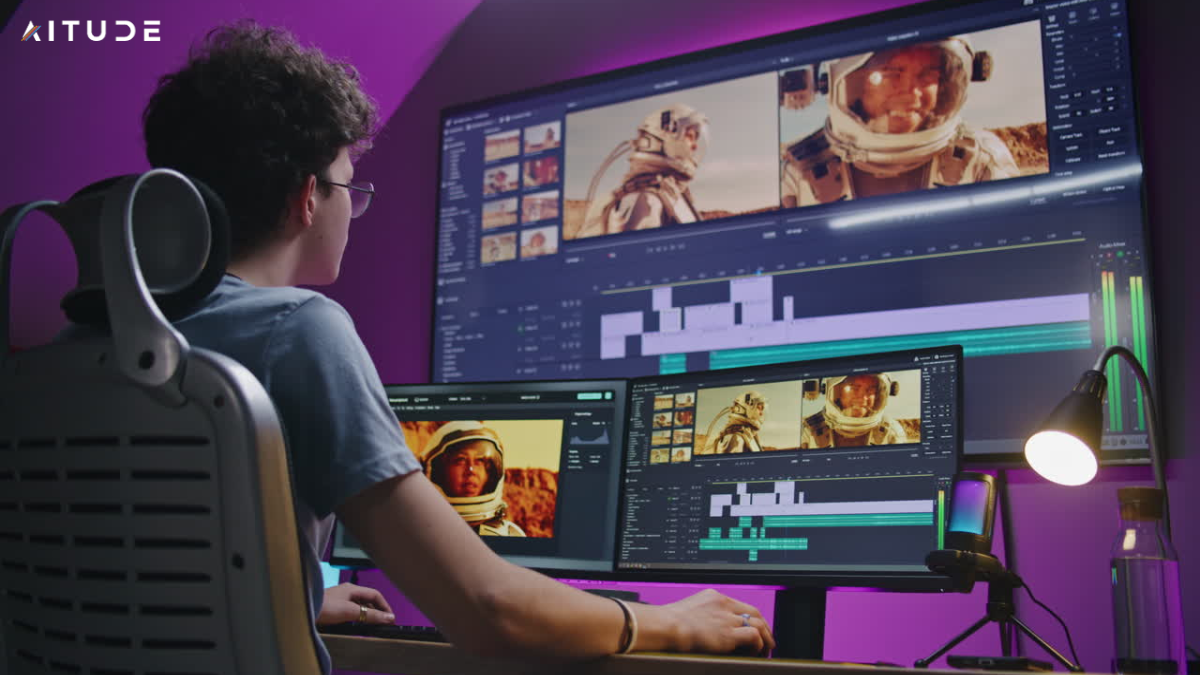
The free plan offered by the company, In Video, is a game changer among the beginners. This Invideo tool that is specifically made to make a text-based content in an engaging video. It has an artificial intelligence text-to-video option that allows you to simply paste an article or a blog and the technology will automatically turn it into a video with visuals, animations, and subtitles.
The free templates of 5,000 plus is an enormous advantage to beginners at Invade. These templates address many niches and they are social media posts, ads, vlogs, and presentations. Also, there is the auto voiceover option that can be used by creators who lack recording equipment. Novices are able to produce professional quality videos without having a microphone.
- Fast text to video conversion using AI at no cost.
- Easy narration with auto subtitles and voiceover.
- 5000+ templates for every niche
- Web based platform that is user friendly among beginners.
3. Free Cloud-Based AI Editor – FlexClip
FlexClip is an artificial intelligence-based video editing application that supports simplicity and flexibility when using with beginners. The productivity tool is not bulky and it gives you the power to edit in the browser without having to download any heavy software. FlexClip is a relaxing platform to those who are beginners and feel threatened by professional editing programs.
The script to video capability of FlexClip is extremely strong among content creators. You type a script and the A.I. will automatically turn it into a video with stock images, background music and effects. The free-plan also has lots of stock music, sound effects and filters. It is cloud-based so that you can work on your project anywhere.
- Video feature of AI script that is just ideal to the beginners.
- Free music and sound effects to use in creative videos.
- On-the-fly editing available everywhere.
- Drag and drop ease of making editing enjoyable.
4. VEED.IO Free AI Tools
Its best attribute to the novice is that it has an AI subtitles generator that automatically provides captions to videos. This is a key feature particularly to the people who make videos that have a global audience.
Besides, VEED.IO provides screen recorder and audio cleanup options as well in the free plan. Such tools are ideal with those creators who develop tutorials, educational material and business presentations. Suppression of noise during audio recording is an advantage to the novice since it can record clearly without getting costly microphones.
- Free AI Auto Subtitle Generator Dark.ai|
- Screen recording option of tutorials and guides.
- Sound cleaning and audio noise improvement.
- Drag and drop interface ideal to beginners.
5. Openshot – Open AI Editing Power
The Openshot software is free and open source software that is very useful to beginners and intermediate editors. The greatest strength of this is that it can have unlimited layers and hence early creative freedom. Advanced functions with a beginner-friendly interface can be achieved with its AI-assisted effects and transitions.
This application can be used on all systems such as windows, Mac and Linux. The ease of use of its drag and drop features and built-in transitions makes it easy to edit even without being an expert. Although it is free it also has advanced features like time mapping, slow motion as well as 3D animation. OpenShot is an ideal practice tool of novice editors that aim to acquire additional skills in the field of editing.
- 100 percent open and free.
- Video layers and tracks are unlimited.
- Al based transitions and effects.
- Cross platform (Windows, Mac, and Linux)
6. Hit film Express – Free Professional AI Video Editor
Hit film Express is free software, artificial intelligence, video editing program designed to achieve professional quality output. It is a tool that is specifically formulated to suit creators who desire to produce cinematic videos to film or YouTube. To begin with, it has inbuilt presets and auto facilities which are based on artificial intelligence and thus simplify and speed up the editing process.
The most peculiar aspect about the Hit Film Express is the VFX support, as novices can engage in the use of quality visual effects at no cost. Other tools that could be useful to a beginner are audio sync, sophisticated trimming and AI noise reduction. This tool may be the best option in case you are interested in producing movie-making or tutorial-type content.
- VFX tools or film presets are free.
- Noise reduction and trimming using AI.
- Multi-track editing- beginner support.
- Social media and YouTube optimized export.
7. Advance Resolve Free Version
The free edition of Advance Resolve is regarded as the strongest video editors in the world. Although the tool might initially appear somewhat complex, the AI-based functionality and the sophisticated templates make the process of learning not very difficult. The free version is also preferred by professional editors as it has advanced color correction and artificial intelligence audio.
The smart cut feature of DaVinci Resolve is a blessing to non-experts. It applies AI to automatically remove undesired parts, which saves beginners time by trimming out these parts manually. Also, Auto Color Correction and AI Voice Isolation functions automatically introduce a professional touch to the amateur videos.
- Smart Ai Trimming and Cutting Tools.
- Cinema quality color correction.
- Artificial intelligence audio clean and voice isolations.
- The free version is professionally grade.
8. Canva Video Editor – Free AI Easiness
Canva is not only famous because of its design features, and its free AI-based video editor is also priceless to amateurs. This is a tool that is specifically created to be used by individuals who do not wish to engage in complex editing programs. The drag-and-drop nature of the Canva interface and the artificial intelligence capabilities such as auto-captions and smart transitions allow anyone to be a videographer.
Its free version provides an abundance of premade templates, stock music and animations. Canva is ideal when it comes to beginners who desire to give their work on social media a professional and creative feel without taking hours to edit it. Canva is a cloud based platform and therefore can be accessed on any platform.
- Intelligent captions and intelligent transitions powered by AI.
- Massive free template and stock music library.
- Drag and drop ease of use to the novices.
- Cloud computing editing and easy collaboration.
Conclusion
Free AI video editor tools that can be used by a beginner have shook the world in 2026. Today, everyone can transform his or her ideas into interesting and professional videos without costly software and complicated interfaces. Entry-level beginners can use tools such as Clip champ, CapCut, Invade, Flex Clip, and VEED.IO to quickly and easily make an edit, but advanced free programs such as Advance Resolve, Hit Film Express, and Opens hot can help a beginner gradually get up to speed and deliver results of professional caliber.
All these tools share the commonality of automating repetitive and technical processes with the help of AI so that beginners can concentrate on their creativity. The editing process is made user-friendly and enjoyable with features such as auto subtitles, background cutting, text-to-video conversion and AI cutting.
When you are a novice, the easiest method to start with is by selecting a basic video editing AI and beginning to understand the features as you advance with the editing profession. The greatest strength of the free ones is that it gives a strong base at no expense. Consistency and practice will help you to make your content at a professional level.

Sandeep Kumar is the Founder & CEO of Aitude, a leading AI tools, research, and tutorial platform dedicated to empowering learners, researchers, and innovators. Under his leadership, Aitude has become a go-to resource for those seeking the latest in artificial intelligence, machine learning, computer vision, and development strategies.