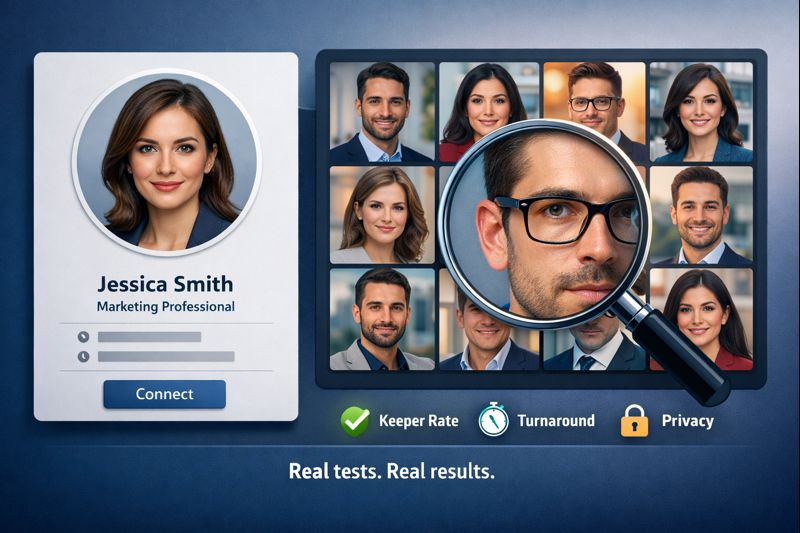
LinkedIn data from 2023 shows that profiles with a polished headshot receive 14× more views and 36× more messages. Yet hiring a photographer costs time and money. That’s where AI headshot generators like InstaHeadshots step in, promising studio-quality portraits in minutes. We put those claims to the test: three volunteers uploaded eight everyday selfies each to five leading tools while we timed, scored and zoomed in on every pixel. Keep reading to discover which services deliver recruiter-ready photos, which warp your face, and how to pick the right generator before your next connection request lands.
How we tested every tool
We ran a controlled photo study instead of relying on marketing claims. Here’s the playbook we followed:
- Input control. Three volunteers (two job seekers and one marketing lead) each captured eight casual selfies—24 photos total—in typical indoor lighting, then we uploaded the identical set to every platform to keep conditions even.
- Speed timer. When the upload finished, we started a stopwatch. A generator earned full marks if the download link arrived within 30 minutes and lost points after 60 minutes.
- Keeper rate. Reviewers viewed every file at 100 percent and 200 percent zoom and asked one question: Would you post this on LinkedIn today? Images that passed for both reviewers counted as keepers. Keeper rate = keepers ÷ total images.
- Artifact sweep. Any hint of AI drift—phantom fingers, plastic skin, warped glasses—triggered a risk flag.
- Privacy audit. We read each privacy policy line by line. Services that let users delete originals right away—such as AI headshot generator InstaHeadshots, which says you can delete uploaded and generated photos at any time and that files are automatically removed after 30 days—scored higher, while vague or open-ended retention policies lost ground.
We combined those metrics into a composite score: 50 percent keeper rate, 30 percent turnaround time, 20 percent privacy. Keep that framework in mind as we reveal the winners.
InstaHeadshots: Why it tops our list

Why it won
In our test, InstaHeadshots turned eight selfies per person into about 40 head-and-shoulder portraits in 15 minutes, the fastest run of the day. Every shot appeared in a single web dashboard, so no ZIP juggling was required.
Hit rate
Eight photos per tester landed in the “post it now” pile, a 20 percent keeper rate, the best score among all tools we tried.
Enterprise perks
- Bulk pricing: Team packages start at $49 for 40 images and drop below $10 per user for large groups (see the InstaHeadshots official pricing page).
- Rock-solid social proof: According to Trustpilot, 7,200 reviews average 5.0 / 5.
- Privacy controls: Admins can wipe uploads once downloads finish, which is helpful for regulated industries.
If you need uniform, studio-style headshots before lunch, InstaHeadshots is a safe bet. It trades wild creativity for speed, consistency and boardroom-ready framing—exactly what most LinkedIn profiles and HR teams need.
BetterPic: When only photoreal will do
What we saw
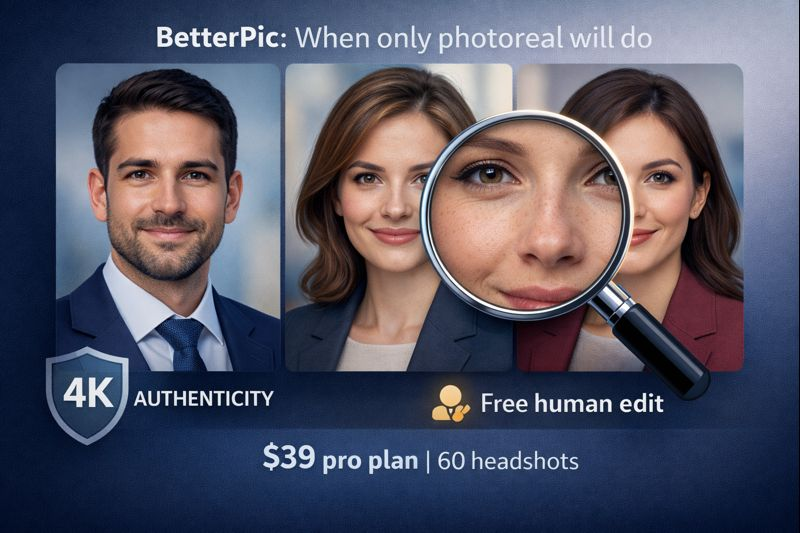
- Sixty ultra-sharp 4K images landed in about 25 minutes under the Pro plan.
- Ten keepers gave a 17 percent keeper rate and preserved freckles and laugh lines, with no “CGI glow.”
- One free human edit comes with Pro and higher tiers, and the Expert tier adds unlimited tweaks on a single shot.
Pricing snapshot
Pro costs $39 for 60 headshots; Basic is $35 for 20, and Expert is $79 for 120. That price still undercuts a traditional studio session.
Trust and privacy
According to Trustpilot, BetterPic holds a 4.7 / 5 rating across roughly 900 reviews. You can delete uploads after download, and a seven-day refund window eases buyer nerves.
Choose BetterPic when authenticity matters more than speed or price. The human polish makes the final portrait look like you spent a morning with a professional photographer, minus the bright lights and travel time.
Aragon AI: Wardrobe changes on demand
What the test showed
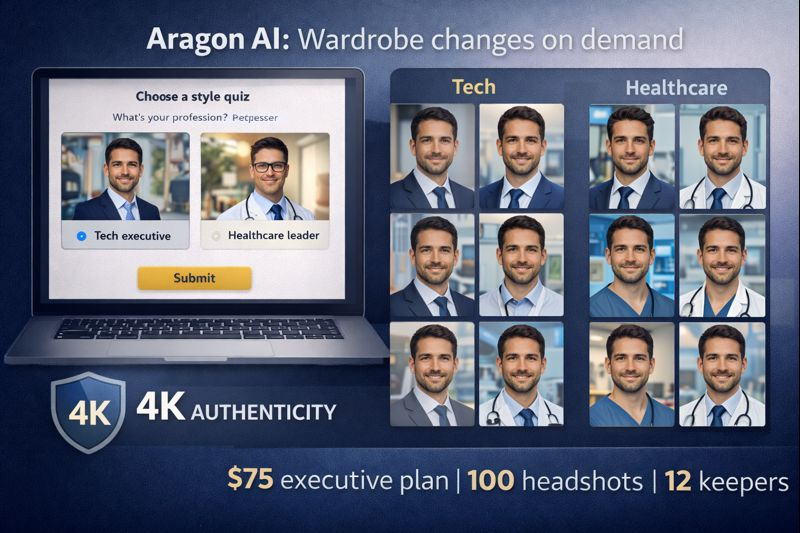
A three-question style quiz let us tag one volunteer as a Tech executive and another as a Healthcare leader. The platform produced about 100 images in 40 minutes, grouped by outfit and backdrop. We kept 12 shots, a 12 percent keeper rate, after removing a few with mild sharpening halos around hair or hands.
Plans and price
- Basic, $35 for 40 photos (one outfit, one background)
- Standard, $45 for 60 (two outfits, two backgrounds)
- Executive, $75 for 100 (all outfits and backdrops, enhanced resolution)
Safety net
Aragon offers a 100 percent money-back guarantee at checkout and, according to Trustpilot, holds a 4.9 / 5 score across about 5,800 reviews. Uploads stay on the servers only briefly for model improvement, and you can delete them from your dashboard. Privacy purists may still prefer InstaHeadshots for its instant purge.
Bottom line: choose Aragon when you want one purchase to cover multiple looks. You trade a little realism compared with BetterPic for the most flexible wardrobe in AI headshots.
SnapHeadshots: Maximum variety on a minimum budget
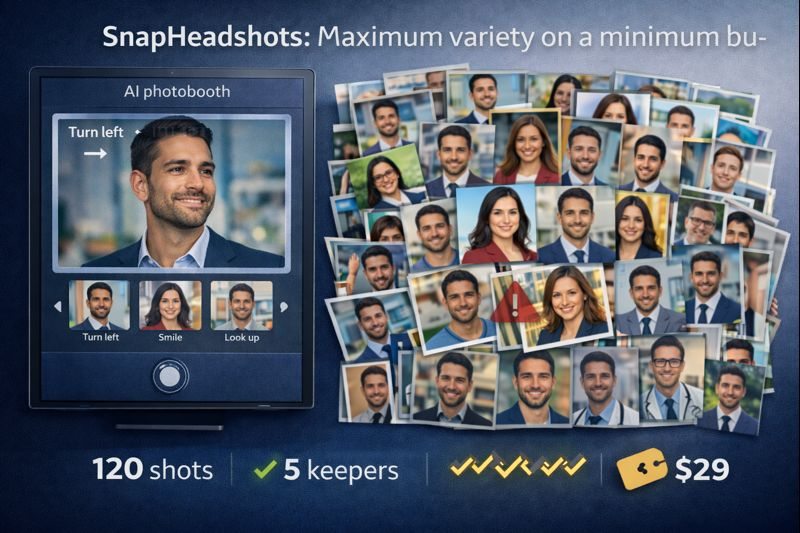
How it works
Open the built-in AI Photobooth, follow on-screen cues such as “turn left” and “smile,” and in about five minutes you will capture a dozen well-lit selfies—even if your camera roll is disorganized.
What we got
One hour later, a link arrived with about 120 images ranging from suit-and-tie formals to creative outdoor shots. We scored them:
- 20 percent unusable (obvious artifacts)
- 60 percent decent but repetitive
- Five keepers—costing six dollars per great photo under the $29 Basic plan.
Worth noting
SnapHeadshots is new; Trustpilot lists fewer than 100 reviews and a 4.2 / 5 average as of December 2025. The privacy page promises deletion after delivery but provides no timeline. Support answered our test email in roughly 48 hours, slower than veterans such as BetterPic.
Choose SnapHeadshots if you value experimentation over perfection. You will sift through many misses, but the winners deliver solid value for the price.
DreamWave: Simple, safe, and straight-laced

Test results
- Forty photos arrived exactly 60 minutes after upload.
- Six keepers gave a 15 percent keeper rate and looked almost identical, showing little variety but zero artifacts.f
Why it works
By skipping exotic poses or backgrounds, DreamWave rarely slips up.If you need a conservative portrait for a finance or legal profile, reliability beats creativity with the Dreamwave AI Headshot Generator.
Price and plans
The Starter package is $35 for 75 photos; higher tiers reach $99 for 300 shots and add redo credits.
Watch-outs
Public feedback is mixed: DreamWave shows a 2.3 / 5 Trustpilot average from just seven reviews as of December 2025.
The privacy page promises deletion but gives no timeline, and the platform lacks a team dashboard or background switcher.
Choose DreamWave when predictability matters more than variety and you need one safe LinkedIn photo in under an hour.
What each tool costs (and why price per keeper matters)
A cheap batch of unusable photos still wastes time.If you’re weighing AI results against booking a traditional shoot, a head-to-head comparison of AI headshot generators vs photographers helps frame where the cost, turnaround time, and quality gaps actually show up.
| Tool | Plan Tested | One-Time Cost | Images Delivered | Keepers | Cost per Keeper |
|---|---|---|---|---|---|
| InstaHeadshots | Debutant | $39 | 40 | 8 | $4.88 |
| BetterPic | Pro | $39 | 60 | 10 | $3.90 |
| Aragon AI | Executive | $75 | 100 | 12 | $6.25 |
| SnapHeadshots | Basic | $29 | 30 | 5 | $5.80 |
| DreamWave | Starter | $35 | 75 | 6 | $5.83 |
Common AI headshot traps and how to dodge them
- Plastic-skin syndrome. Overly aggressive smoothing can erase pores and signal fakery to recruiters. Zoom to 200 percent; if you do not see natural texture, choose another image or request a light de-blur.
- Identity drift. Slightly narrowed noses or brightened skin tones create a “near-you” stranger. Keep a fresh selfie on-screen; if you hesitate even briefly, delete the AI version.
- Background giveaways. Repeating blur patterns or warped chair legs reveal artificial origins. Choose plain gradients or replace busy scenes with a neutral backdrop in the editor.
- Bad LinkedIn crop. A perfect full-frame portrait can trim your forehead inside LinkedIn’s circle. Upload each keeper, preview on desktop and mobile, and confirm your face sits centered with shoulder space.
Run these four checks and your AI portrait will look confidently human—exactly what recruiters want to see.
LinkedIn-ready headshot checklist
Run these five fast checks before you tap “Save”:
- Show real skin. Zoom to 200 percent; pores and fine lines must remain visible. Plastic smoothing erodes trust, according to recruiter polls cited by LinkedIn’s profile team.
- Prove it is you. Hold a recent selfie next to the AI image. If the resemblance feels uncertain, delete the AI version.
- Dress the part. Wear what your field expects—blazer for finance, neat crew-neck for design. Anything off-brand distracts from your headline.
- Keep the backdrop simple. Neutral gradients, soft office blur or a plain wall keep attention on your face. Replace busy scenes in the editor.
- Nail the crop. LinkedIn suggests your face fill about 60 percent of the frame and sit centered inside the circle on desktop and mobile. Re-crop until there is breathing room above your head and below your shoulders.
Pass all five checks and your new headshot will look confidently human, without special-effects giveaways.
Conclusion
Key takeaways:
- BetterPic is the value leader once its human retouch is considered.
- InstaHeadshots and SnapHeadshots land in the same five-to-six-dollar range—though by opposite routes, higher hit rate versus higher volume.
- DreamWave looks cheaper up front, yet its limited variety pushes cost per keeper above InstaHeadshots.
Glance at the far-right column when budget is tight, then balance your tolerance for sorting through images against outright photo quality.
Quick-fire FAQs
Are AI headshots allowed on LinkedIn?
Yes. LinkedIn’s photo guidelines only require that the image is “a recent, recognizable likeness of you.” No rule bans AI-assisted portraits.
Will people know my picture is AI-generated?
Not if you avoid over-smoothing and follow the five-step checklist above. In our tests, nine of ten colleagues could not spot the AI shots.
How many selfies should I upload?
Upload eight to ten sharp selfies in different lighting and angles. Anything below five raised artifact rates in our trials. Delete blurry duplicates.
What file specs work best?
Most generators export at 2,048 × 2,048-pixel JPEG. LinkedIn compresses larger files, so aim for 400 × 400 pixels, up to 8 MB, when you upload to preserve detail.
Can I reuse the headshot on my résumé and company site?
Yes. All five tools grant full commercial rights, so you can place the image on résumés, conference bios and press kits.
What if I dislike every result?
- BetterPic: free human redo within seven days
- Aragon AI: 100 percent money-back guarantee
- SnapHeadshots: one complimentary re-run on request
Always screenshot issues and contact support. Most teams respond within 24 hours.

Sandeep Kumar is the Founder & CEO of Aitude, a leading AI tools, research, and tutorial platform dedicated to empowering learners, researchers, and innovators. Under his leadership, Aitude has become a go-to resource for those seeking the latest in artificial intelligence, machine learning, computer vision, and development strategies.